Contents
How many servers in your network are waiting for a security update? Which one still runs an old version of OpenSSL? Who has administrator rights, and when did a new account or an open port appear, and where? These questions usually end up in a script, a spreadsheet or a separate endpoint management tool. The Software & vulnerabilities module answers them directly in FlowPro NG, for every server and workstation that already runs Elastic Agent.
This article describes how the module collects data, what it learns from it and how the results flow into the rest of FlowPro NG.
How Collection Works: osquery Inside the Agent
Elastic Agent includes osquery, a tool that can find a computer's installed packages and programs, users, services, listening ports and much more. FlowPro NG uses it, so nothing has to be installed on the device. It adds the Osquery Manager integration with its own set of queries to the Fleet policies, the agent starts osquery itself and sends the results along with its other data. The agents are not restarted.
Each query sends the complete state at a regular interval: the software list every 6 hours, users and services every hour, listening ports every 30 minutes. FlowPro NG compares the new state with the last known one and records what was added, removed or changed. The first snapshot of each device is the baseline and creates no changes or events, so turning the module on does not flood the Event Center.
The queries are deliberately lightweight, their runs are spread over time, and FlowPro NG measures how much each one actually costs on every agent. The current state and the history of changes are stored in the FlowPro NG database. The raw osquery results in Elasticsearch are needed only briefly; the default retention is 14 days.
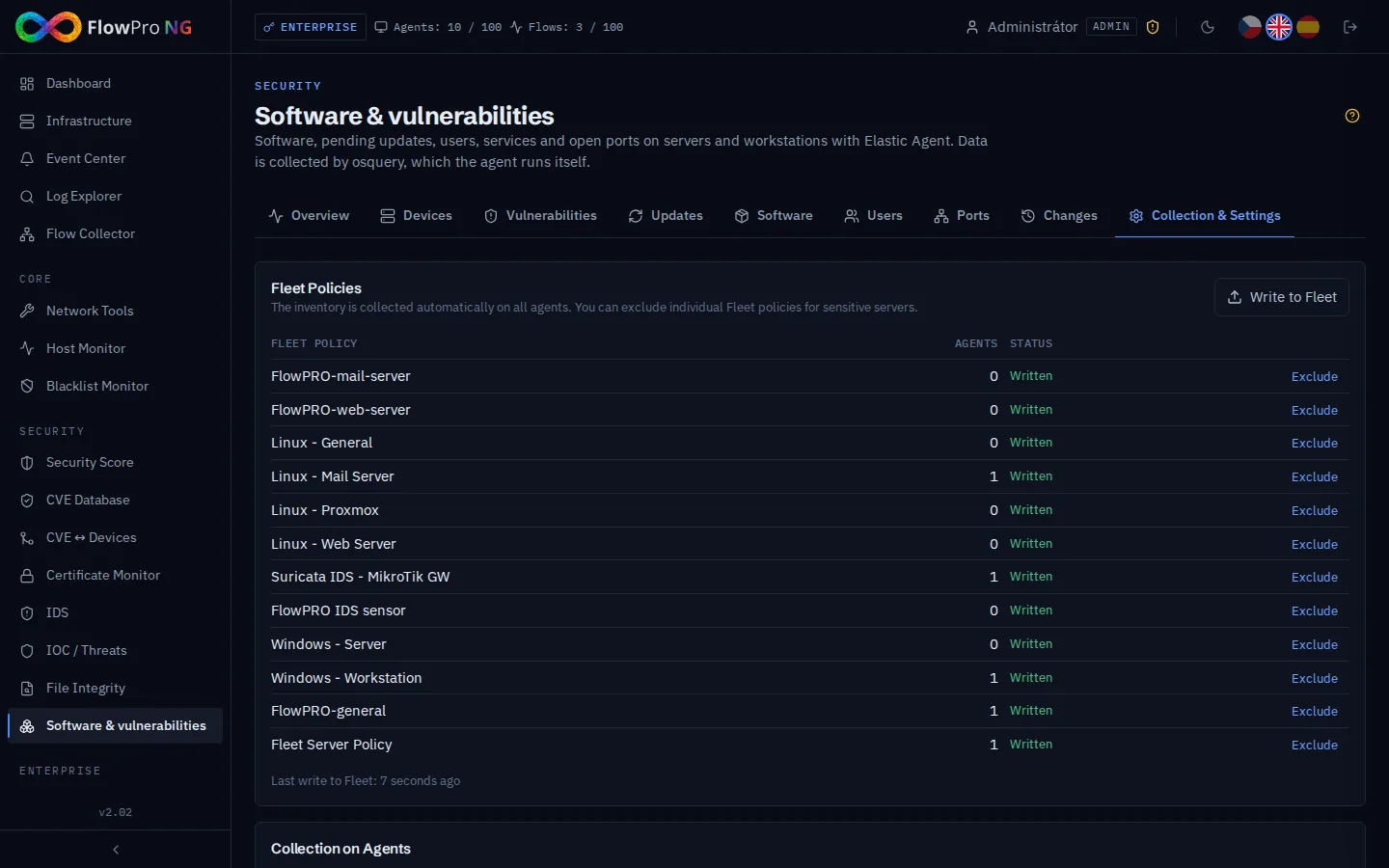
With the Security license, collection turns on for all agents by itself. In a large installation it rolls out gradually, at most 3 new Fleet policies every 10 minutes, so the servers are not loaded all at once. You exclude sensitive servers in Collection & Settings, by whole Fleet policy, and FlowPro NG then removes its integration from that policy. Policies where osquery is already managed by someone else stay unchanged.
Overview and Devices
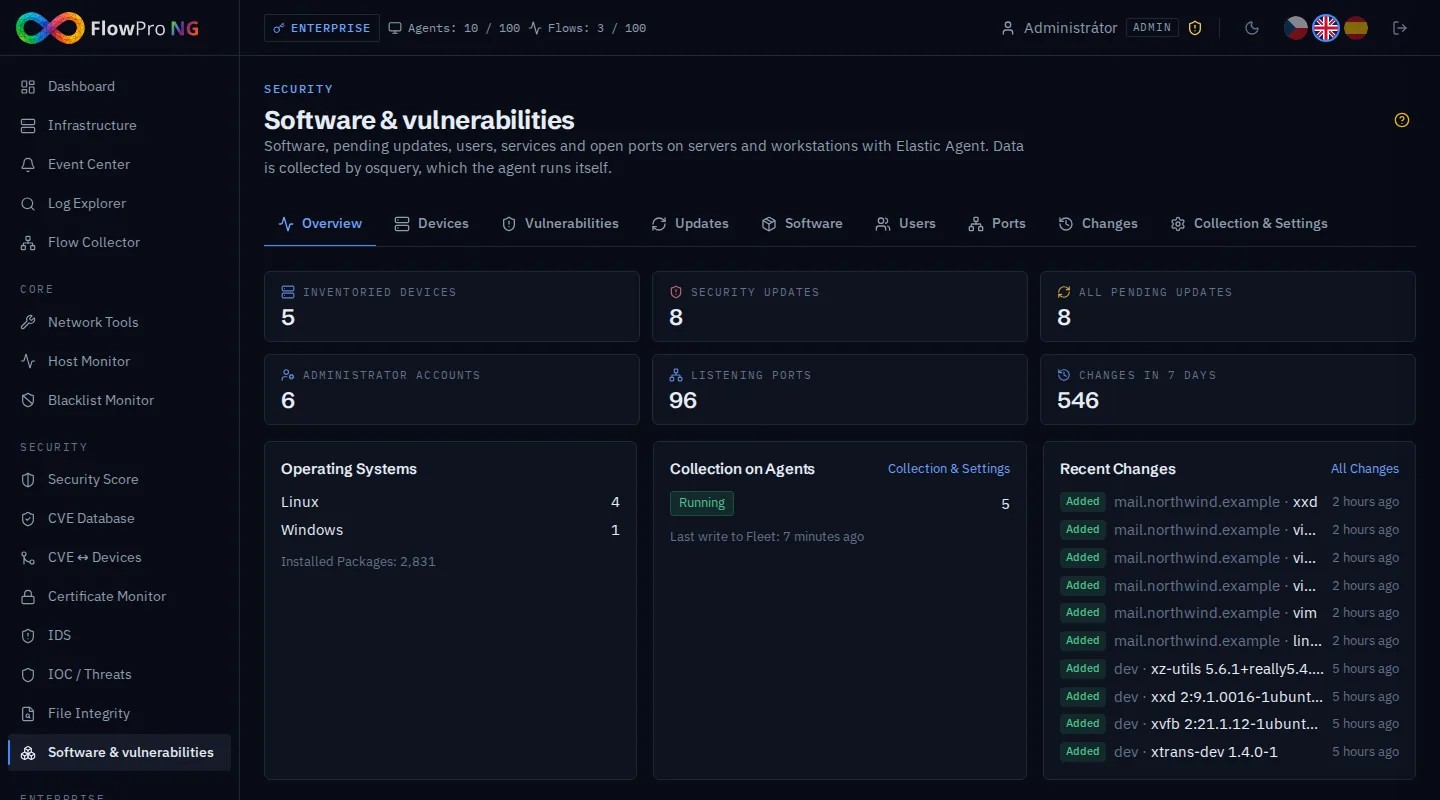
The Overview sums up the number of inventoried devices, pending security and other updates, administrator accounts, listening ports and changes in the last 7 days. It also shows whether collection on the agents is running and when data last arrived.
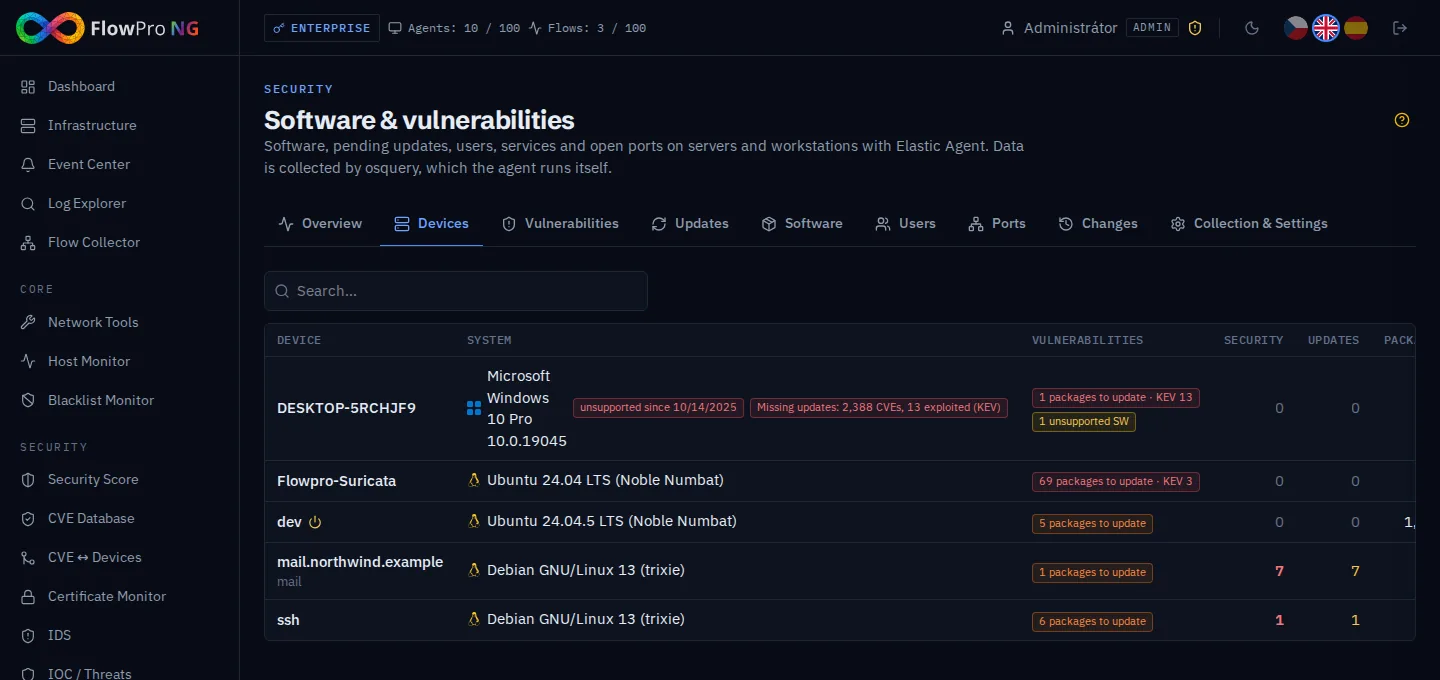
The Devices tab lists servers and workstations with their operating system, the number of packages to update and pending updates. At a glance you also see devices with an unsupported system and Windows machines that are missing security fixes.
Operating System Support
For each device, FlowPro NG watches how long its system version will keep receiving security fixes. This covers Debian, Ubuntu, RHEL and derived distributions, Windows and Windows Server. The data comes from the endoflife.date project, delivered by the central FlowPro feed. The device list shows "unsupported since …" in red and "support ends …" in orange when fewer than 90 days remain. An event is created once for each device and system version, so the end of support does not go unnoticed.
Vulnerabilities: What to Fix and How
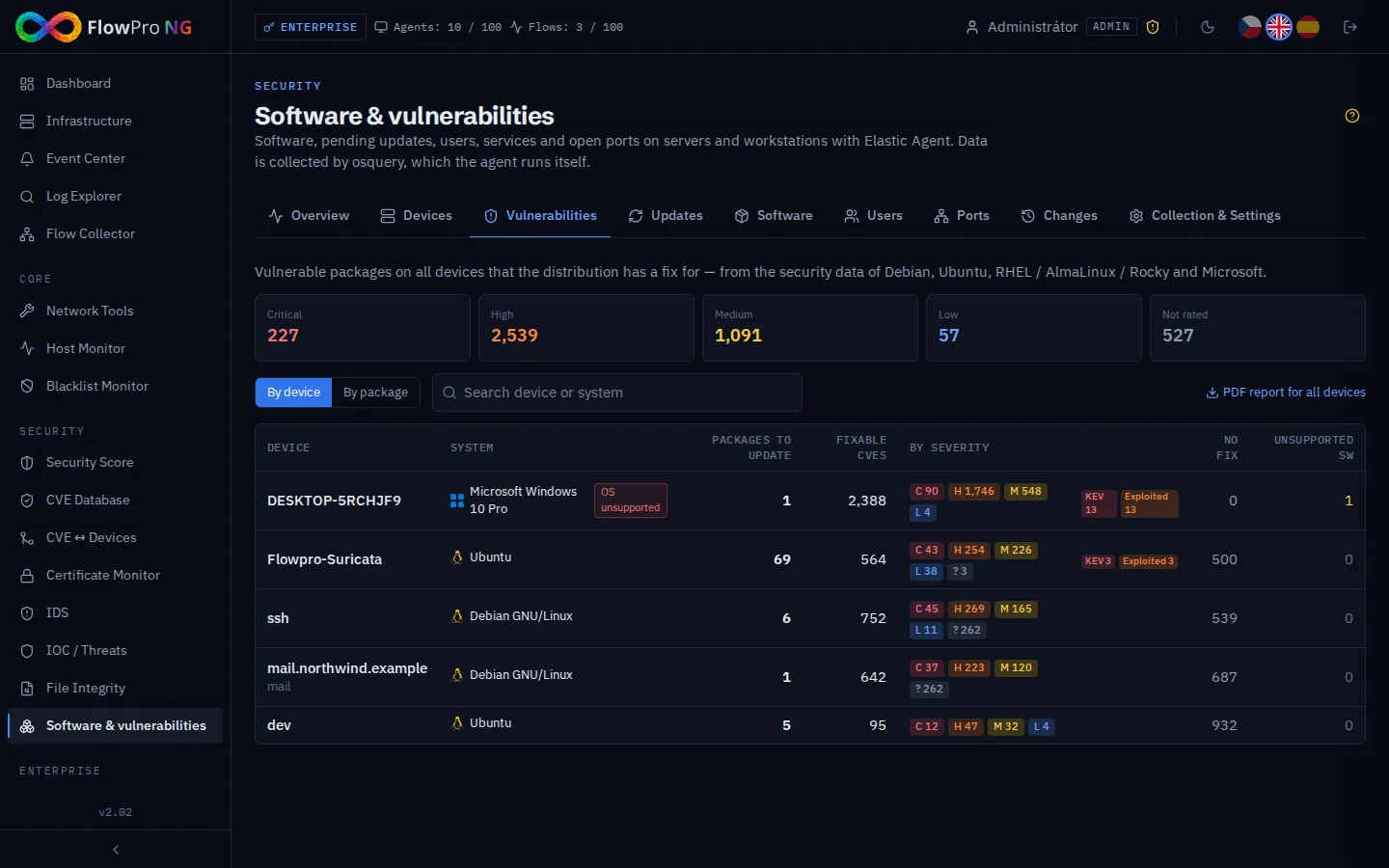
The most important tab is Vulnerabilities. FlowPro NG compares every installed package with the security data of its distribution:
- the Debian Security Tracker,
- Ubuntu (Canonical OSV, including fixes available only in Ubuntu Pro),
- RHEL, AlmaLinux and Rocky Linux advisories,
- the Microsoft Security Update Guide for Windows.
Why not just by version number? Distributions often backport security fixes: they fix the flaw in an older package version without changing the program's version number. Comparing against a generic CVE database would report hundreds of long-fixed vulnerabilities in Debian or Ubuntu packages. The distribution's security data says exactly which package version contains the fix. FlowPro NG therefore reports only what is actually unfixed on the device and has a fix available.
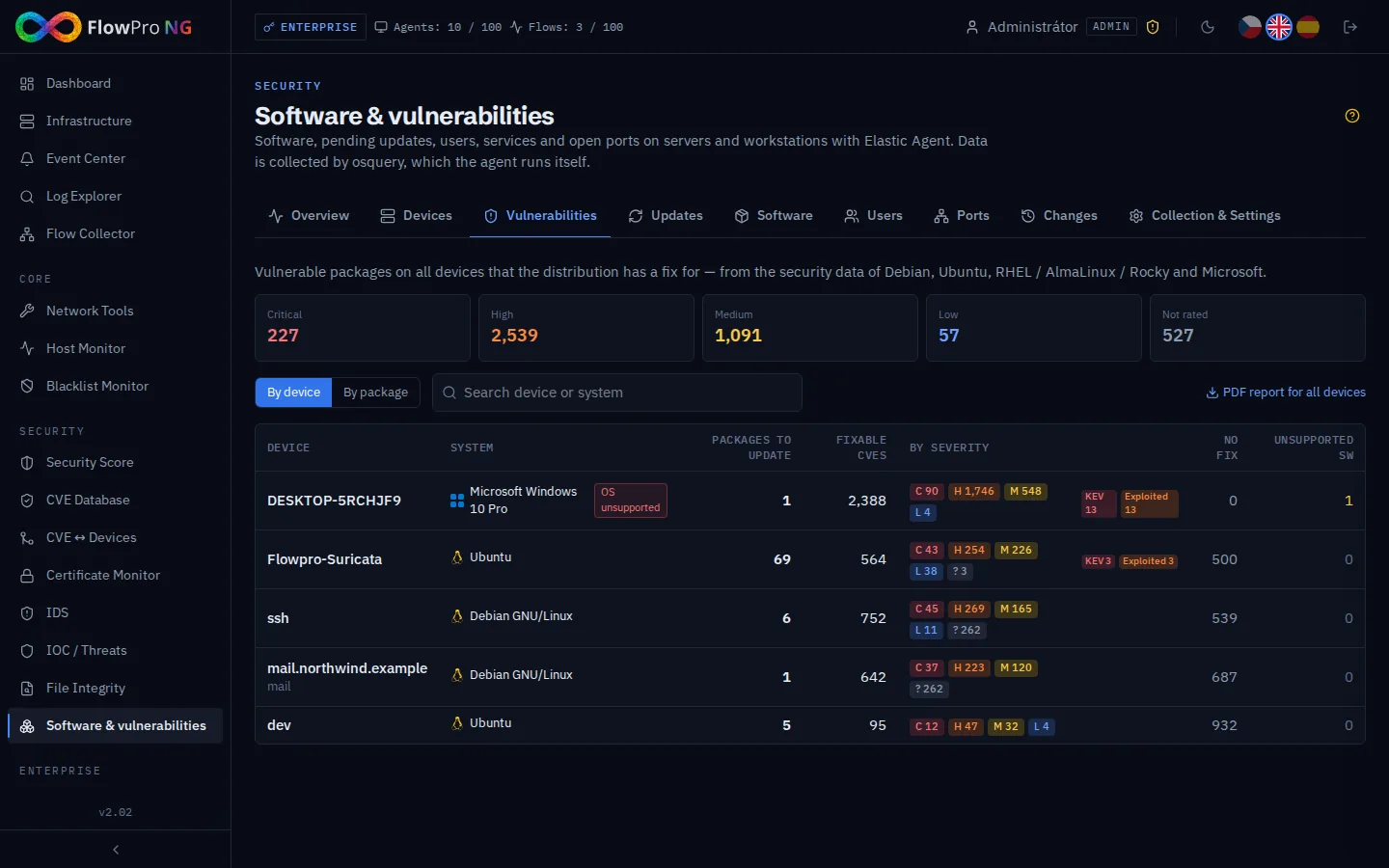
The tab shows totals by severity across all devices and a view by device or by package. For each device it lists the number of packages to update, fixable vulnerabilities by severity, exploited vulnerabilities from the CISA KEV catalog, vulnerabilities the distribution has not fixed yet and unsupported software.
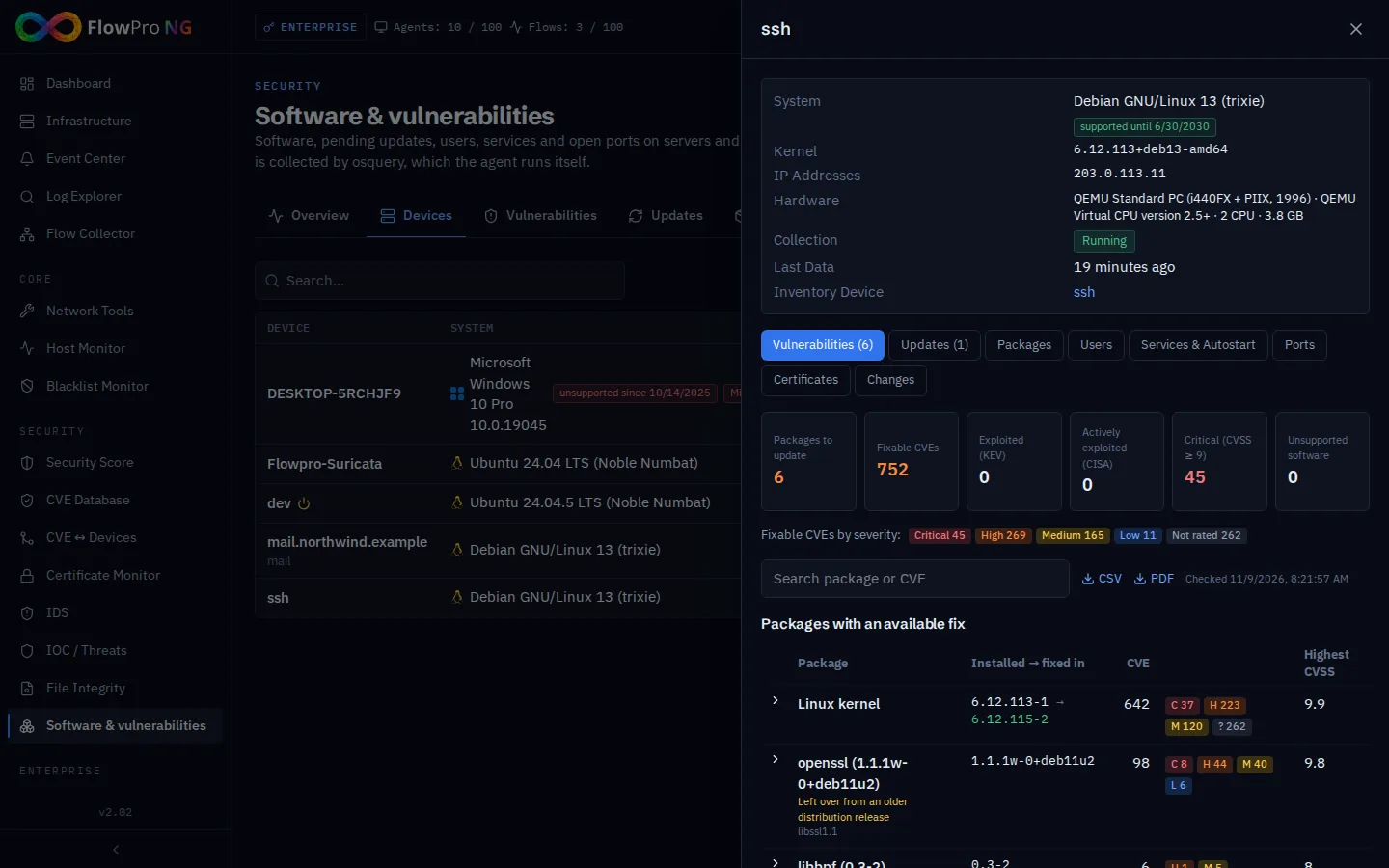
The device detail goes one step further. It shows the system, kernel, hardware and collection status, and above all the list of packages with an available fix: installed version, fixed version, number of CVEs, whether any of them is exploited, the highest CVSS and EPSS. It also gives the command that installs the fix. The cards at the top work as filters: one click shows only exploited (KEV), critical or unsupported software.
A few details that save time:
- All Linux kernel packages form one row compared with the newest installed kernel. Instead of dozens of packages you see one question: is the fixed kernel installed?
- Packages left on the server from an older distribution release are marked. Nobody will publish fixes for them any more; the right step is to uninstall them.
- Vulnerabilities without a fix are counted separately and collapsed. Those Debian marks as "unimportant" and Ubuntu as "negligible" are left out.
- Unsupported software: vendor programs and Windows applications, such as Java, Python, Node.js, PHP or Chrome, whose version no longer receives fixes according to endoflife.date.
Results can be exported to CSV and as a PDF report for one device or for all of them. The report contains a summary by severity, packages to update with the fixed version and the command, the most serious CVEs, exploited vulnerabilities and unsupported software.
Windows: Exact Build and Missing KBs
On Windows and Windows Server, FlowPro NG reads the exact system build including the update revision, for example 10.0.19045.6456. It compares it with the Microsoft Security Update Guide, where Microsoft states for each vulnerability which update (KB) and which build fixes it. The device list then shows "Missing fixes: N CVEs", in red when exploited vulnerabilities are among them. The device detail gives the installed build and the latest security update that needs to be installed.
Pending Updates
The Updates tab shows pending updates across all devices, security ones on top and with related CVEs. For Debian and Ubuntu, FlowPro NG calculates them itself. Once a day it downloads the package indexes of the repositories each device uses and compares them with the installed versions. Nothing runs on the server and nothing changes there. A security update is one whose newer version is in the distribution's security repository (-security).
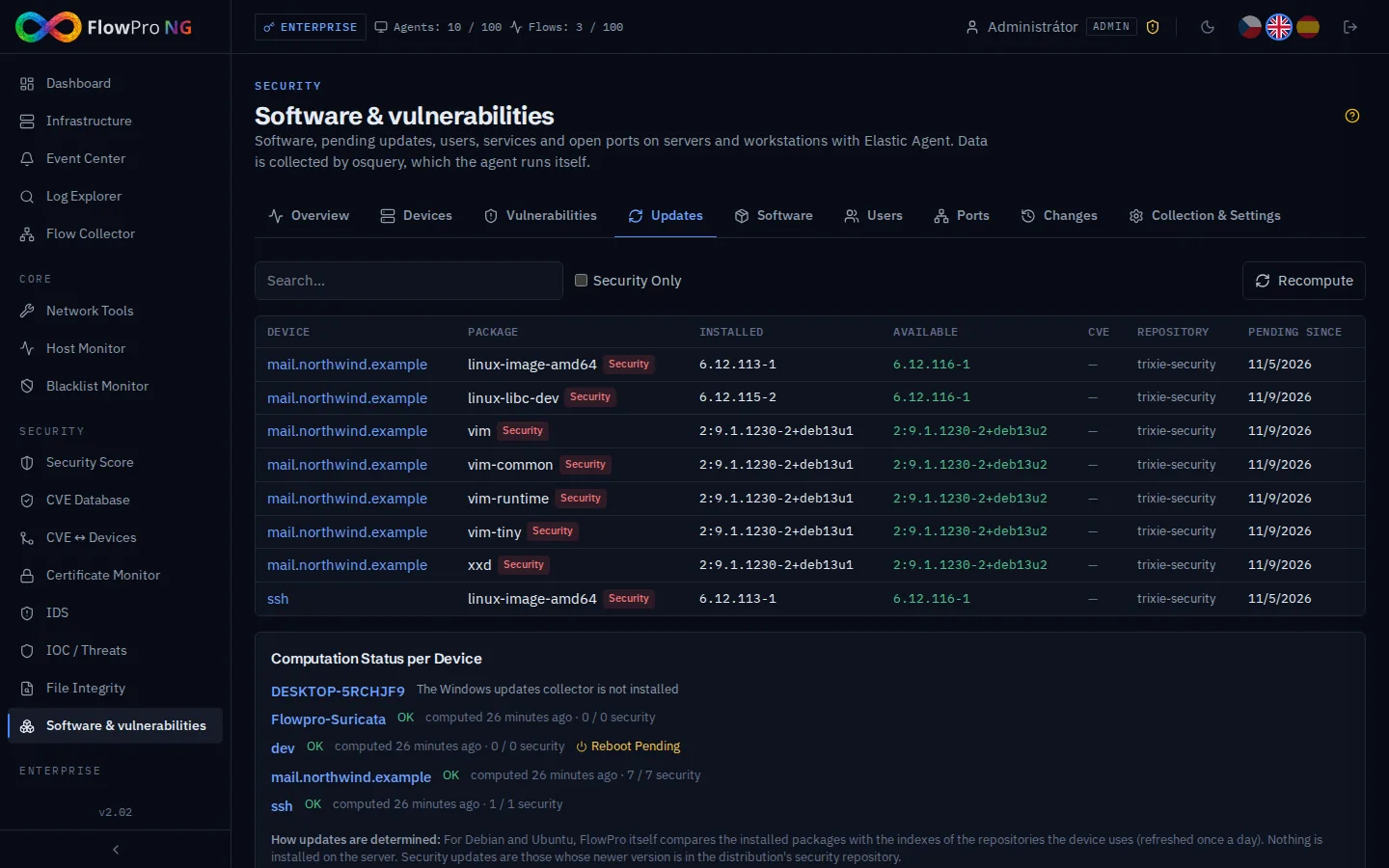
If a newer kernel is installed than the one running, the device is marked as waiting for a reboot, because kernel security fixes only take effect after it. Repositories the FlowPro NG server cannot reach (an internal mirror, for example) are listed in the calculation status of each device. For Windows and RPM-based distributions, installed software is shown, and on Windows also the installed fixes (KB); pending updates are not calculated there yet.
Software, Users, Services and Ports
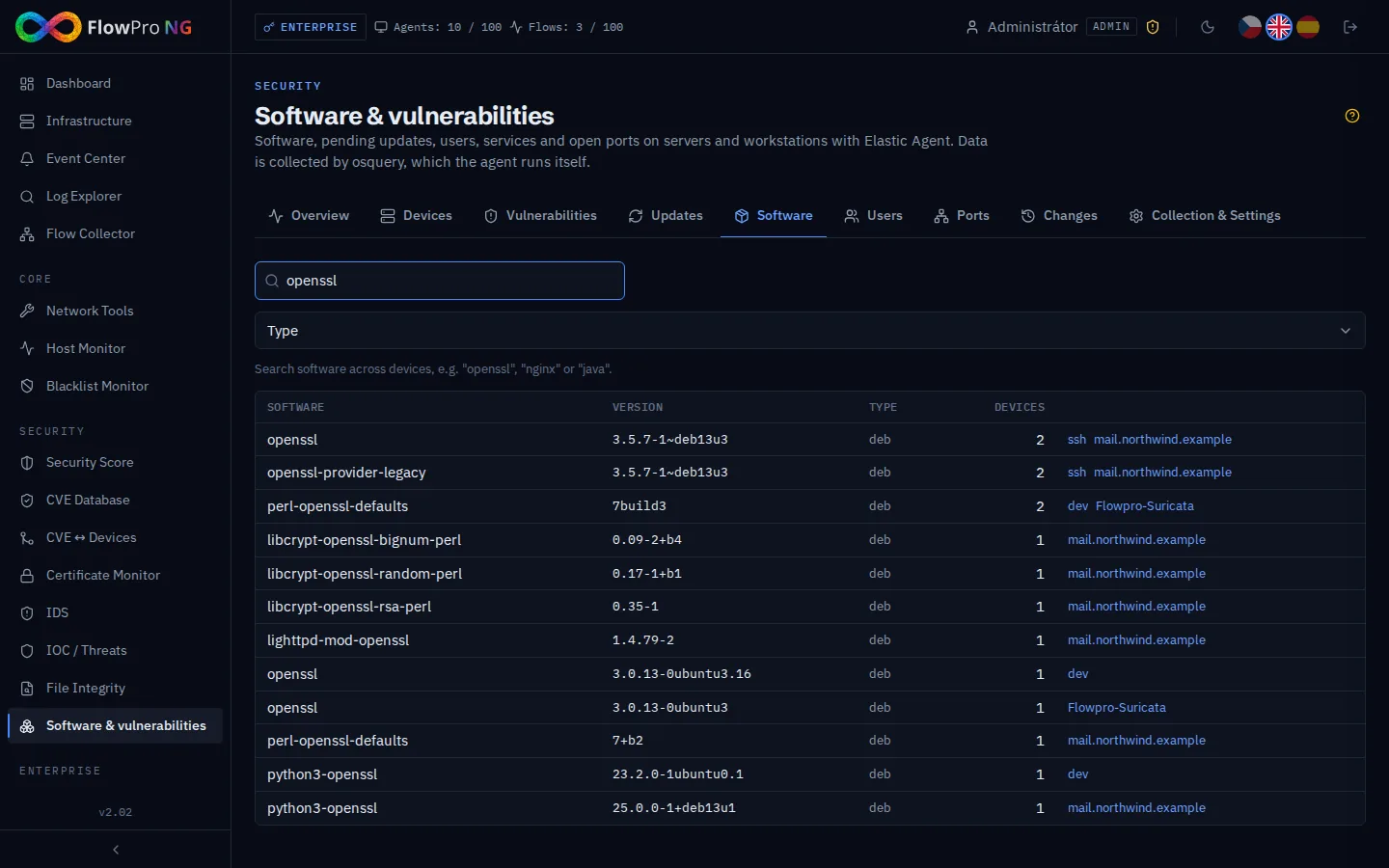
The Software tab searches across all devices. Type "openssl", "nginx" or "java" and you see every installed version and the devices it runs on. When a new critical vulnerability is published, you have the list of affected servers in seconds.
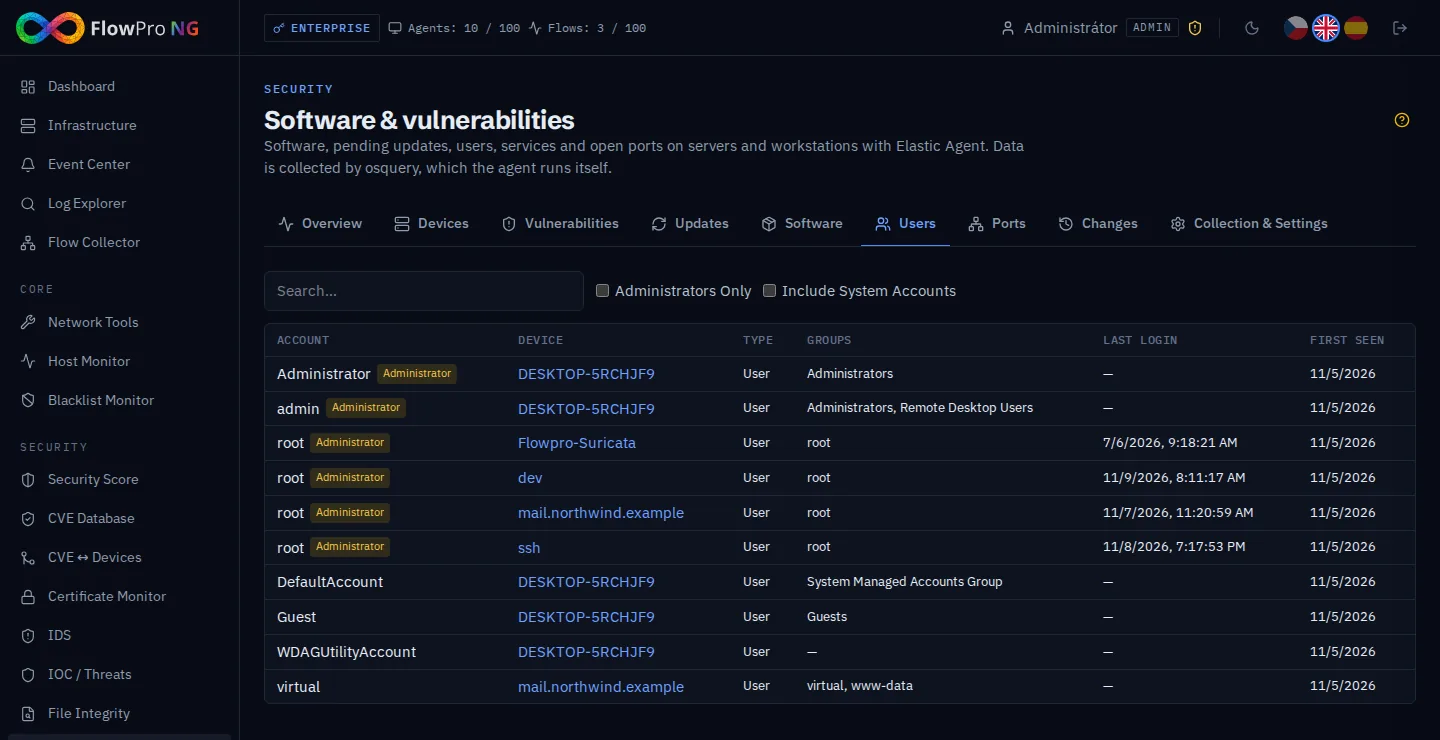
The Users tab shows local accounts on all devices. Administrators are at the top, and for each account you see its groups, its last login and when it first appeared. The Ports tab shows ports listening outside localhost, with the process that opened them. The device detail adds services and everything that starts automatically (systemd services, scheduled tasks, startup items), the computer's certificates and, on Windows, the protection status: antivirus, firewall, automatic updates and BitLocker.
Changes and Events
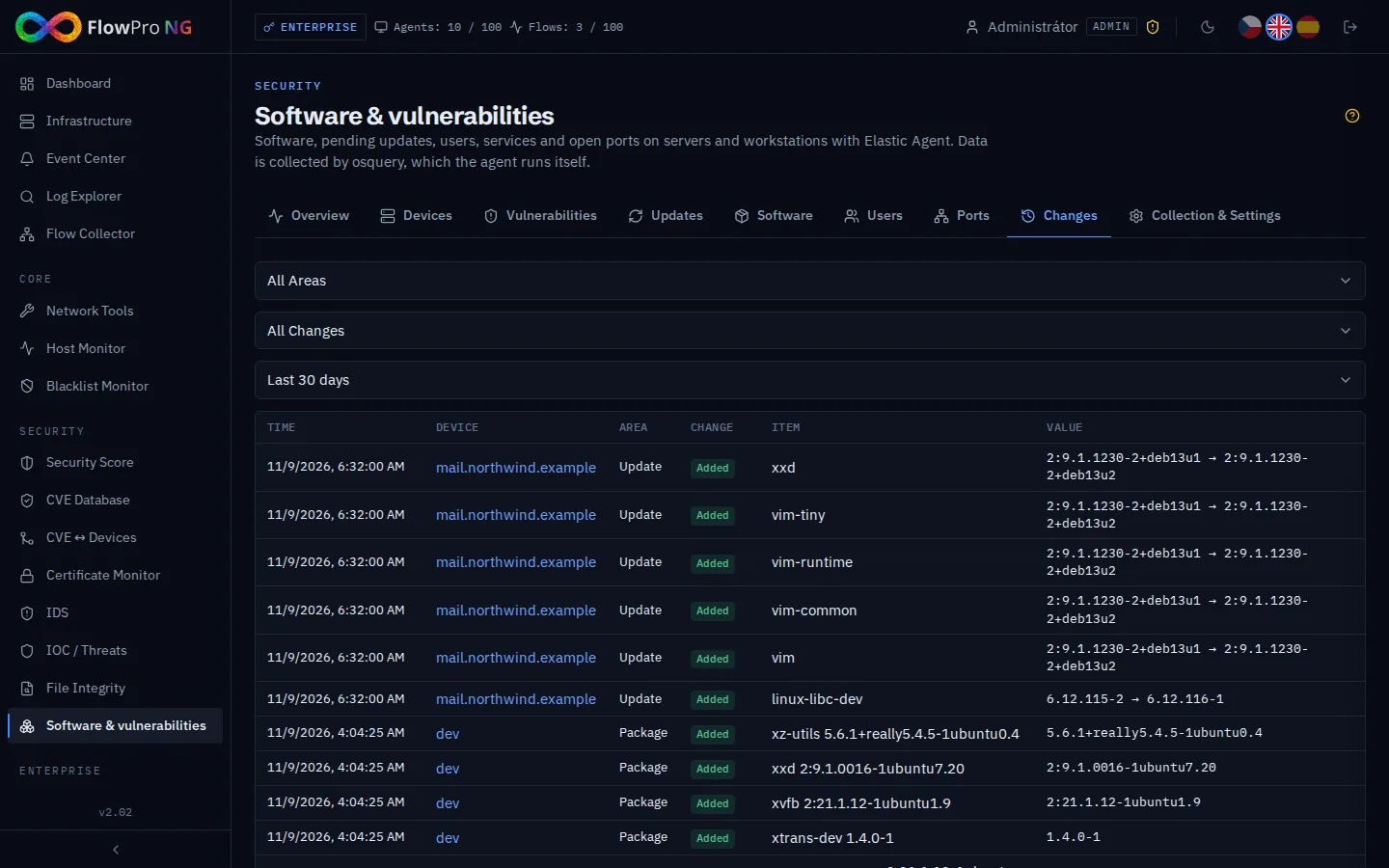
The Changes tab is a timeline of everything that was added, removed or changed on the devices: installed and updated packages, new accounts, services and ports. It can be filtered by area, kind of change and period.
Important changes become events in the Event Center:
- a new administrator account,
- a new or removed user account,
- a new listening port,
- a new service or startup item,
- protection turned off,
- a long-pending security update or a required reboot,
- an unsupported system or one whose support ends soon.
Individual kinds of events can be turned off in the settings, and notifications follow the same routing rules as all other events.
Links to the Rest of FlowPro NG
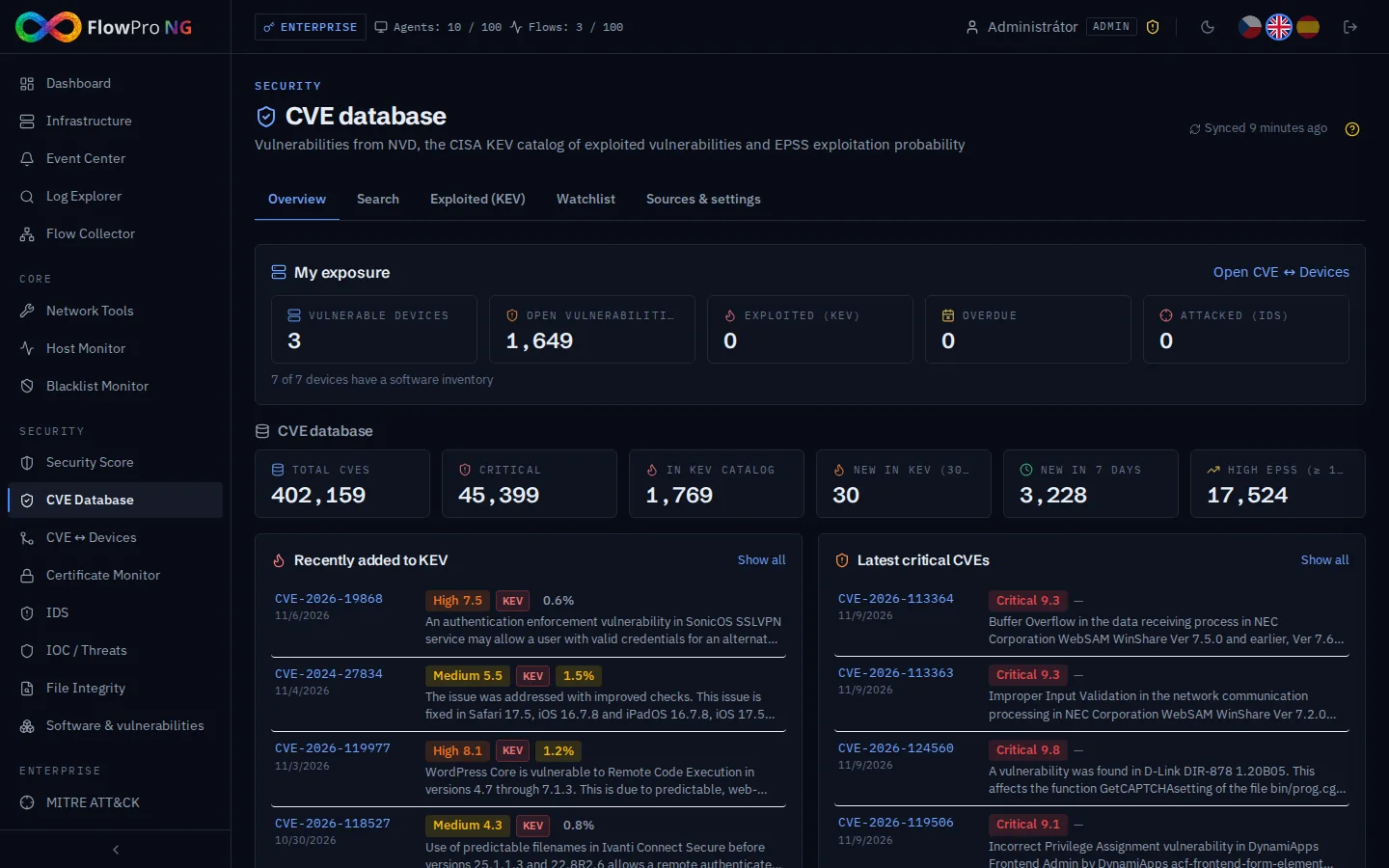
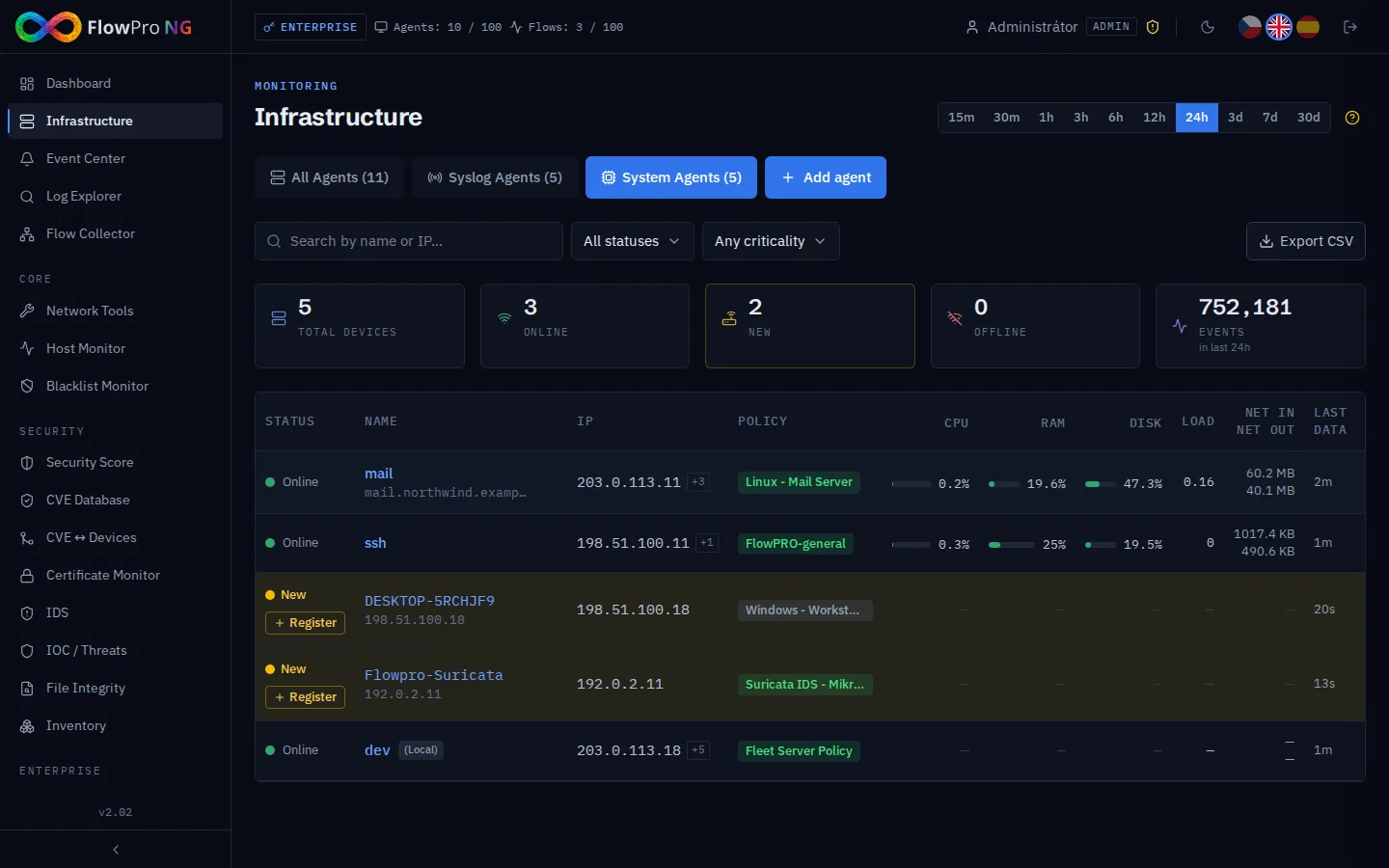
- CVE ↔ Devices: for devices registered in Infrastructure, every package with an available fix becomes a confirmed match with the fixed version, priority, remediation due date and history. Once you update the package, the match closes on its own. How matching and the remediation queue work is described in the article Reputation Databases and CVE.
- Security score: the "System updates" component rates security updates pending longer than 7 days and pending reboots.
- NIS2 Compliance Pack: the built-in check NIS2 VM-4 (CIS 7.3) verifies that no security update has been pending for more than 30 days. The check is also mapped to ZKB, ISO 27001 A8.8 and PCI DSS 6.2.
Summary
The Software & vulnerabilities module needs nothing extra: Elastic Agent, which already collects logs and metrics, is enough (see the Elastic Agent guide). From it you get an overview of software, updates, accounts, services and ports on all servers and workstations, plus a list of vulnerabilities that are actually unfixed, including the fixed version and the command to deploy it. There is more on vulnerability management on the Vulnerability management page. The module is part of the Security license, and you can try it in the 14-day trial with all modules.
- Inventář
- Zranitelnosti
- Aktualizace
- osquery
- Elastic Agent