Network traffic
NetFlow analysis: know what is happening on your network
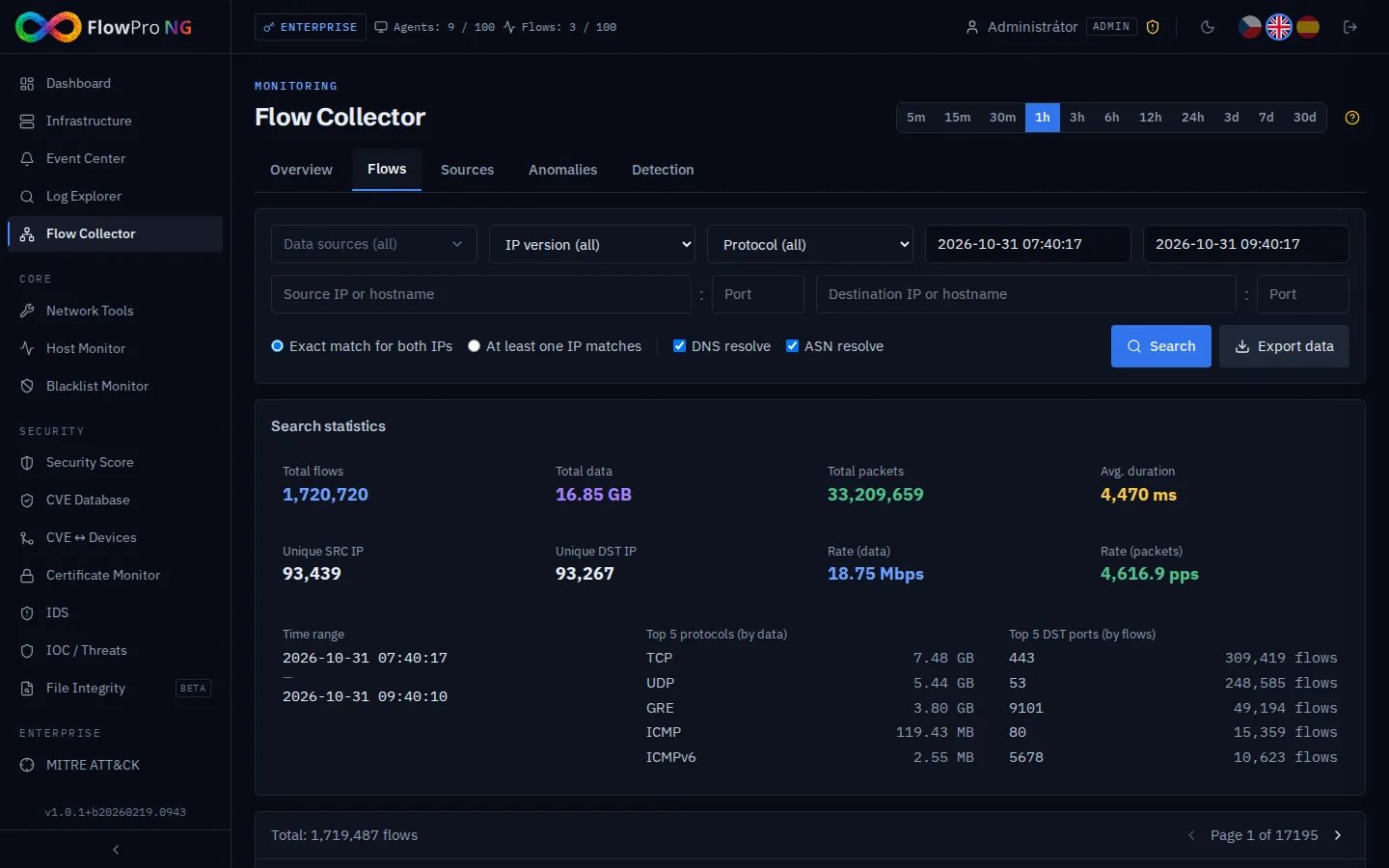
Logs tell you what happened on a device. Flows tell you what happened on the network.
A device that cannot run an agent (printer, camera, PLC, IoT) never shows up in your logs, but the router still sees its traffic. When an infected workstation starts talking to an unknown server abroad or someone copies data out, flows show it before any log does.
Almost every router and firewall you already own can export NetFlow. Turn the export on, point it at FlowPro NG and you are done: no extra hardware, no changes to the network topology.
What you get
NetFlow analysis in FlowPro NG
NetFlow v5/v9, IPFIX and sFlow
The collector accepts flows from Cisco, MikroTik, Fortinet, Juniper, Ubiquiti and Linux (softflowd). Data streams through Kafka into ClickHouse, so a query over millions of flows takes a fraction of a second.
Top talkers and conversations
Which device sends the most data, where and over which protocol. Rankings of source and destination IPs, ports and communicating pairs for any time range.
GeoIP map and ASN
Every flow is enriched with country, city, ASN and provider. The map shows straight away traffic to countries you normally never talk to.
17 anomaly detections
Every minute FlowPro NG checks for port scans, SYN/UDP/ICMP floods, DNS and NTP amplification, brute force, beaconing, lateral movement, DNS and ICMP tunnels, crypto mining and data exfiltration.
Individual flow browser
When you need the detail, find a specific connection by IP, port, protocol or time and export it as evidence for an incident.
Anomalies with adjustable thresholds
Detected anomalies appear on the main Dashboard and in the Anomalies tab with severity, source and destination. Thresholds, severity and exceptions are set per detection.
- NetFlow v5
- NetFlow v9
- IPFIX
- sFlow
- Cisco
- MikroTik
- Fortinet
- Juniper
- Ubiquiti
- softflowd
- ClickHouse
- GeoIP
How it works
Up and running in a few steps
- 01
Install FlowPro NG
On an Ubuntu 24.04 server with one command from the APT repository. The flow collector is part of every license, the free one included.
- 02
Turn on flow export
On the router or firewall, point the NetFlow/IPFIX/sFlow export at the FlowPro NG address (UDP port 12051). The documentation covers MikroTik and Linux.
- 03
See data within a minute
The source appears on its own. Anomaly detection runs from the start with default thresholds that you tune to your network later.
FAQ
Frequently asked questions
What is the difference between NetFlow and port mirroring?
Which devices can export NetFlow?
Is the NetFlow analysis free?
How much data and what server do I need?
Does any data leave my network?
Related solutions
Try it on your own network
The 14-day Enterprise trial unlocks every module. You install it on your own server, no credit card needed.