Deception
Honeypot: a trap the attacker walks into
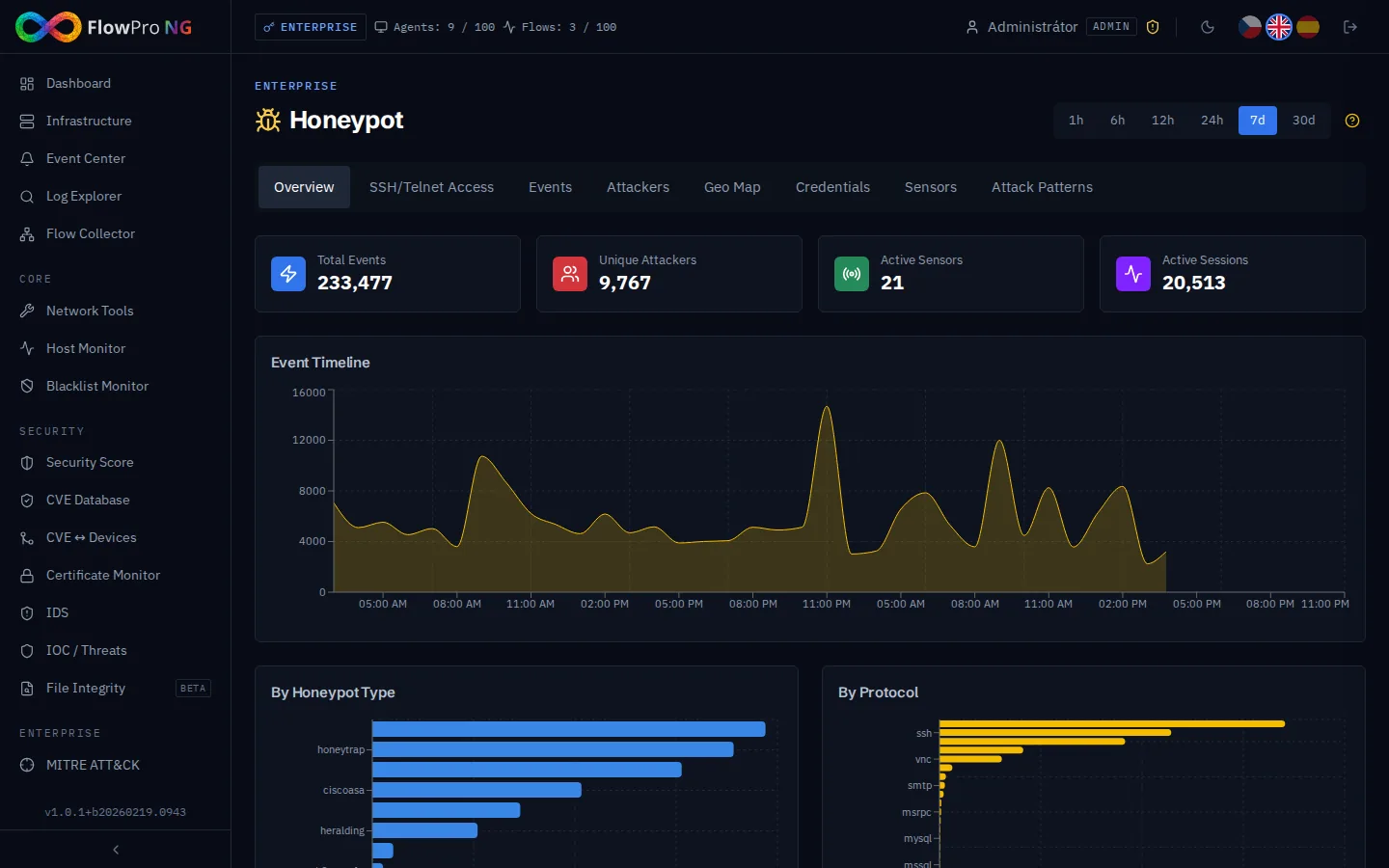
Logs are full of noise. A honeypot speaks up only when someone touches it.
On real servers an attack gets lost among thousands of ordinary logins and requests. A honeypot does no legitimate work, so everything it captures is scanning, password guessing or an intrusion attempt. No false positives from normal traffic.
An internet-facing honeypot shows which passwords and exploits attackers are using right now. A honeypot inside the network works as an early warning: if someone connects to it from your LAN, they are most likely already inside and looking for the next target.
What you get
Honeypot in FlowPro NG
Many services on one server
T-Pot runs honeypots in Docker containers: Cowrie (SSH/Telnet), Dionaea (SMB, HTTP, FTP), Heralding, Mailoney (SMTP), Conpot (Modbus, S7comm), ADBHoney, CitrixHoneypot and more. Suricata inspects their traffic as well.
Attackers and their origin
Attacker IP addresses with geolocation, ASN and number of attacks. The map and timeline show where and when attacks come from and which ports they target.
Usernames and passwords tried
The most common credential combinations attackers try. You can easily check whether any of your company's accounts or passwords show up among them.
SSH and Telnet commands
Cowrie records what the attacker runs after a "successful" login: system reconnaissance, malware downloads, adding SSH keys. You see the commands in a clear table and within each session.
Sessions, not single events
Events from the same IP to the same port are grouped into a session automatically when less than 5 minutes pass between them. You see the attack's duration and number of actions, not thousands of separate rows.
MITRE ATT&CK and indicators
Attacker techniques from the honeypot are mapped to MITRE ATT&CK alongside Suricata alerts. Captured IP addresses can serve as your own indicators of compromise for blocking.
- T-Pot
- Cowrie
- Dionaea
- Heralding
- Mailoney
- Conpot
- ADBHoney
- CitrixHoneypot
- Suricata
- SSH
- Telnet
- SMB
- SMTP
- Modbus
- ClickHouse
- GeoIP
- MITRE ATT&CK
How it works
Up and running in a few steps
- 01
Deploy T-Pot on a separate server
The honeypot belongs on a dedicated virtual server isolated from production (at least 8 GB RAM, 16 GB recommended, 40 GB disk). Installing T-Pot Standard takes about 10 minutes.
- 02
Install the FlowPro agent
The flowpro-honeypot package from the APT repository creates a TLS certificate and an API key. In its configuration you allow access only from your FlowPro NG server's IP address.
- 03
Connect and watch the attacks
In FlowPro NG Settings, enter the agent address and API key. FlowPro NG then pulls new events every minute and stores them in ClickHouse on your server.
FAQ
Frequently asked questions
What is a honeypot?
Is running a honeypot legal?
Doesn't a honeypot attract attackers into my network?
Does a honeypot inside the company network make sense?
Where is the honeypot data stored?
Related solutions
Try it on your own network
The 14-day Enterprise trial unlocks every module. You install it on your own server, no credit card needed.