Logs and detection
SIEM and centralized log management: every event in one place
You have the logs. Nobody reads them.
Every server, firewall and workstation records what happens on it, but each one in a different place and format. When an incident hits, you piece the trail together by hand from dozens of sources. Meanwhile an attacker can wipe the logs on the compromised machine.
A SIEM gathers the logs in one place away from the monitored devices, normalizes them and continuously looks for known attack patterns. Instead of digging through files you get alerts: failed logins, a new admin account, a cleared audit log.
What you get
SIEM and log management in FlowPro NG
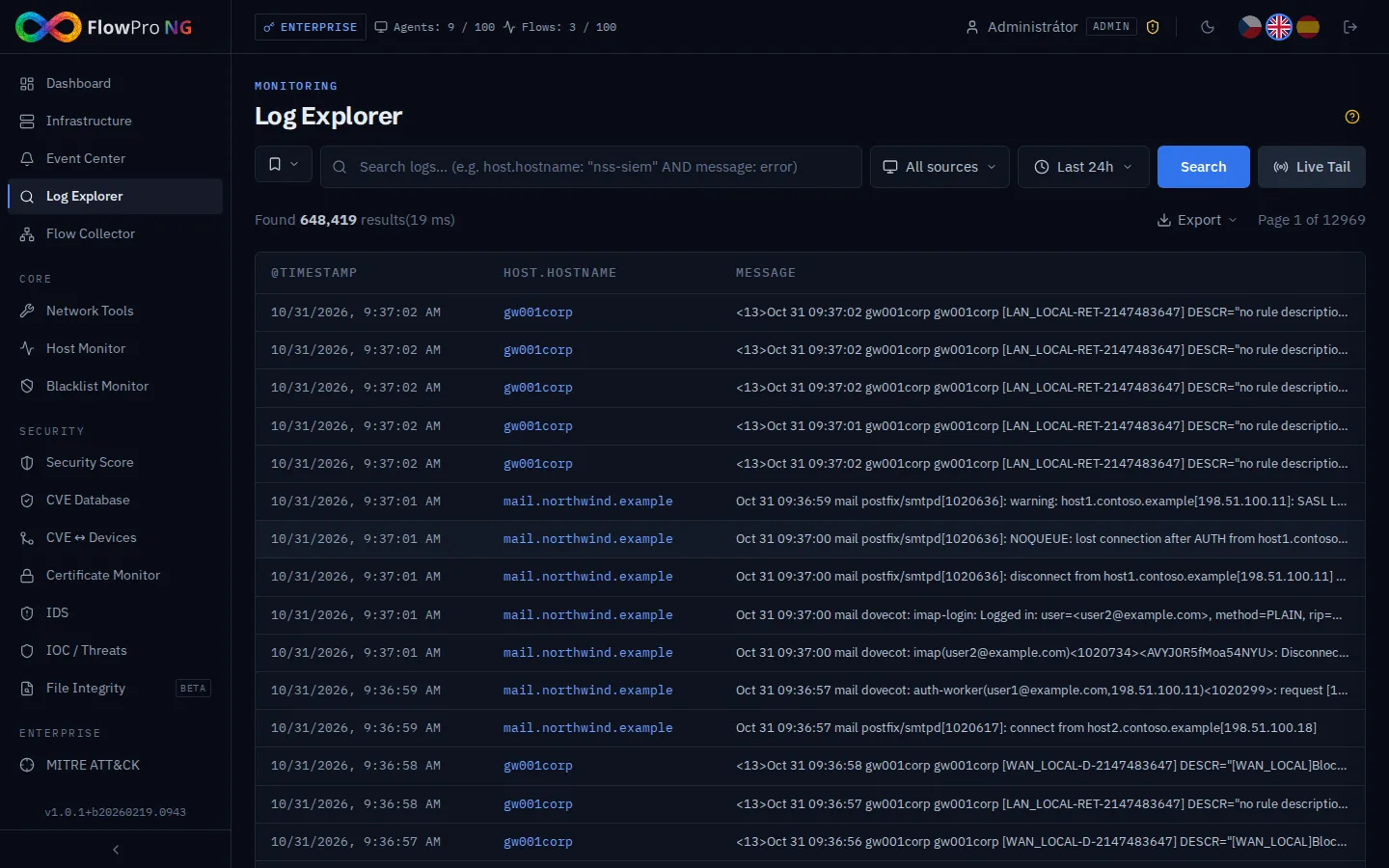
Log Explorer
Full-text search and KQL queries across all logs. Filters by source, severity and time, field statistics, Live Tail of new entries, saved searches and export to CSV and JSON.
1,500+ detection rules
Elastic Detection Engine with prebuilt rules grouped into categories by data source. One click enables the rules for sources you actually have data from. Built-in rule packs for FortiGate, Linux, MikroTik, Ubiquiti and Windows.
Event Center
All alerts in one place, filtered by severity, status and time. Each alert moves from open to resolved or false positive. Bulk operations, comments and muting a rule without disabling it.
Elastic Agent and syslog
Install Elastic Agent on Linux, Windows and macOS with one command and manage it centrally through Fleet. Routers, firewalls and other network devices send logs via syslog (UDP 514).
Alerts where you will see them
Send new alerts to email, Telegram, Slack, ntfy.sh on your phone or your own webhook. Rules can be imported and exported in NDJSON format.
Retention per data category
Set how long data is kept separately for 10 categories (syslog, IDS, metrics, audit, flows and more). Old logs are removed by an Elasticsearch ILM policy, flows by a ClickHouse TTL. The upper limit is set by your license.
- Elasticsearch
- Elastic Agent
- Fleet
- Syslog
- Logstash
- KQL
- Linux
- Windows
- macOS
- FortiGate
- MikroTik
- Ubiquiti
- NIS2
How it works
Up and running in a few steps
- 01
Install FlowPro NG
On an Ubuntu 24.04 server with one command from the APT repository. Elasticsearch, Fleet Server and Logstash for syslog are set up automatically.
- 02
Connect log sources
Deploy Elastic Agent to servers and workstations with the command FlowPro NG generates for you. Point network devices at the server address via syslog. New sources appear in the Asset Inventory.
- 03
Enable rules and channels
In Settings, enable the rules for categories that receive data and choose where alerts should go. From then on you only handle what shows up in the Event Center.
FAQ
Frequently asked questions
What is a SIEM?
What is the difference between SIEM and log management?
Do I need a SIEM for NIS2?
Is the SIEM in FlowPro NG free?
Do my logs leave my network?
Related solutions
Try it on your own network
The 14-day Enterprise trial unlocks every module. You install it on your own server, no credit card needed.