Contents
To recognize an attacker or a vulnerable server, FlowPro NG needs to know what the world already considers malicious and vulnerable. Two groups of data serve that purpose. Reputation databases say which IP addresses belong to botnets, attackers or criminal networks. The vulnerability database (CVE) says which software versions have a known flaw, how serious it is and whether anyone is already exploiting it.
This article describes where FlowPro NG gets this data, how it keeps it current, how it compares it with the traffic in your network and how it matches vulnerabilities to specific devices.
The Central FlowPro Feed: Data Without API Keys
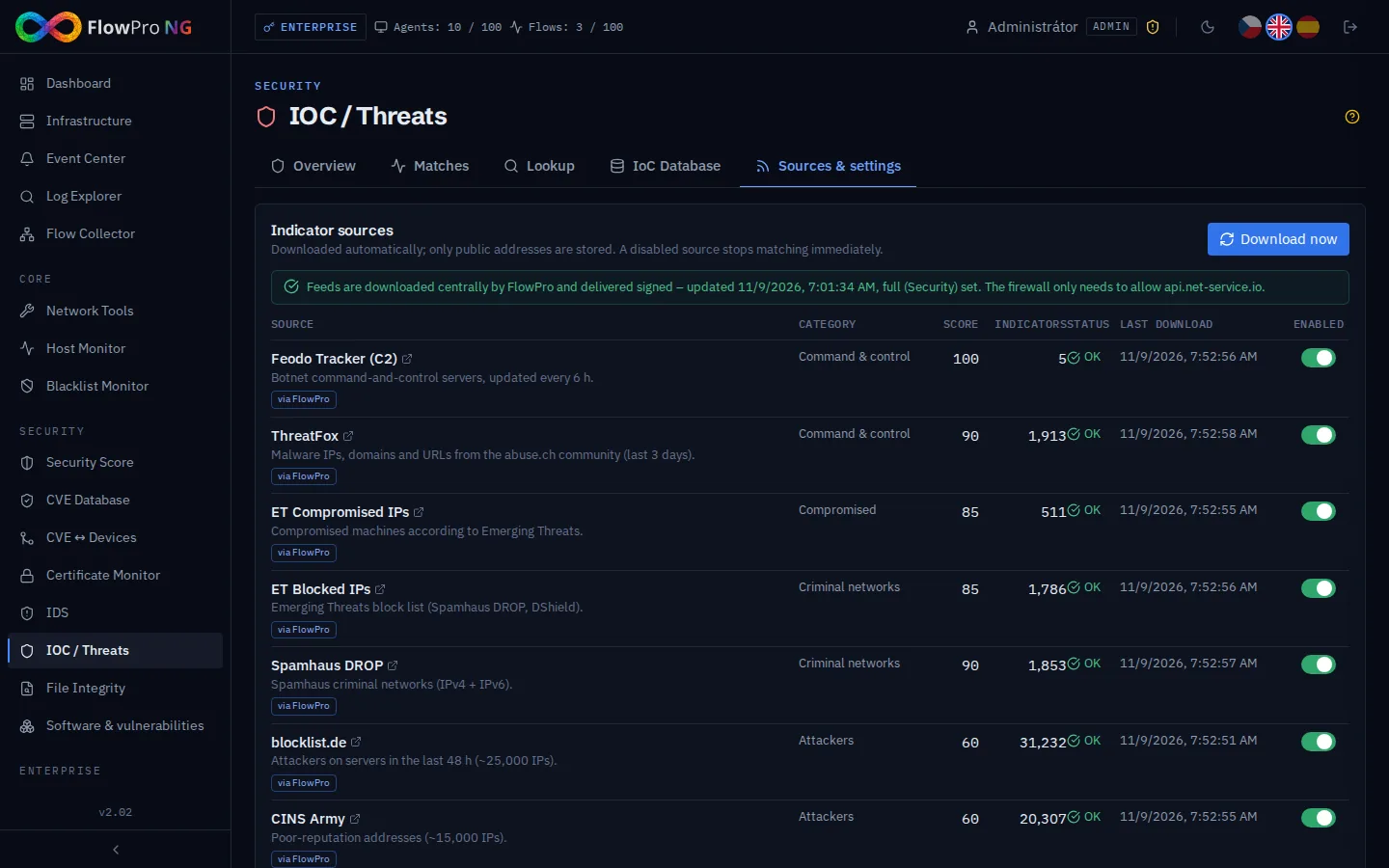
FlowPro NG no longer downloads most of its data from dozens of public addresses one by one. The FlowPro service at api.net-service.io downloads the threat lists and the vulnerability database once, centrally. It checks them, removes obvious errors (such as private addresses in blocklists) and sends them to instances as digitally signed packages. Each instance verifies the signature before it uses the data.
This has three advantages:
- You do not have to register anywhere. NVD, CISA and FIRST do not need an API key from each instance, and the central feed deals with their rate limits for you.
- One address to allow on the firewall,
api.net-service.io, instead of dozens of project domains. - The data is available quickly and reliably. A new installation does not spend an hour downloading 420,000 CVEs from NVD, and updates arrive every hour.
If the central feed stops working for a longer time (6 hours for threat lists, 12 hours for CVE), the instance starts downloading directly from the original sources. Nothing stops working, it is just slower.
Settings → API Services & Databases
You will find an overview of all data sources in Settings → Integrations → API Services & Databases. The Database Status table shows, for each source, whether it comes through FlowPro or directly, how many records it holds, when it was last updated and whether it is current. It covers the threat lists, online IP reputation, the CVE database with all its supplementary sources, GeoIP, the MITRE ATT&CK knowledge base and the templates for penetration tests.
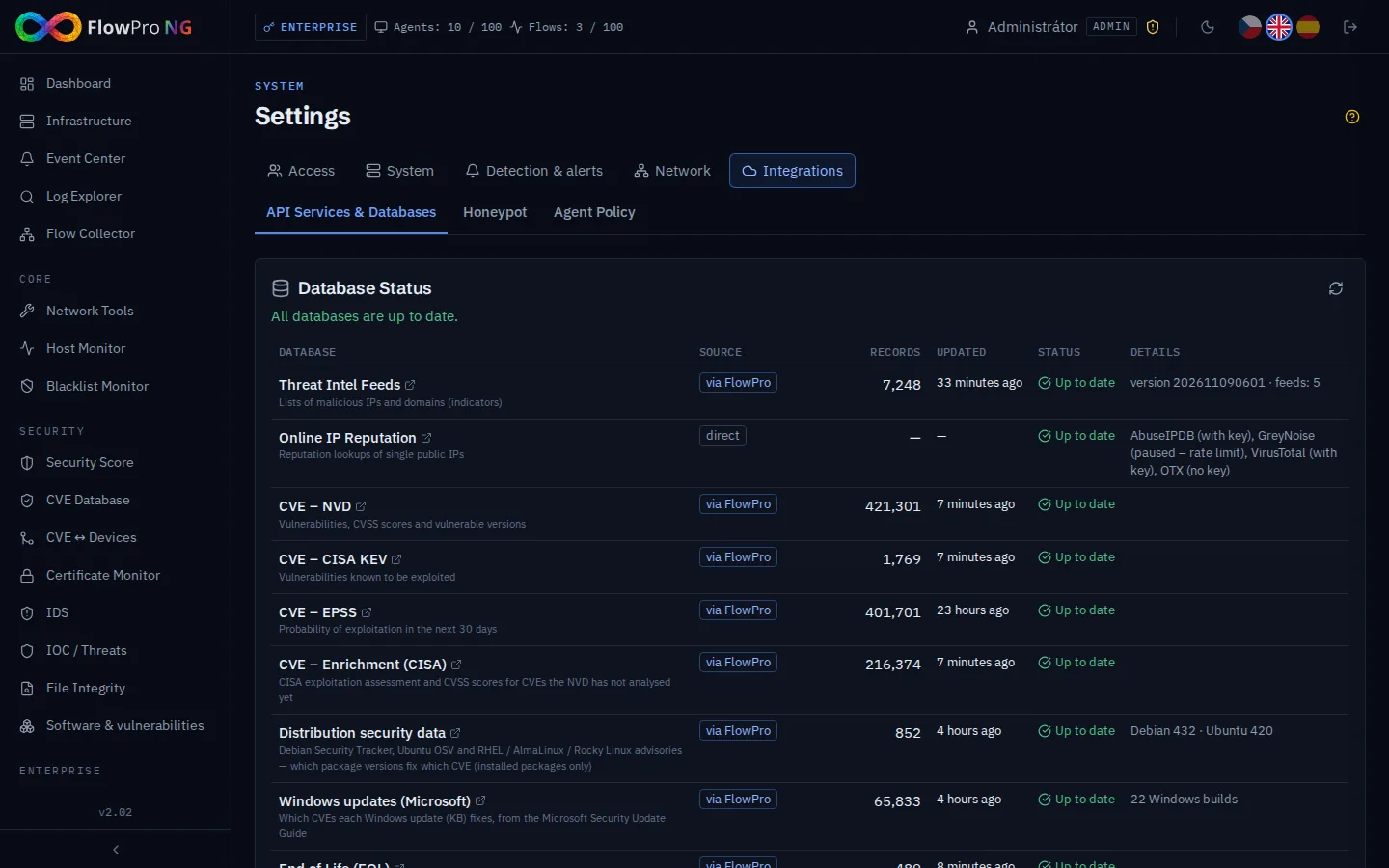
Below the table you enter API keys for services where every customer needs their own key, because their terms require it or the service is paid:
| Service | What it provides | Where it is used |
|---|---|---|
| AbuseIPDB | community abuse reports, IP address score 0–100 (1,000 free lookups a day) | IOC / Threats lookup, Playbooks, daily check of your public addresses, Network Tools |
| VirusTotal | IP and domain reputation from dozens of antivirus and security engines | IOC / Threats lookup, Network Tools |
| Have I Been Pwned | whether an e-mail address appeared in a data breach | Network Tools → Passwords |
Everything else works without these keys. GreyNoise and AlienVault OTX are queried without a key, and the password check in Have I Been Pwned needs no key either. Keys are stored encrypted, and the interface never shows them in full again.
Reputation Databases: IOC / Threats
The IOC / Threats module (Security license) holds a database of indicators of compromise, meaning addresses and ranges known to be malicious. These sources fill it:
| Source | What it contains |
|---|---|
| Feodo Tracker (abuse.ch) | botnet command-and-control servers (Emotet, QakBot, Dridex) |
| ThreatFox (abuse.ch) | malware IP addresses, domains and URLs reported by the community |
| Emerging Threats | compromised machines and ranges recommended for blocking |
| Spamhaus DROP | hijacked or criminal-controlled networks (IPv4 and IPv6) |
| blocklist.de | addresses that attacked servers in the last 48 hours |
| CINS Army | addresses with a bad reputation from a sensor network |
| Tor exit nodes | Tor exit nodes (not malicious by themselves, but they hide the origin) |
| FlowPro community | attackers caught by FlowPro honeypots in the last 7 days |
| own honeypot and own indicators | attackers caught by your honeypot and addresses you add by hand |
Each source has a category (command and control, compromised, attacker…) and a score that determines the severity of a finding. Individual sources can be turned off. Addresses you never want reported, such as your own servers or partners, go into the exceptions.
Continuous Comparison With Your Traffic
A threat list does not watch anything by itself. What matters is that FlowPro NG compares it with the traffic in your network every 5 minutes: with network flows from NetFlow and with IP addresses in logs and IDS events. Each finding is classified by direction:
- Outbound: your device contacted the malicious address itself. This is the most important signal, because a connection to a botnet command server usually means an infected machine.
- Inbound: the malicious address tried to connect to you, typically a scan or a brute-force attack.
- Transit and honeypot: traffic that only passes through your network, and attacks caught by the honeypot.
FlowPro NG also recognizes replies. When a malicious address scanned you and your server answered, that does not count as an outbound connection.
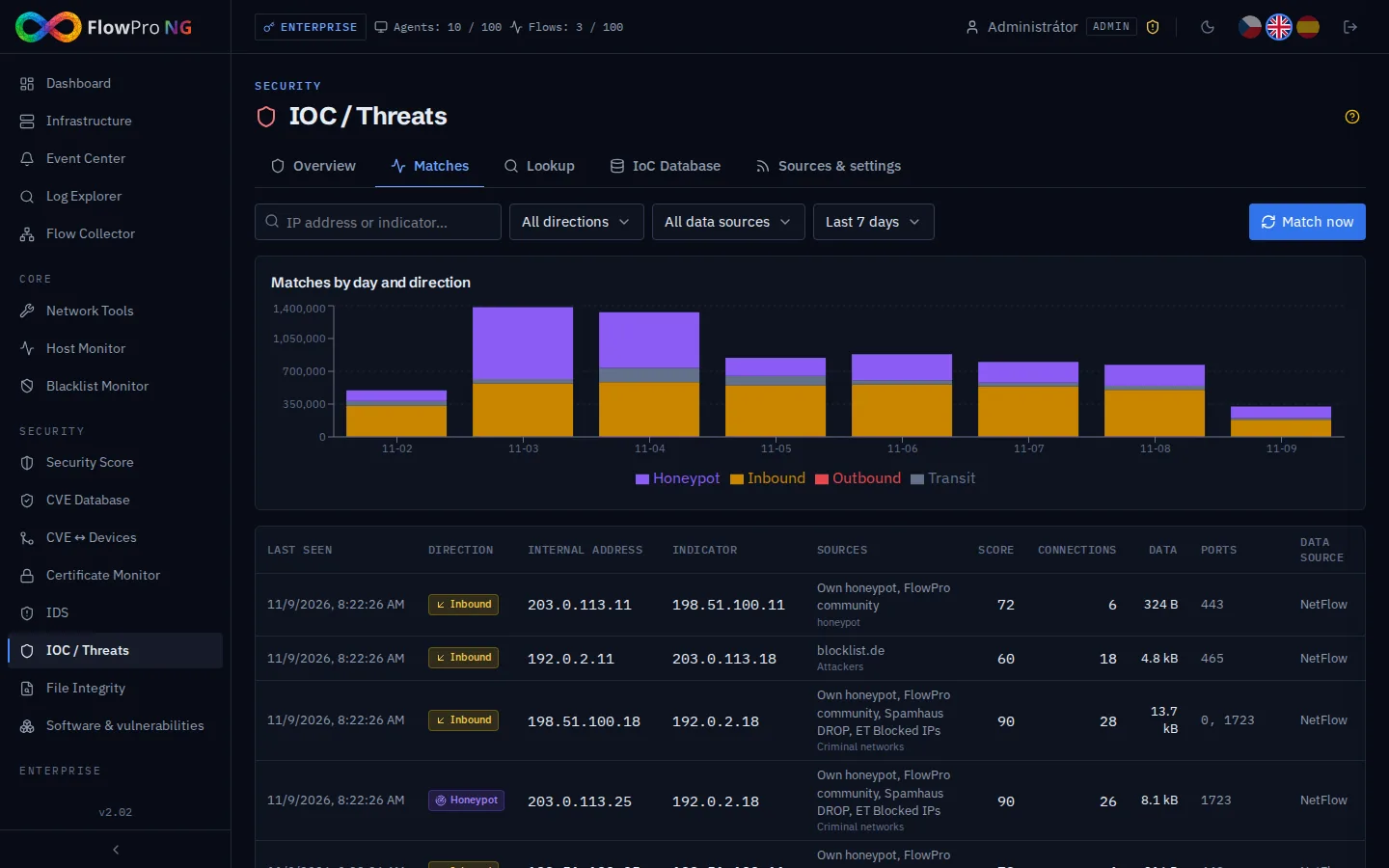
An outbound connection to a command server becomes a critical event in the Event Center, and outbound connections to other malicious addresses with a score of 80 or more become high-severity events. Inbound scans are normal on every public address, so by default they do not create events, but they are visible in Matches. Findings feed into the security score and MITRE ATT&CK, and with the Enterprise license they can trigger a playbook, such as blocking the address on a MikroTik router.
Lookup and Your Own Addresses
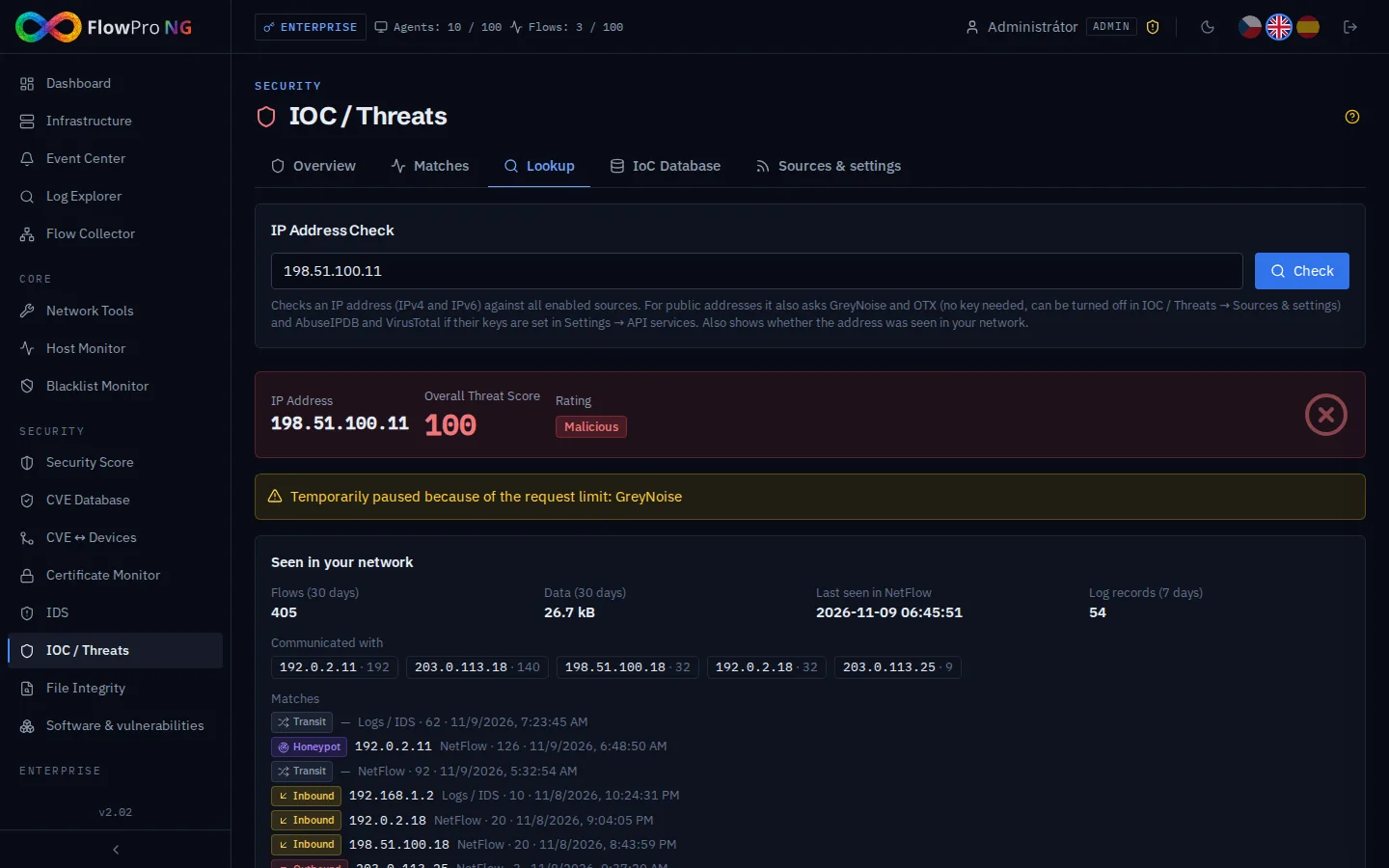
On the Lookup tab you enter any IP address. FlowPro NG checks it against all sources, also asks GreyNoise, OTX, AbuseIPDB and VirusTotal about public addresses, and shows whether the address appeared in your network: how many flows, which of your devices it talked to and when it was last seen.
The daily check of your public addresses covers the other side. FlowPro NG finds out whether any address in Our networks appears in the threat database or on AbuseIPDB. If it does, it is a warning that something in your network is sending spam or attacking others. For mail servers there is also the Blacklist Monitor, which watches your domains and outgoing IP addresses on dozens of DNS blacklists (Spamhaus, Barracuda, SpamCop and others) and checks daily that each zone still answers correctly.
You can also export the list of malicious addresses for a firewall, as a plain list or as a script for a MikroTik address-list. The firewall downloads it regularly from an address protected by a token.
The CVE Vulnerability Database
The CVE Database module (Security license) holds more than 400,000 vulnerabilities from the US National Vulnerability Database (NVD) and adds data from other sources:
| Source | What it adds | How often |
|---|---|---|
| NVD (NIST) | description, CVSS score and the exact vulnerable product versions | every hour |
| CISA KEV | catalog of vulnerabilities known to be exploited, with a due date and required action | with every sync |
| EPSS (FIRST.org) | probability that the vulnerability will be exploited within 30 days | daily |
| CISA Vulnrichment | exploitability assessment (SSVC) and CVSS for vulnerabilities NVD has not processed yet | continuously |
| distribution security data | Debian Security Tracker, Ubuntu, RHEL, AlmaLinux and Rocky Linux: which package version contains the fix | daily |
| Microsoft Security Update Guide | which Windows update (KB) fixes which vulnerability | every 6 hours |
| endoflife.date | when support ends for operating systems and software | daily |
The overview shows the numbers in the database, newly exploited vulnerabilities and above all your exposure: how many devices are vulnerable, how many vulnerabilities are open, how many are exploited, overdue or have an attack caught by IDS.
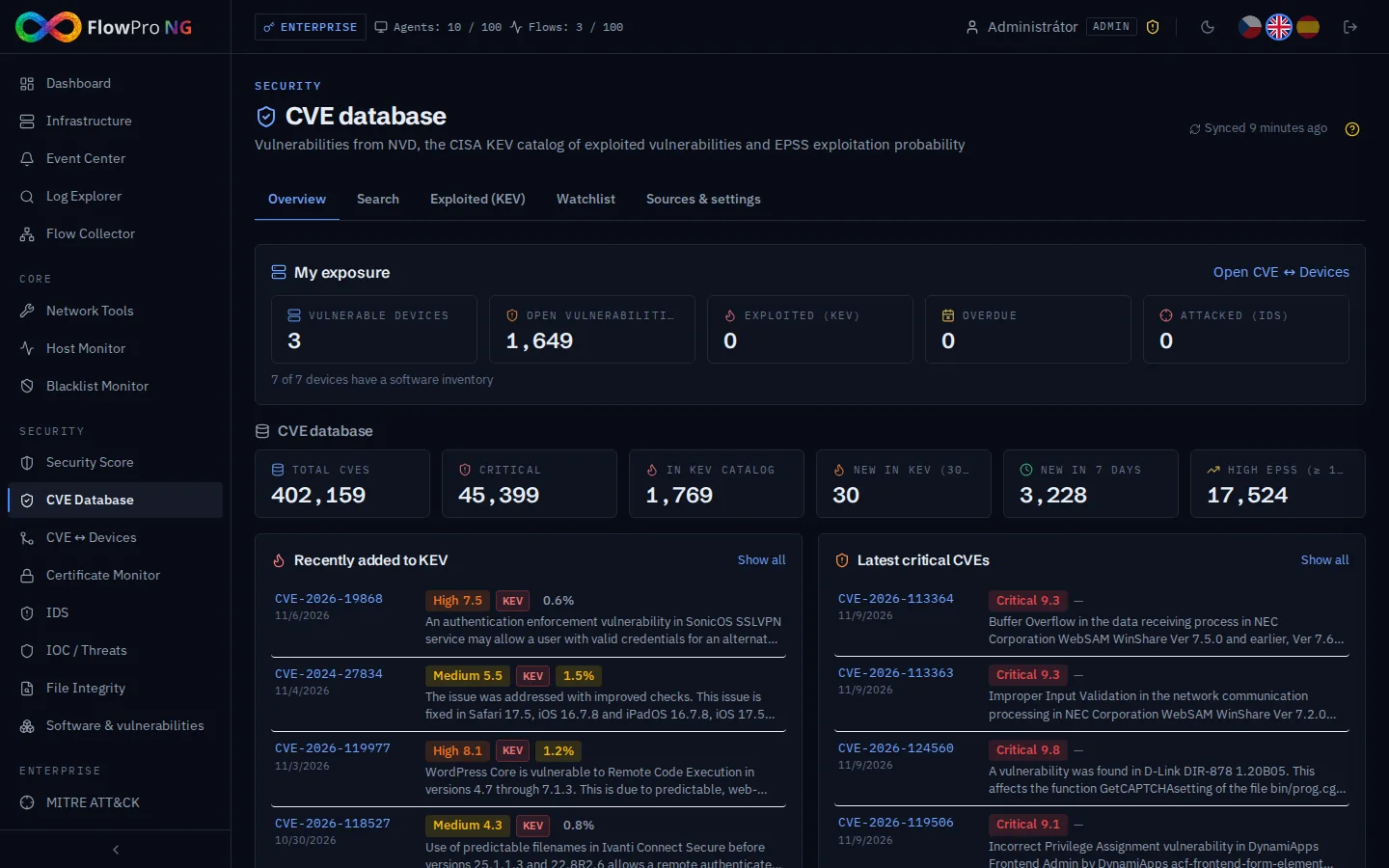
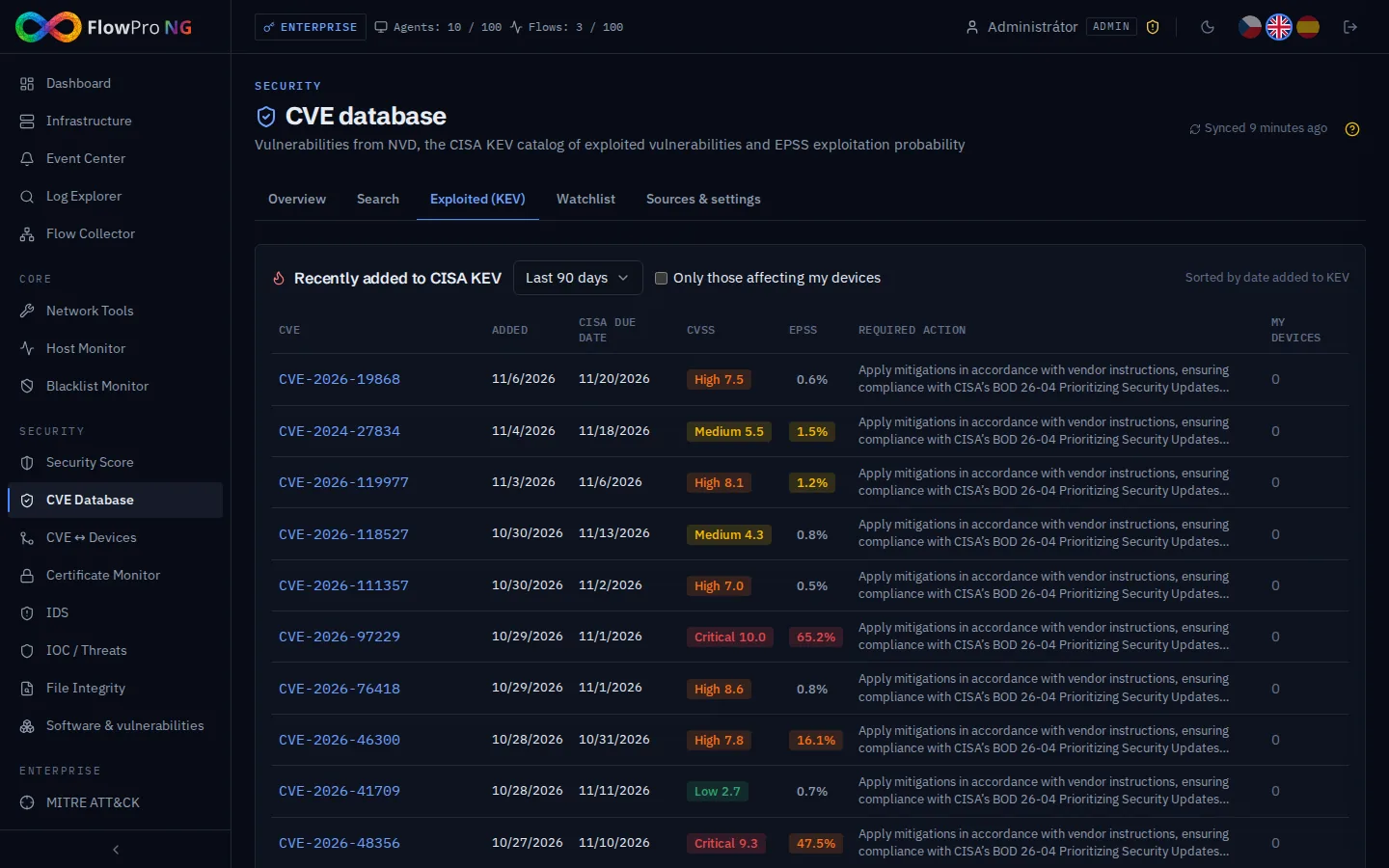
Why so many sources? The CVSS score alone does not tell you what to fix first. Thousands of critical vulnerabilities are published every year, but only a fraction is actually exploited. That is why FlowPro NG combines CVSS with KEV (being exploited right now) and EPSS (probability of exploitation). The Exploited (KEV) tab shows what CISA has newly added to its catalog, and one checkbox limits it to vulnerabilities that affect your devices.
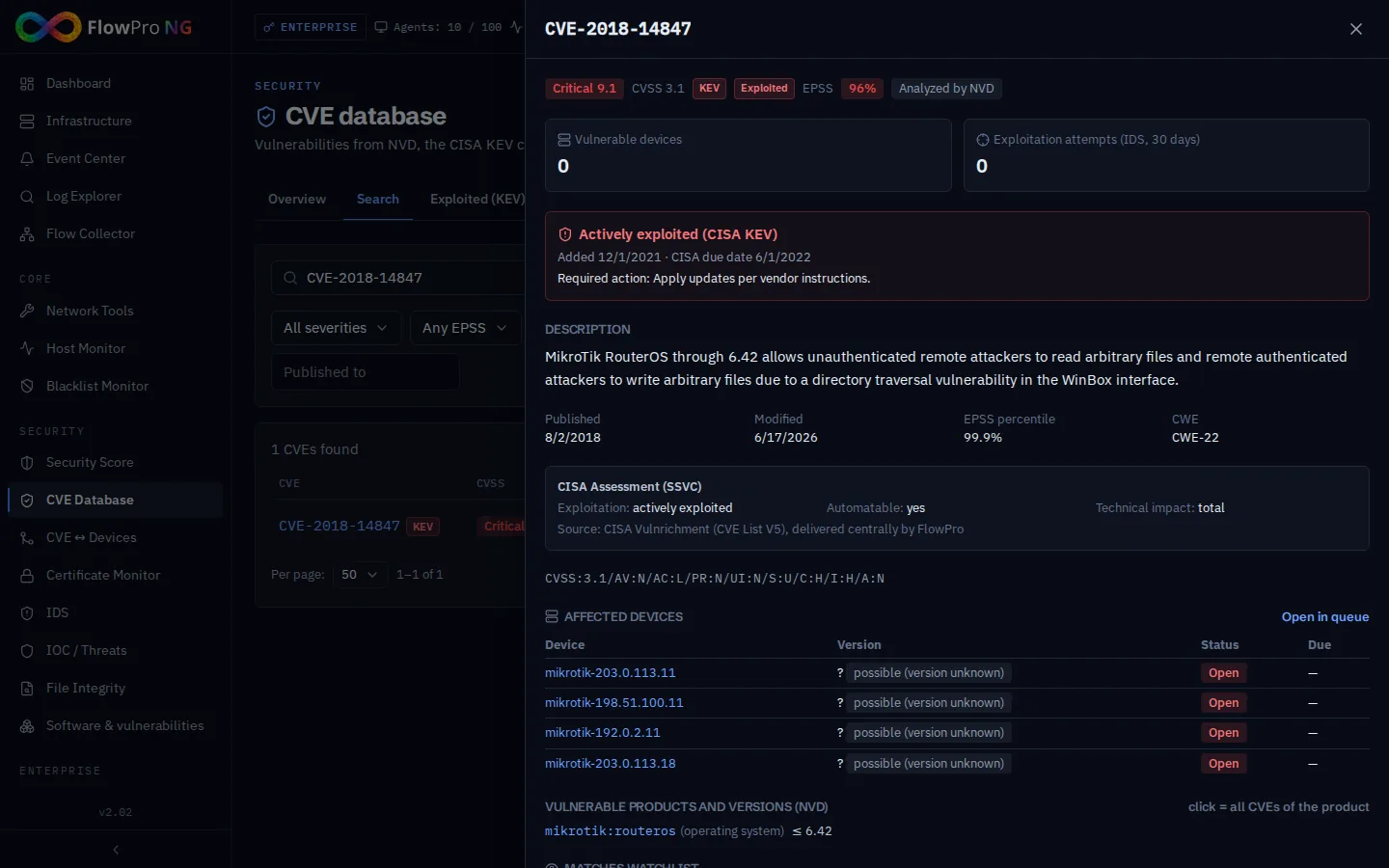
The vulnerability detail brings everything together: severity, EPSS, whether it is in KEV and with what due date, the CISA assessment, the vulnerable products and versions according to NVD and, most importantly, the list of your devices it affects.
On the Watchlist tab you set products or keywords. Every new vulnerability that matches them appears in the Event Center, even if you do not have it on any device yet. This is useful for software the inventory does not capture, such as printer or camera firmware.
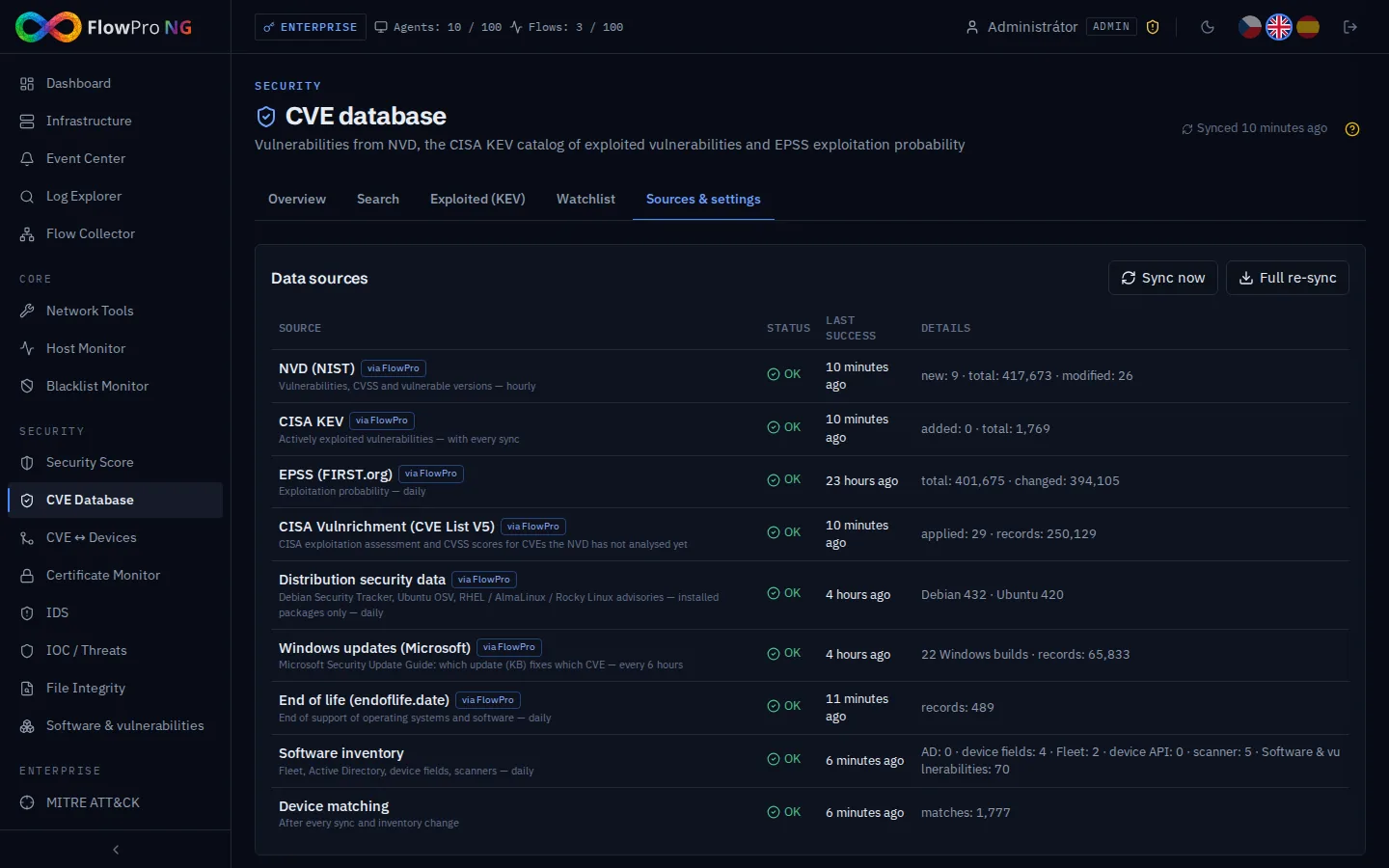
The Sources & settings tab shows the status of each source and how much data it delivered. You also set remediation deadlines by severity, which events to create and where software on devices is detected from.
Matching Vulnerabilities to Devices
The CVE database is only a list. It becomes useful once FlowPro NG knows what software, in which version, runs on your devices. It gathers this information from several places:
- Elastic Agent reports the operating system, its version and build,
- Active Directory provides the Windows versions of joined computers,
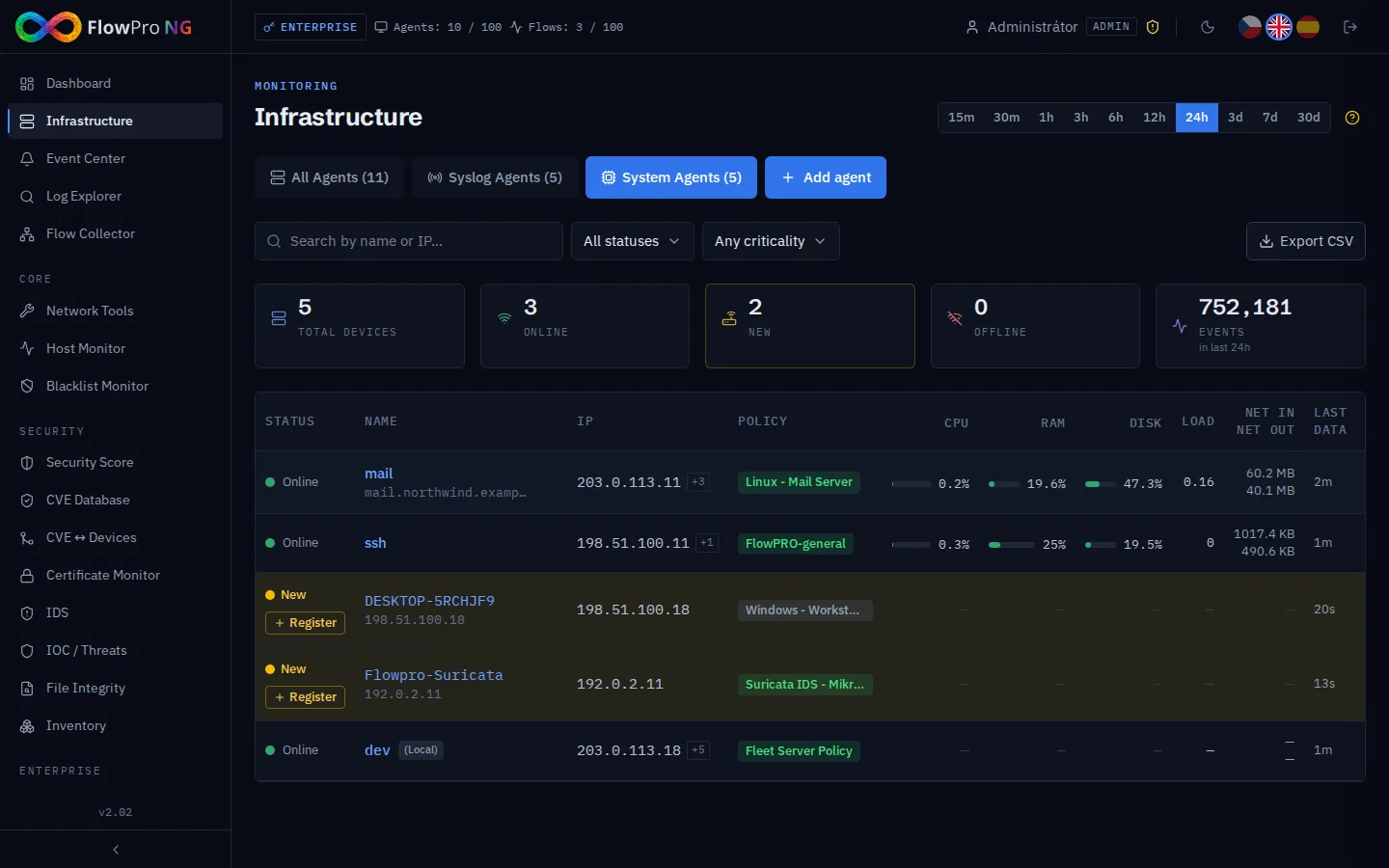
- device fields in Infrastructure, where it is enough to write something like "RouterOS 7.16.2" or "FortiOS 7.2.5",
- the vulnerability scanner and penetration tests read versions from service banners (OpenSSH, nginx, Apache),
- the external scan of public addresses and the REST API of MikroTik routers,
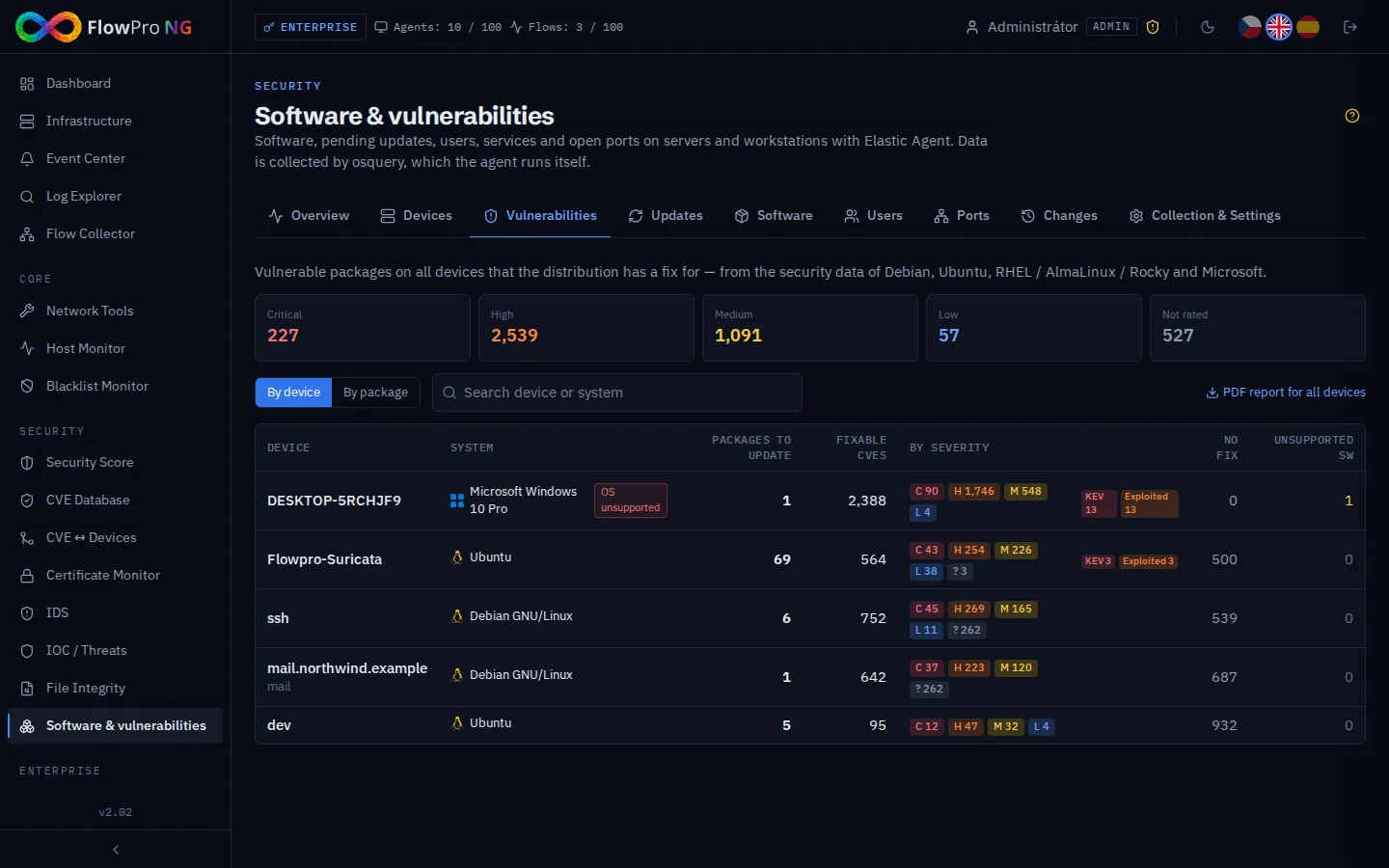
- the list of installed packages and programs from agents, described in the article Software & vulnerabilities.
Matching then compares each version with the vulnerable version ranges from NVD. For each match it states how certain it is:
- exact version and in version range: according to NVD the version on the device is vulnerable, and the match is confirmed;
- distribution package: a Debian, Ubuntu or RHEL package version falls into the vulnerable range, but distributions often backport fixes without changing the version number. FlowPro NG therefore checks the match against the distribution's security data and either confirms or dismisses it;
- possible (version unknown): the product matches, but the version is unknown. Such a match is informational only and does not count towards the score or events.
For Windows, the exact system build decides. Thanks to Microsoft's data, FlowPro NG knows which vulnerabilities an installed update has already fixed, and for the rest it names the KB that fixes them.
The CVE ↔ Devices Module
You will find the matching results in the CVE ↔ Devices module (Security license). The overview shows vulnerable devices, open, exploited and critical vulnerabilities, overdue and internet-facing ones, the mean time to remediate and the trend over time.
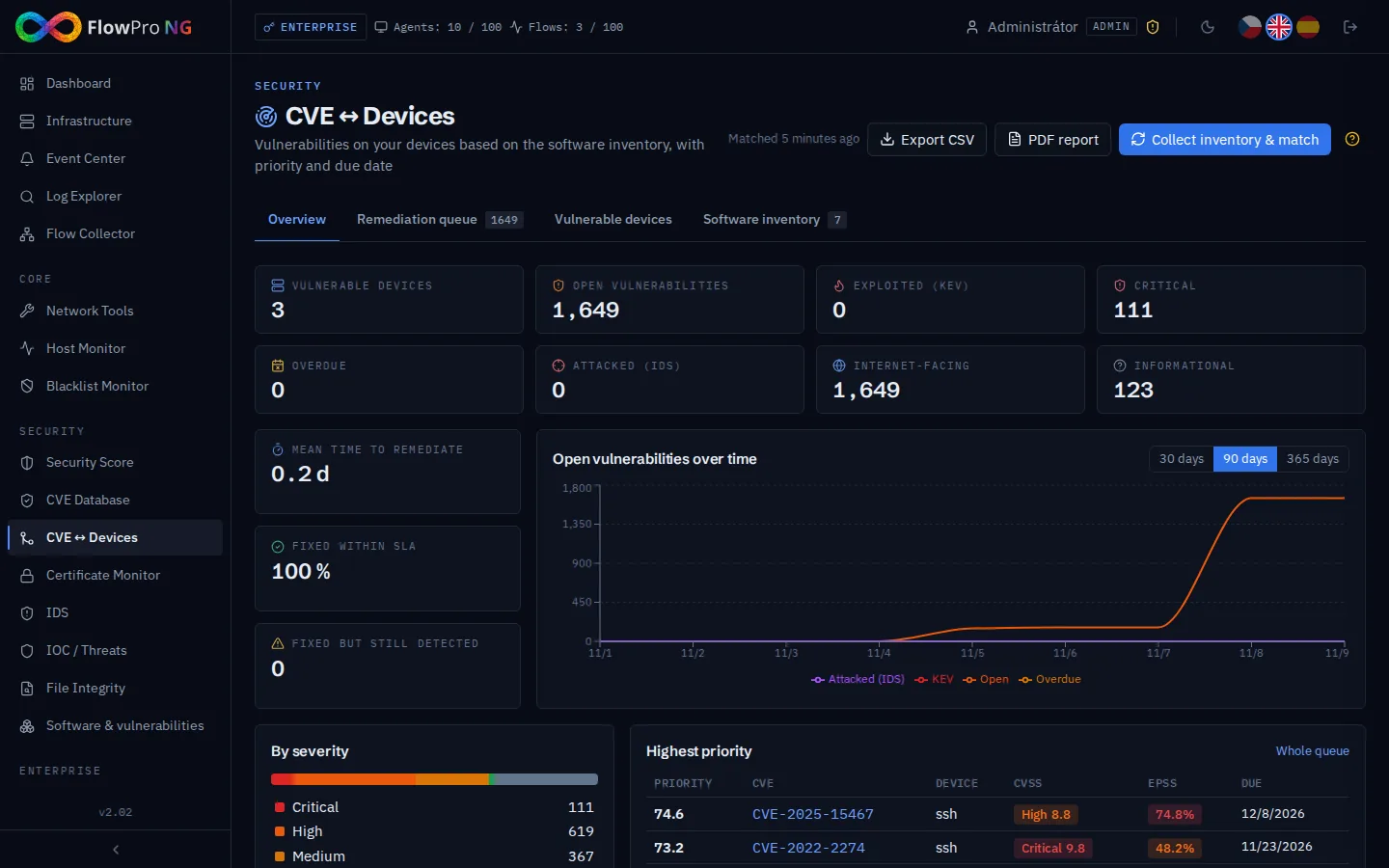
Each match gets a priority from 0 to 100 that combines CVSS, EPSS, KEV listing, an exploitation attempt caught by IDS, whether the service is reachable from the internet and the device's criticality. It also gets a due date based on the configured deadlines. The Remediation queue is sorted by priority and can be viewed as a list, by vulnerability or by software. The software view shows right away which version to upgrade to and how many vulnerabilities on how many devices that resolves.
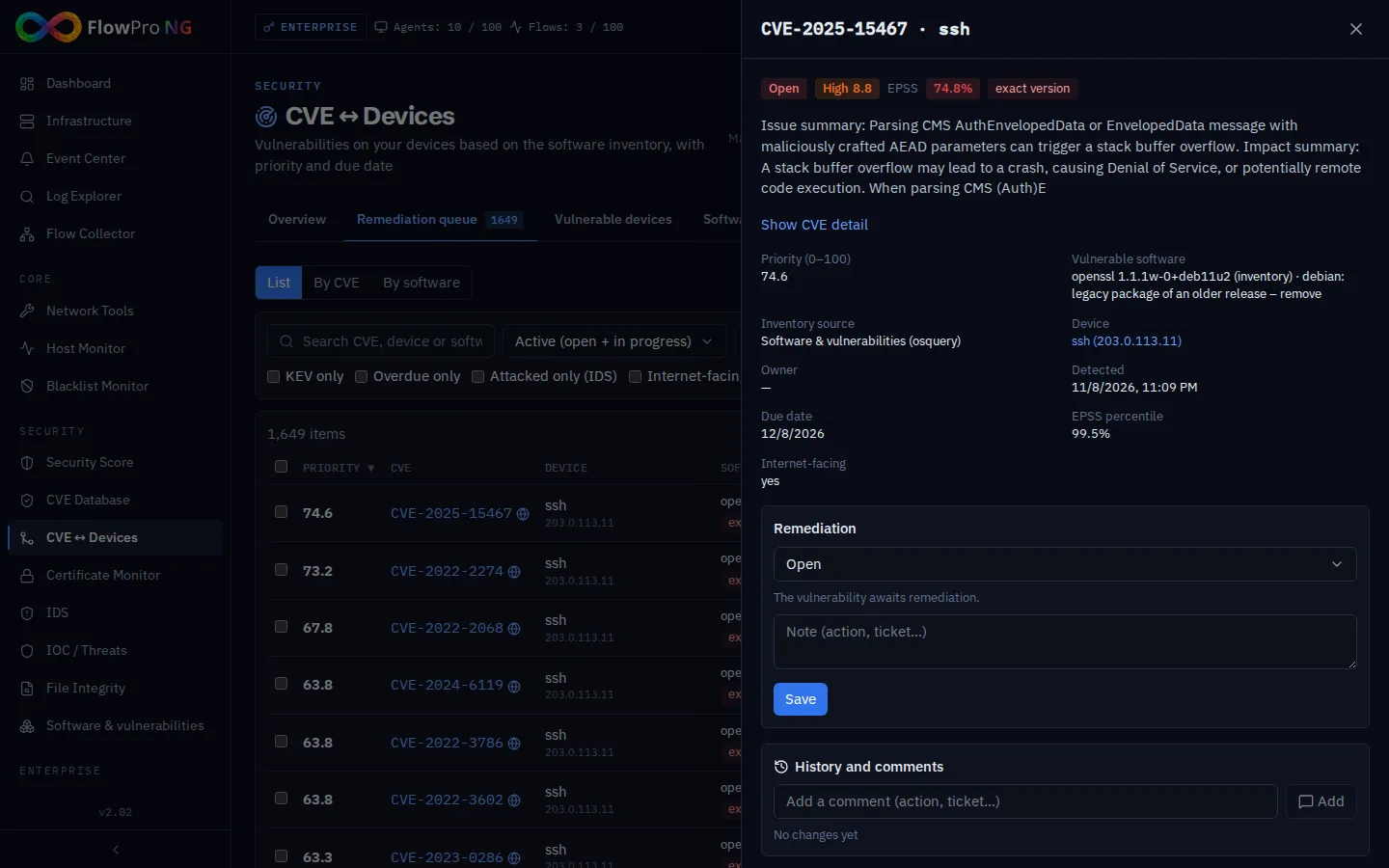
In the match detail you set the status (in progress, accepted risk with an expiry date, fixed, false positive), add a note, and anyone who comes back to the vulnerability sees the history of changes. When the vulnerable version disappears from the device, the match closes automatically; when it comes back, it reopens. Results can be exported to CSV and as a PDF report for management or an auditor.
What needs attention goes to the Event Center: an exploited or critical vulnerability on a device, an exploitation attempt caught by IDS, an overdue vulnerability, a new vulnerability from the watchlist and a data source outage. Vulnerabilities also feed into the security score and into the vulnerability management checks of the NIS2 Compliance Pack.
What It Adds Up To
Reputation databases and vulnerability databases answer two different questions: who is attacking us or who are we talking to, and where are we vulnerable. FlowPro NG keeps both current without any work on your side, compares them with what actually happens in your network and turns the results into one queue of priorities.
How the data compared with these databases gets into FlowPro NG is described in the articles Collecting NetFlow, Collecting Syslog and Elastic Agent. There is more on vulnerability management on the Vulnerability management page. You can try IOC / Threats, CVE Database and CVE ↔ Devices in the 14-day trial with all modules.
- Threat Intelligence
- CVE
- KEV
- EPSS
- AbuseIPDB