Contents
- FlowPro agent and Firewall
- Network Protection and DNS Protection
- Infrastructure: what needs attention
- IDS: incidents instead of a flood of alerts
- Flow Collector: incidents, DDoS and intrusion detection
- Security Score: five pillars and device scores
- Notifications: who learns what
- Honeypot: campaigns, internal decoys and the honeypot network
- DNS Traffic
- AI Security and Windows Events as regular modules
- Blacklist Monitor: weight of a listing
- VPN Pilot: own VPN servers
- Leaner storage and a faster application
- Other improvements and fixes
- What to keep in mind when updating
Version 2.1 is the biggest FlowPro NG update since the 2.0 series. It brings our own agent for servers, firewall management and network protection including DNS, a reworked IDS and Flow Collector, a new Security Score, notifications with escalation and much leaner data storage. Your data stays on your server and the update works the same way as before.
This article gives an overview of all the main new features and, for each of them, the licence that includes it.
| New feature | Licence |
|---|---|
| FlowPro agent and Firewall | FlowPro agent + Firewall add-on |
| Network Protection and DNS Protection | Network Protection add-on |
| Infrastructure: what needs attention | all licences |
| IDS: incidents instead of a flood of alerts | Security and Enterprise |
| Flow Collector: incidents, DDoS and intrusion detection | all licences |
| Security Score: five pillars and device scores | Security and Enterprise |
| Notifications: who learns what | all licences |
| Honeypot: campaigns, internal decoys and the honeypot network | Enterprise |
| DNS Traffic | Enterprise |
| AI Security and Windows Events as regular modules | Enterprise |
| Blacklist Monitor: weight of a listing | Core, Security and Enterprise |
| VPN Pilot: own VPN servers | VPN Pilot add-on (beta) |
| Leaner storage and a faster application | all licences |
FlowPro agent and Firewall
Our own lightweight agent for Debian and Ubuntu servers. It connects to FlowPro NG over outbound HTTPS only (port 443), so no port needs to be opened on the server. What the agent may do on the server is decided by the server's administrator in its configuration.
- On servers without a Fleet agent it supplies metrics (CPU, memory, disks, network) and the list of installed software.
- It watches pending system updates and installs them according to the chosen policy, including a restart in an agreed window.
- It checks the security settings of the server and reports logins, use of sudo and account changes.
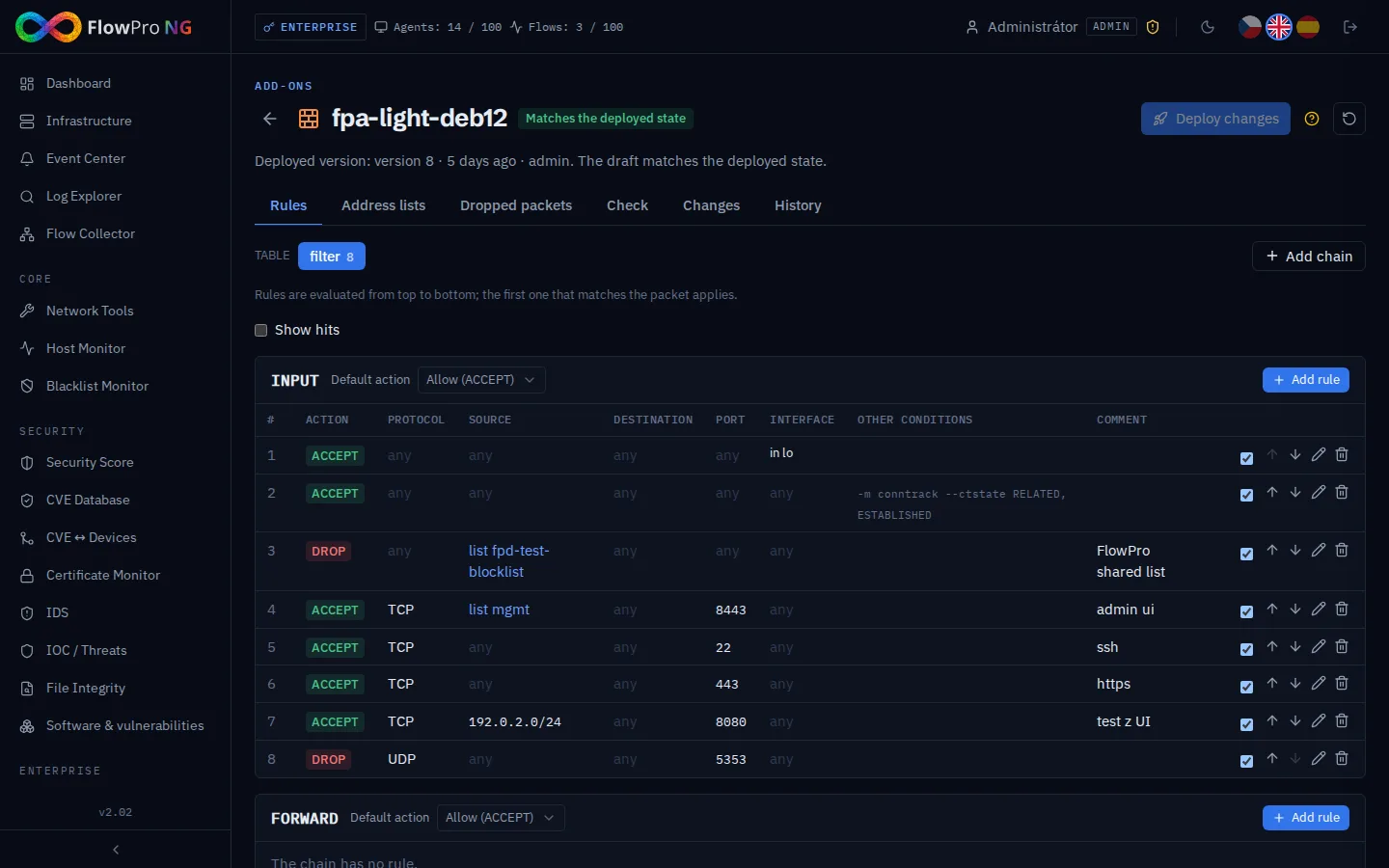
- The Firewall module manages iptables rules and address lists. It takes over the server's existing rules as the first version, changes are prepared in a draft and checked by an analyser before deployment.
- Deployment has a safeguard: when the server does not reconnect after a change, it restores the previous rules by itself. FlowPro NG keeps versions and warns about changes made outside it.
- The agent is installed with one command from FlowPro agent → Add FlowPro agent.
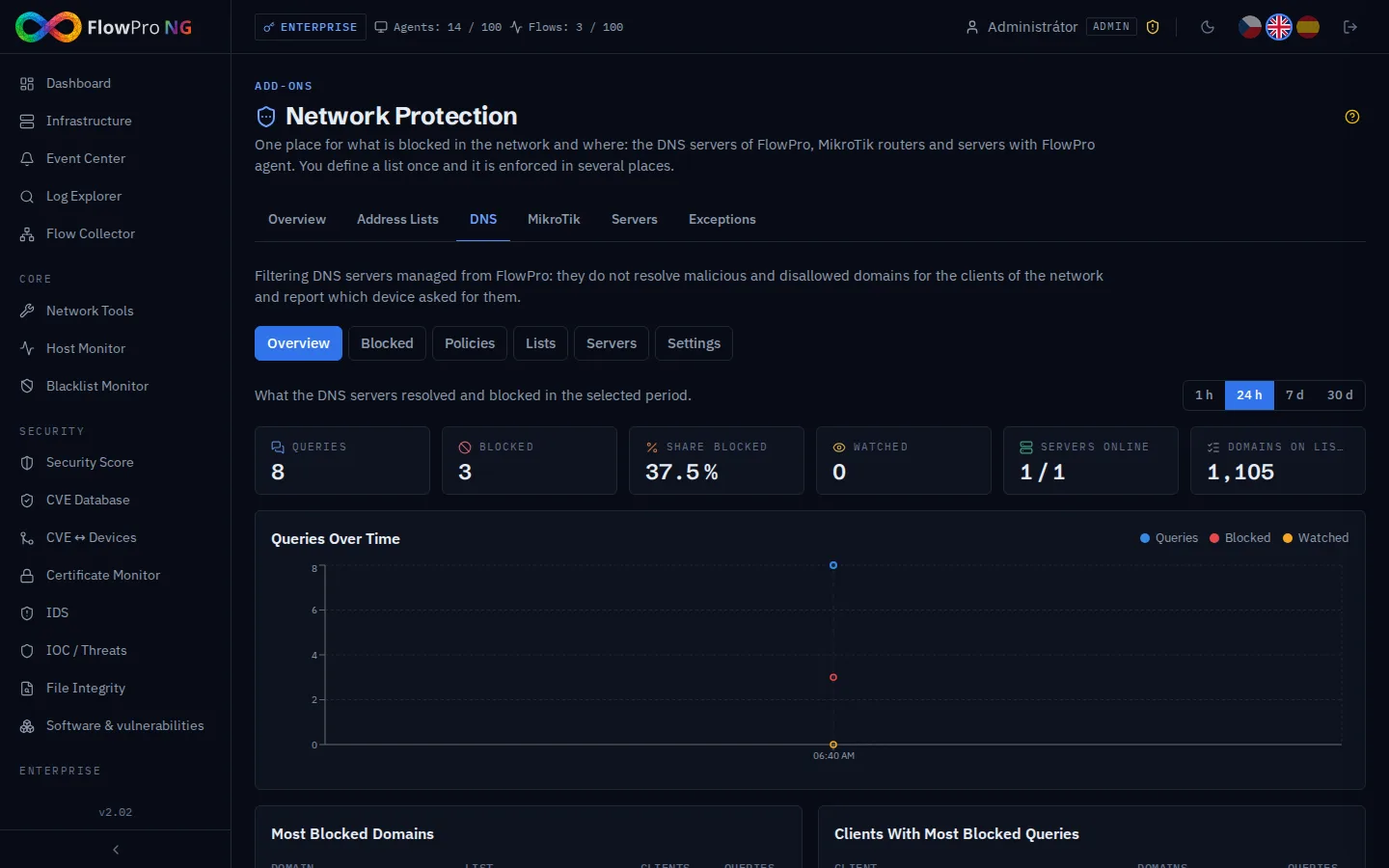
Network Protection and DNS Protection
The new Network Protection menu brings together in one place what is blocked in the network and where.
- Lists of dangerous addresses are filled by hand and automatically – from Threat Intel, IDS, the honeypot, Playbooks and downloaded blacklists.
- A list can first only be watched to see how much traffic it would hit, and blocking can start afterwards.
- MikroTik routers download the address lists themselves; FlowPro NG does not write to the router. On servers with FlowPro agent the lists are enforced by the Firewall module.
- DNS Protection: FlowPro NG's own DNS servers do not resolve malicious and disallowed domains according to policies for individual networks and show which device asked for them.
- Exceptions are entered once and apply to all places at the same time.
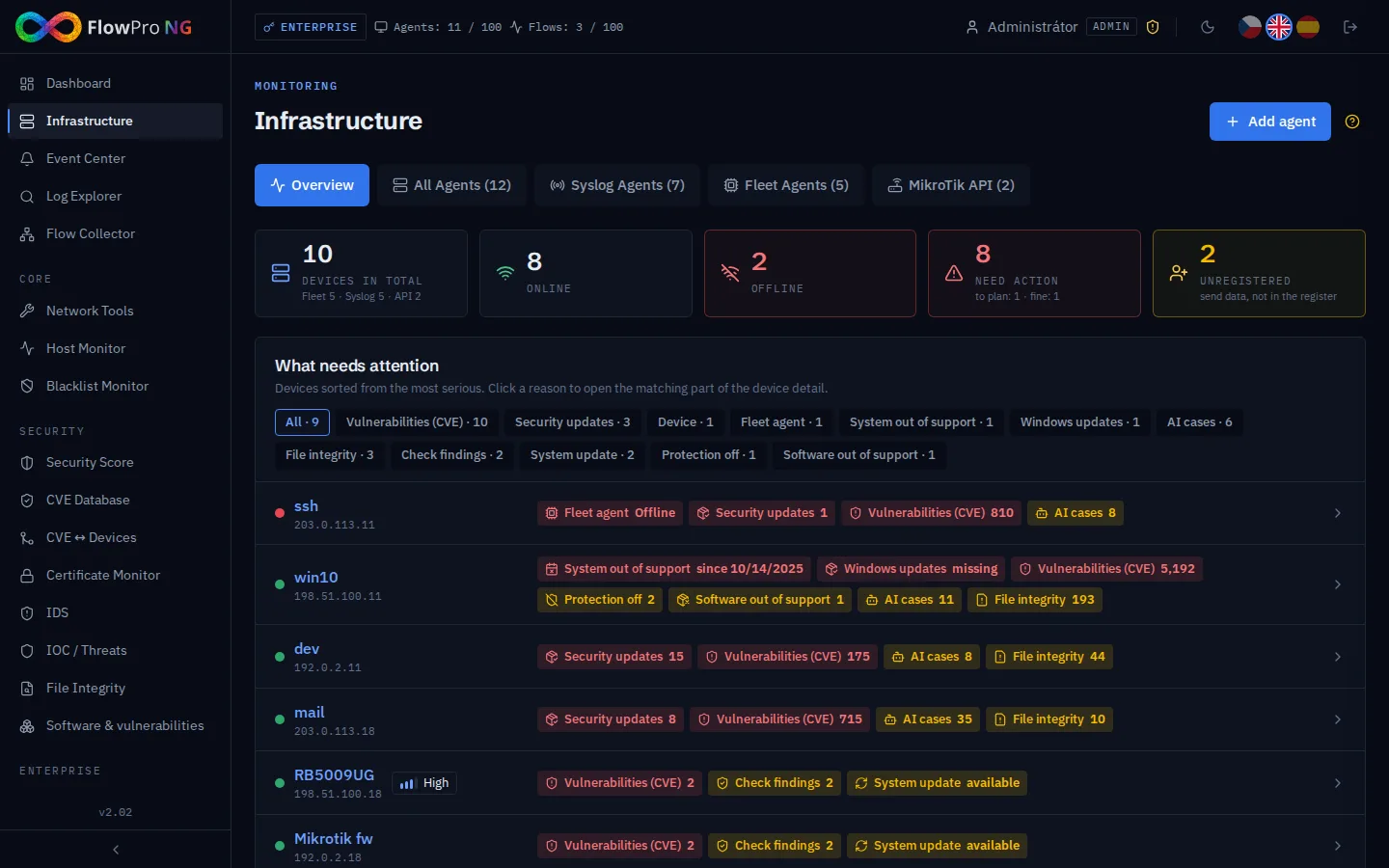
Infrastructure: what needs attention
The Infrastructure page has a new default Overview tab that orders devices by what needs to be dealt with on them.
- The "What needs attention" summary: vulnerabilities, missing updates, IDS incidents, a lost agent, an unsupported system and more.
- The device detail is split into tabs. The new Agents tab shows which agents know the device (Fleet agent, FlowPro agent, syslog, MikroTik API, flow export), their state and what they supply.
- MikroTik routers with RouterOS 7 can be read over the encrypted API with read-only permissions: metrics, network inventory, the RouterOS version for vulnerability checks and a security check of the configuration.
- The licence now counts devices, not individual agents: a server that sends both metrics and syslog takes one place. A NetFlow / sFlow exporter counts as a flow source, not as an agent.
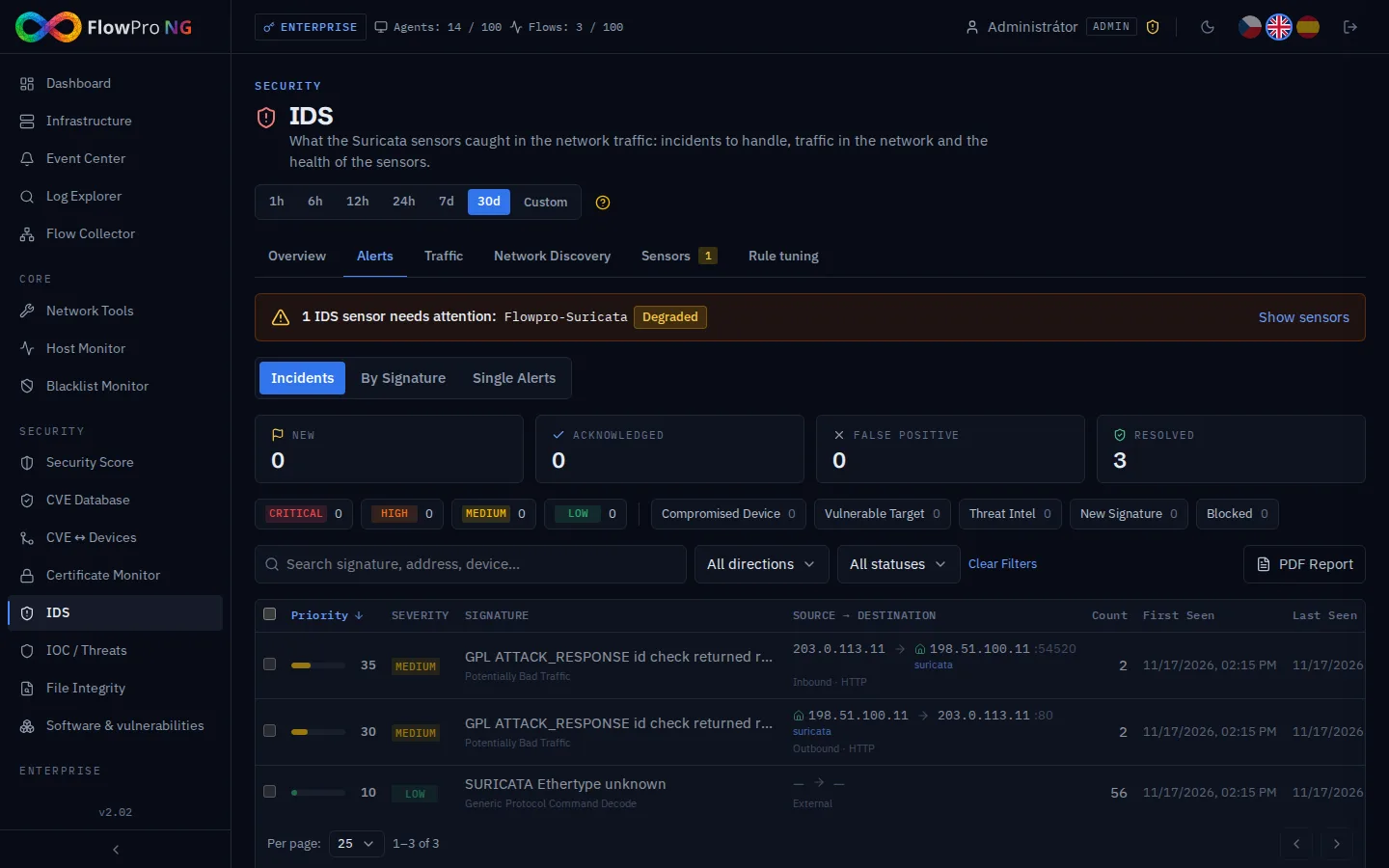
IDS: incidents instead of a flood of alerts
Suricata alerts are folded into incidents, so instead of thousands of rows you deal with individual attacks.
- Every incident has a priority of 0–100 with its reasons and the states new, acknowledged, false positive and resolved.
- Six tabs: overview, alerts, traffic (flows, DNS, HTTP, TLS), network discovery, sensors and rule tuning.
- Sensors are managed directly from FlowPro NG: collection profile, rule sources, signature suppressions and the health of every sensor. A new wizard installs Suricata 8.
- Reports about truncated packets (caused by traffic mirroring, not an attack) are suppressed from the start.
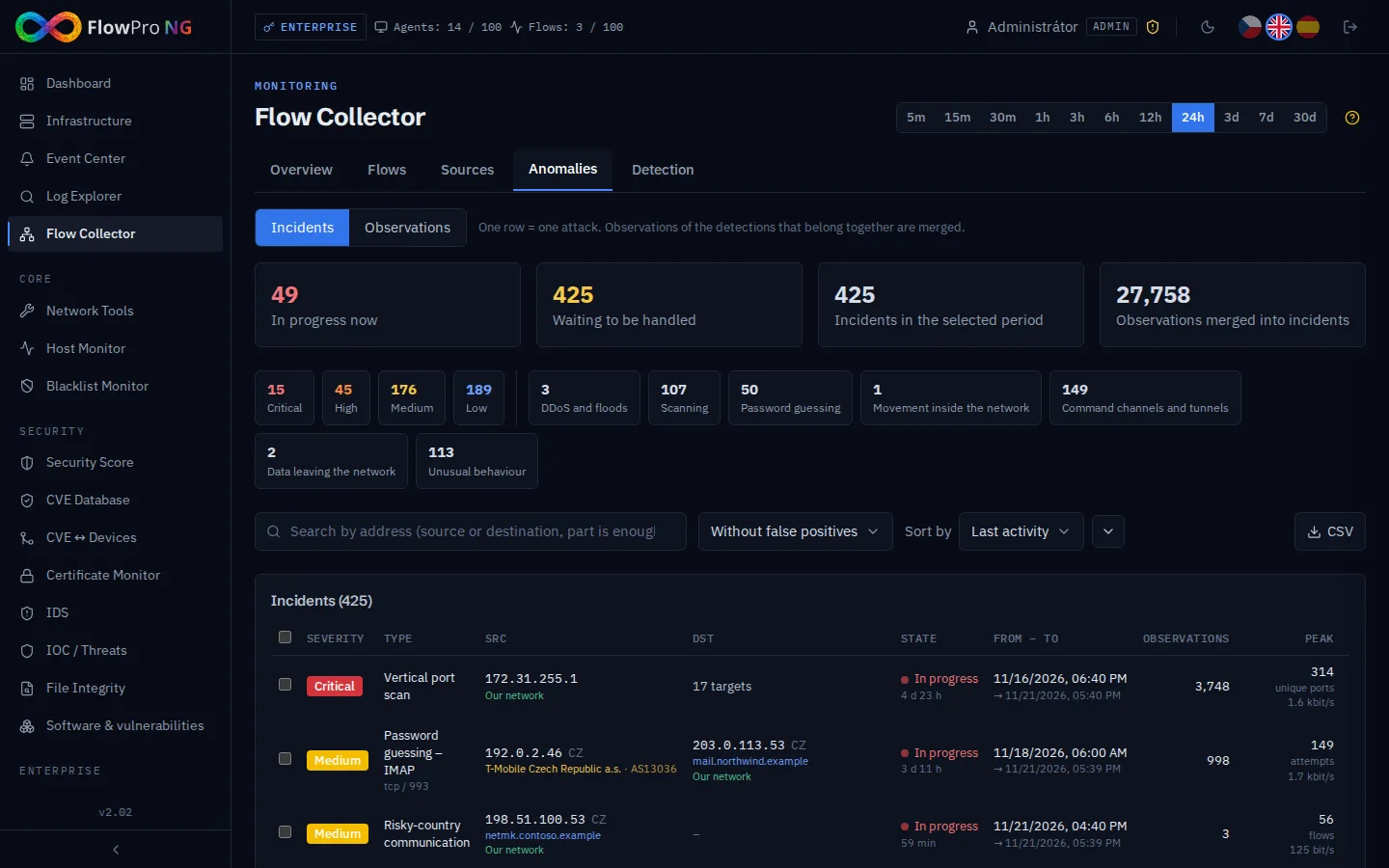
Flow Collector: incidents, DDoS and intrusion detection
Detections over NetFlow, IPFIX and sFlow run directly in the application and their results are folded into incidents – one row per attack.
- DDoS is recognised by the traffic rate of individual addresses: volumetric, carpet-bombing, outbound and amplification attacks.
- New detections look for slow scans, password guessing from many addresses, a successful login after an attack, unusual outbound traffic and new services in the network.
- New detections start in learning mode, so they do not flood the Event Center.
- There are new traffic overviews, support for sampling and a warning about an exporter that stopped sending data.
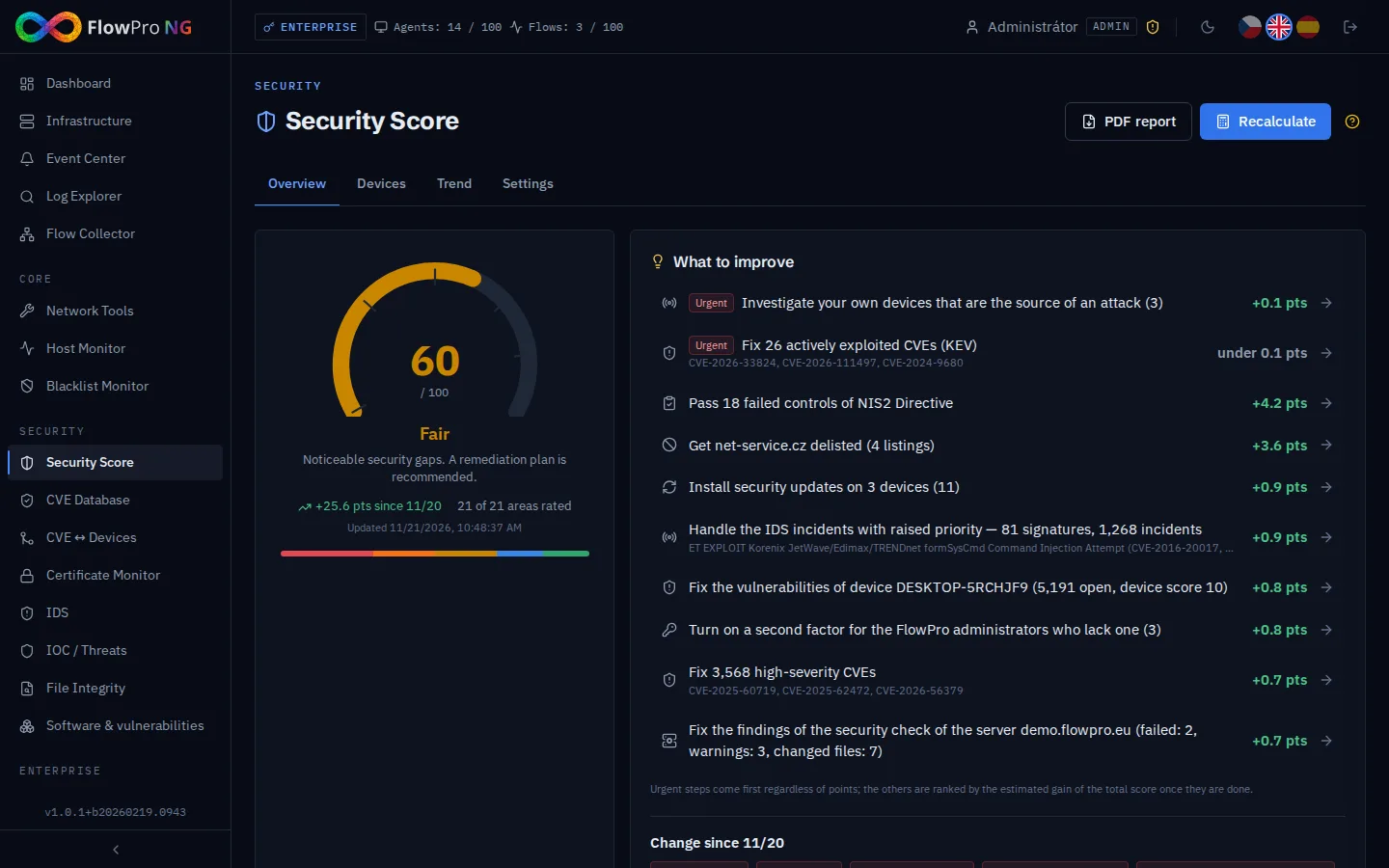
Security Score: five pillars and device scores
The new calculation builds the score from five pillars and up to 21 areas and rates every device separately.
- Every device shows its own score and its impact on the total – that is, where a fix helps most.
- More important devices weigh more; the weights of the pillars can be adjusted with a profile.
- New Devices and History tabs, a PDF report and a monthly report by e-mail.
- The change of calculation is marked in the score history, so the jump after the update is not confusing.
Notifications: who learns what
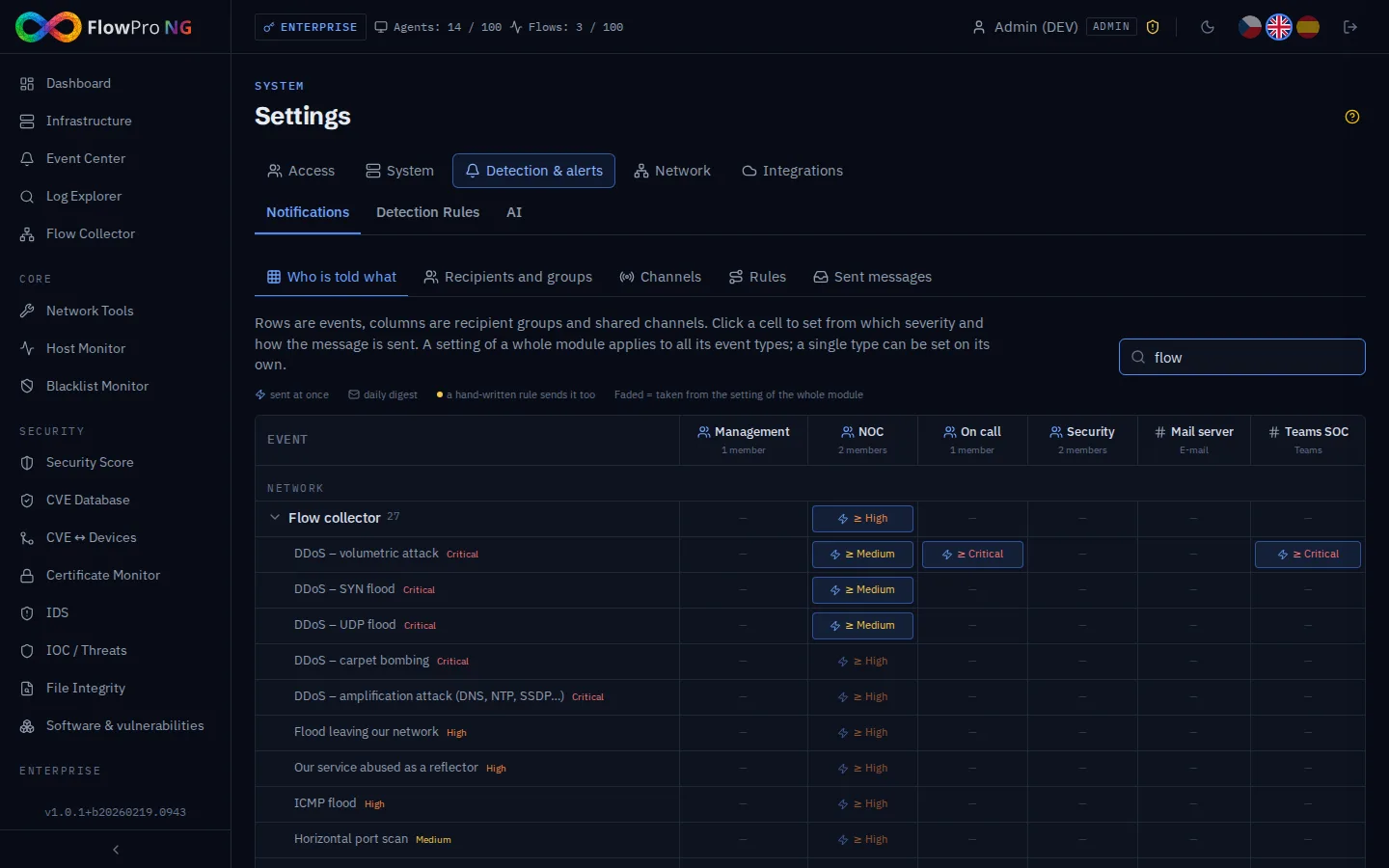
Settings → Notifications has a new matrix: modules and event types in the rows, recipient groups and channels in the columns.
- A recipient can be a FlowPro NG user or a contact outside it (e-mail, Telegram, Slack, Teams, ntfy and more).
- Messages are not lost when the mail server is down – they are sent again and their state is shown in Sent messages.
- Rules can escalate when nobody takes over an event, limit messages per hour and send a message when an outage or attack ends.
- The existing settings are converted to rules during the update, so the same messages arrive as before.
Honeypot: campaigns, internal decoys and the honeypot network
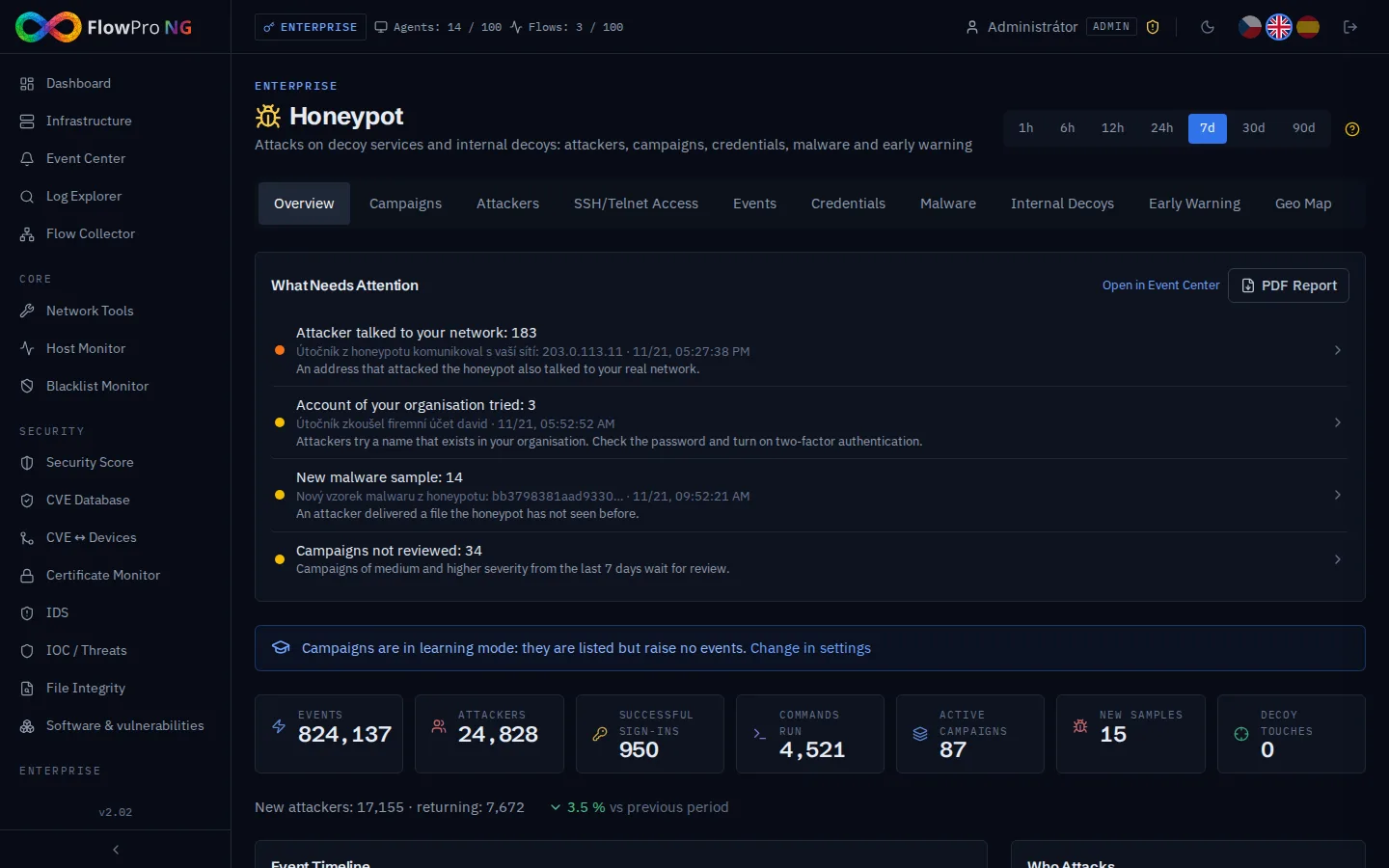
The honeypot now shows attackers as lasting profiles and their repeated attacks as campaigns.
- Every attacker address has a lasting profile with a score and a classification.
- Internal decoys reveal an attacker who is already inside the network.
- Early warning tells you when an address from the honeypot talks to your network.
- Instances share attackers through the honeypot network; the Enterprise licence receives their common list as a Threat Intel source.
- SSH / Telnet sessions expand into the attacker's individual commands.
DNS Traffic
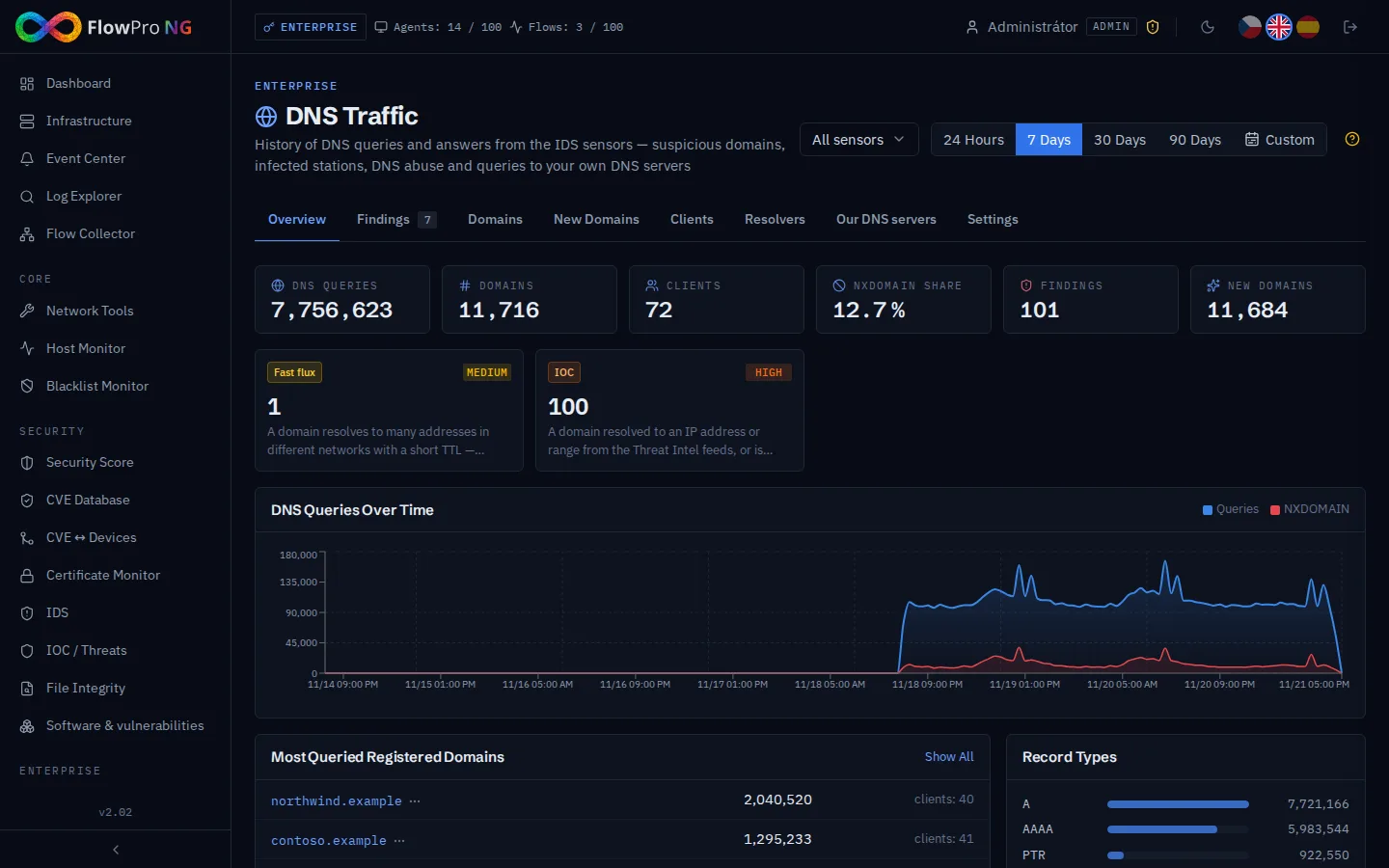
The Passive DNS module is now called DNS Traffic and has been rebuilt.
- It reads DNS queries from sensors running Suricata 8 and counts only the clients of your networks.
- It separates your DNS servers and queries coming from outside, offers a reverse lookup and a filter by sensor.
- Findings have states and there are seven new detections: random subdomains, a rise of non-existent domains, query floods, DNS rebinding, look-alike domains, sinkholes and bypassing the approved DNS servers.
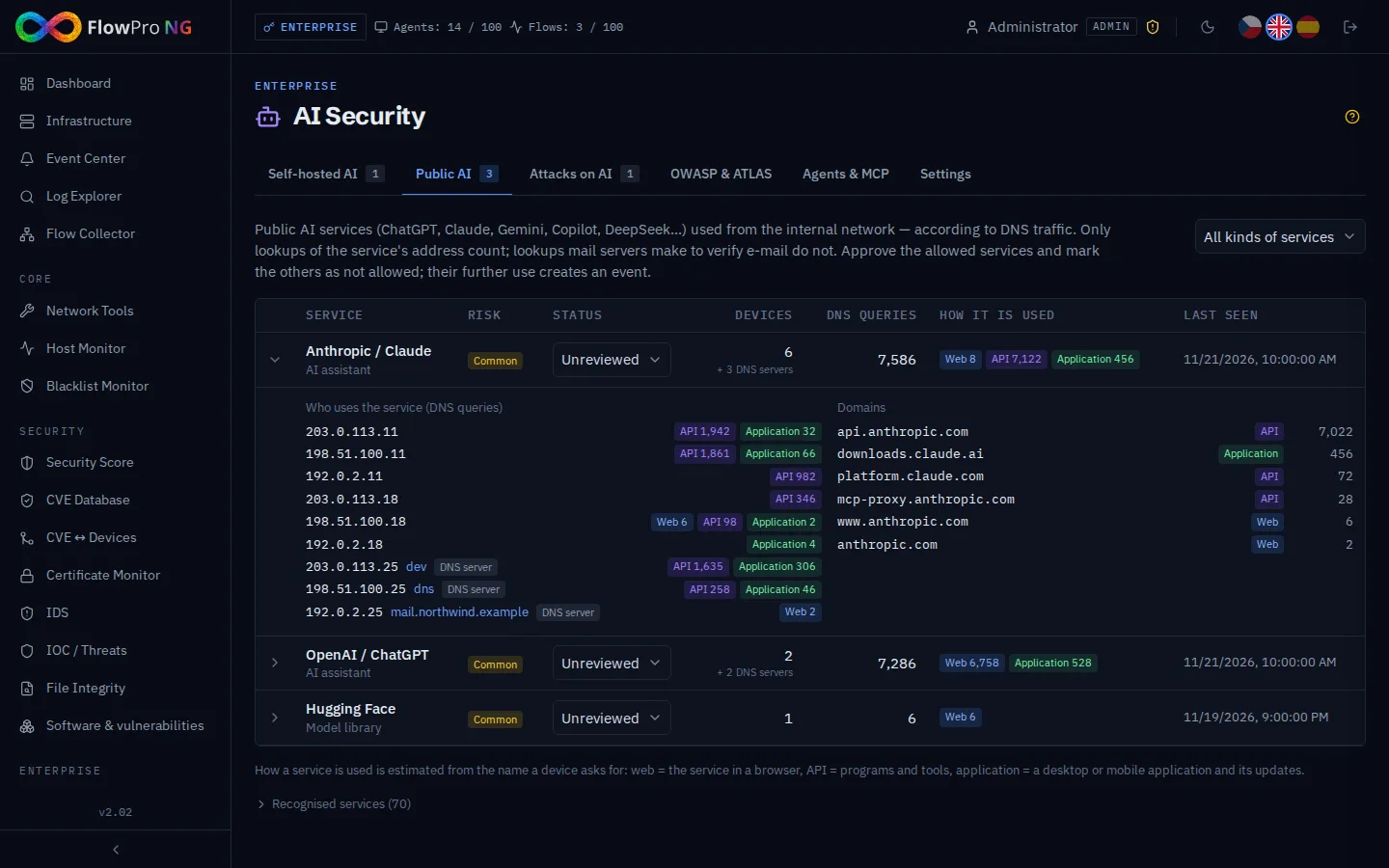
AI Security and Windows Events as regular modules
Neither module is beta any more; both are part of the Enterprise licence.
- AI Security recognises about 70 public AI services in eight groups and shows for each whether it is used via the web, the API or an app.
- It finds AI servers in your networks as well as AI servers on the internet to which your devices send data.
- Windows Events evaluates the Windows security logs: logins, account and group changes, Kerberos and critical events. FlowPro NG runs 18 attack detections over them every 2 minutes.
- The detail of a user and a computer in Active Directory links straight to their events.
Blacklist Monitor: weight of a listing
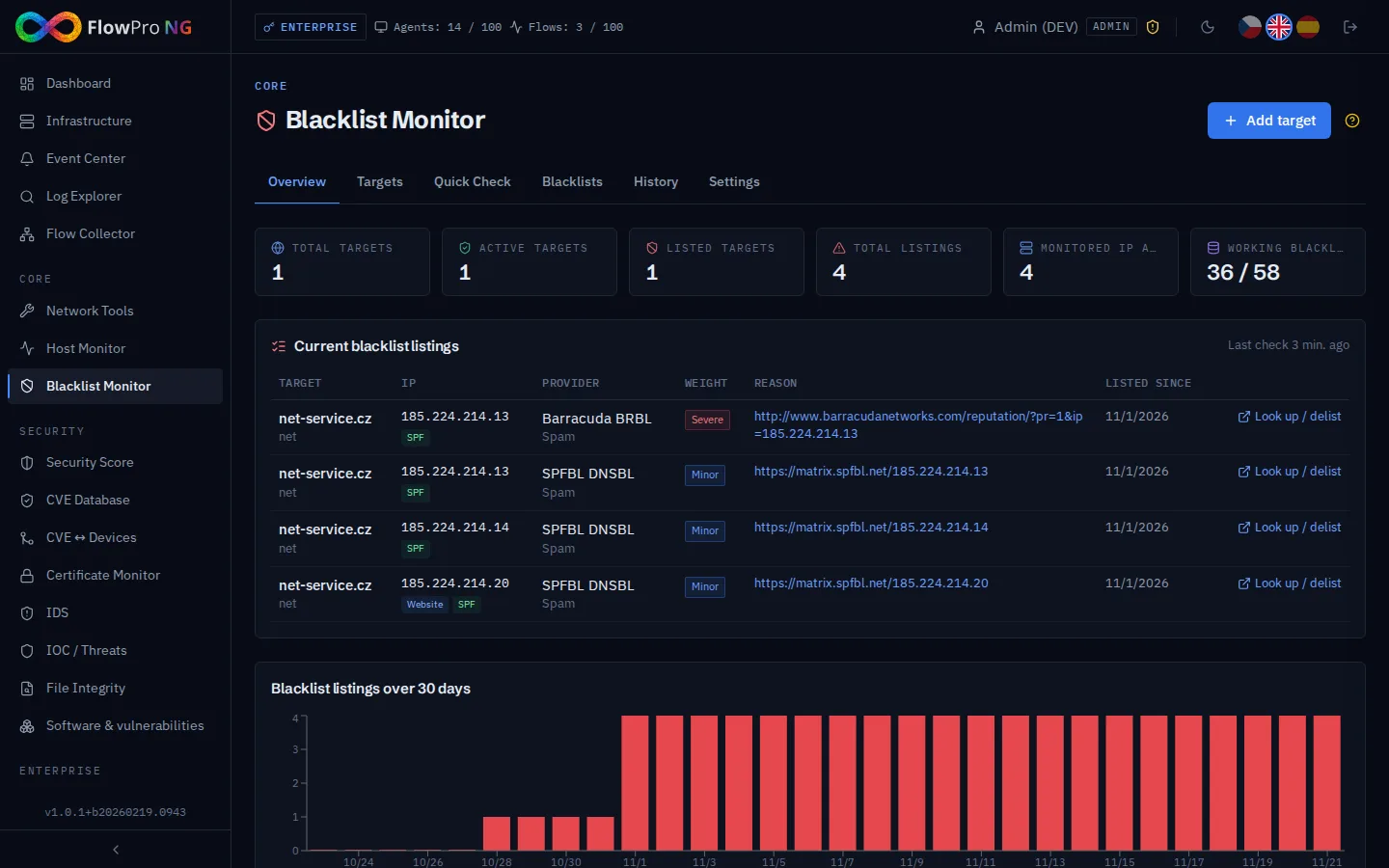
Every listing on a blacklist has a weight based on the importance of the blacklist and its answer: severe, medium, light or informational.
- FlowPro NG translates the blacklist's answer code into a clear reason, for example a spam source or a compromised computer.
- The weight orders the overview, sets the severity of the event and counts in the Security Score; informational listings do not lower the score.
- A listing counts as removed only after two clean checks, so a short outage of a blacklist does not raise a false alert.
- Own keys can be entered for Spamhaus DQS and Abusix; they are stored encrypted.
VPN Pilot: own VPN servers
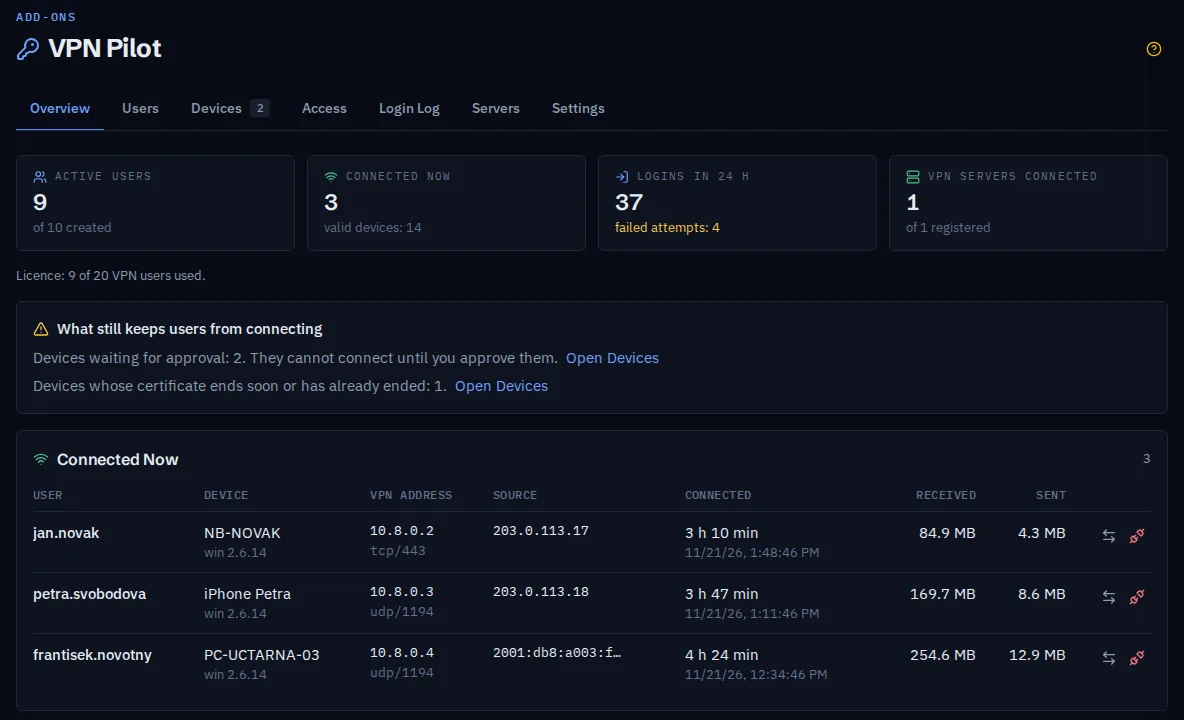
Remote access through own VPN servers (OpenVPN) that FlowPro NG installs, manages and updates. The module is a beta.
- Users and passwords can come from Active Directory; every user has a fixed address in the VPN.
- A second factor, device approval and access policies.
- A complete login log including failed attempts and the volume of transferred data.
- The licence counts VPN users.
Leaner storage and a faster application
- FlowPro NG takes care of the Elasticsearch storage by itself: it merges finished indices and stores metrics with stronger compression. For system logs we measured roughly half the size per record.
- Fleet agents send system metrics once a minute instead of every ten seconds. The charts look the same, the metrics take several times less space.
- The new retention category Other data covers logs and metrics of additional integrations (for example Windows services, IIS or PostgreSQL) that were never deleted so far. The default retention is 90 days and can be changed.
- Detection rules that have no data switch themselves off and back on once data appear.
- The flows table in ClickHouse takes less space and flow search is faster.
- A faster Infrastructure page, main dashboard and Threat Intel summary; background services put less load on the databases.
Other improvements and fixes
- What's new after an update: after login every user sees an overview of the new features with pictures, an overview of the modules and the list of changes. You can open it again any time in Settings → Changelog.
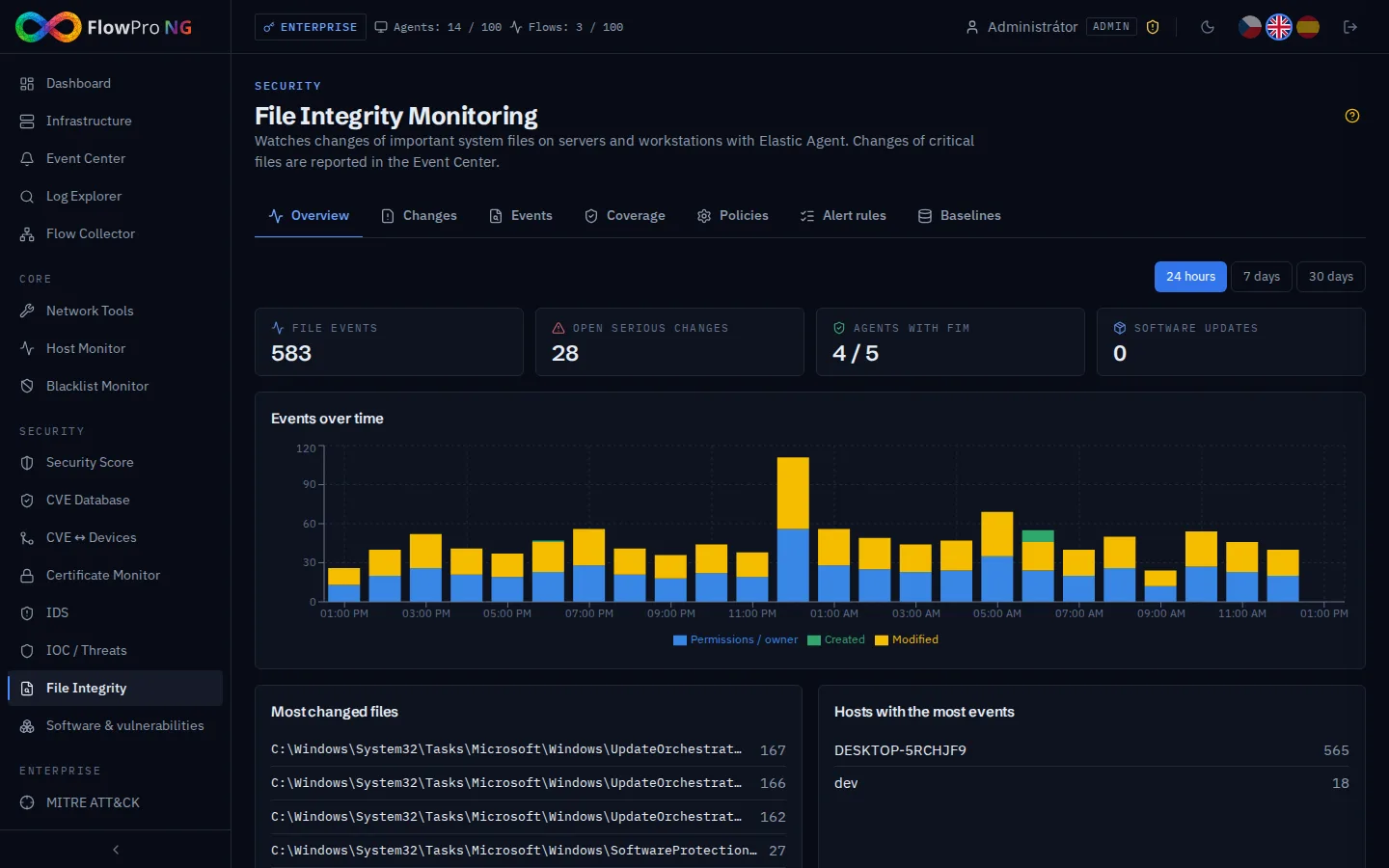
- File integrity: changes of the same file are folded into one open change per rule and device, and package updates are recognised.
- Threat Intel: logs are matched against all indicators and every record counts once.
- Network device logs: syslog from MikroTik is stored with fixed field types and takes much less space.
- Help: current pictures in all three languages, and the question mark on most pages opens help for the open tab.
- Bug fixes: searching for a single word in the Log Explorer no longer times out, and we fixed several smaller issues.
What to keep in mind when updating
The full list of changes is in FlowPro NG under Settings → Changelog. You can try the new features in the 14-day trial with all modules; licence and add-on prices are in the pricing.
- Novinky
- FlowPro agent
- Firewall
- Ochrana sítě
- IDS
- NetFlow