Contents
An attacker who gets onto a server almost always changes something. They add a key to authorized_keys so they can come back. They create a cron job or a systemd service so their program survives a reboot. They edit sudoers, replace a system program or rewrite a service configuration. The innocent version is nearly as unpleasant: a colleague "only tried something", and a month later nobody knows why the service behaves differently.
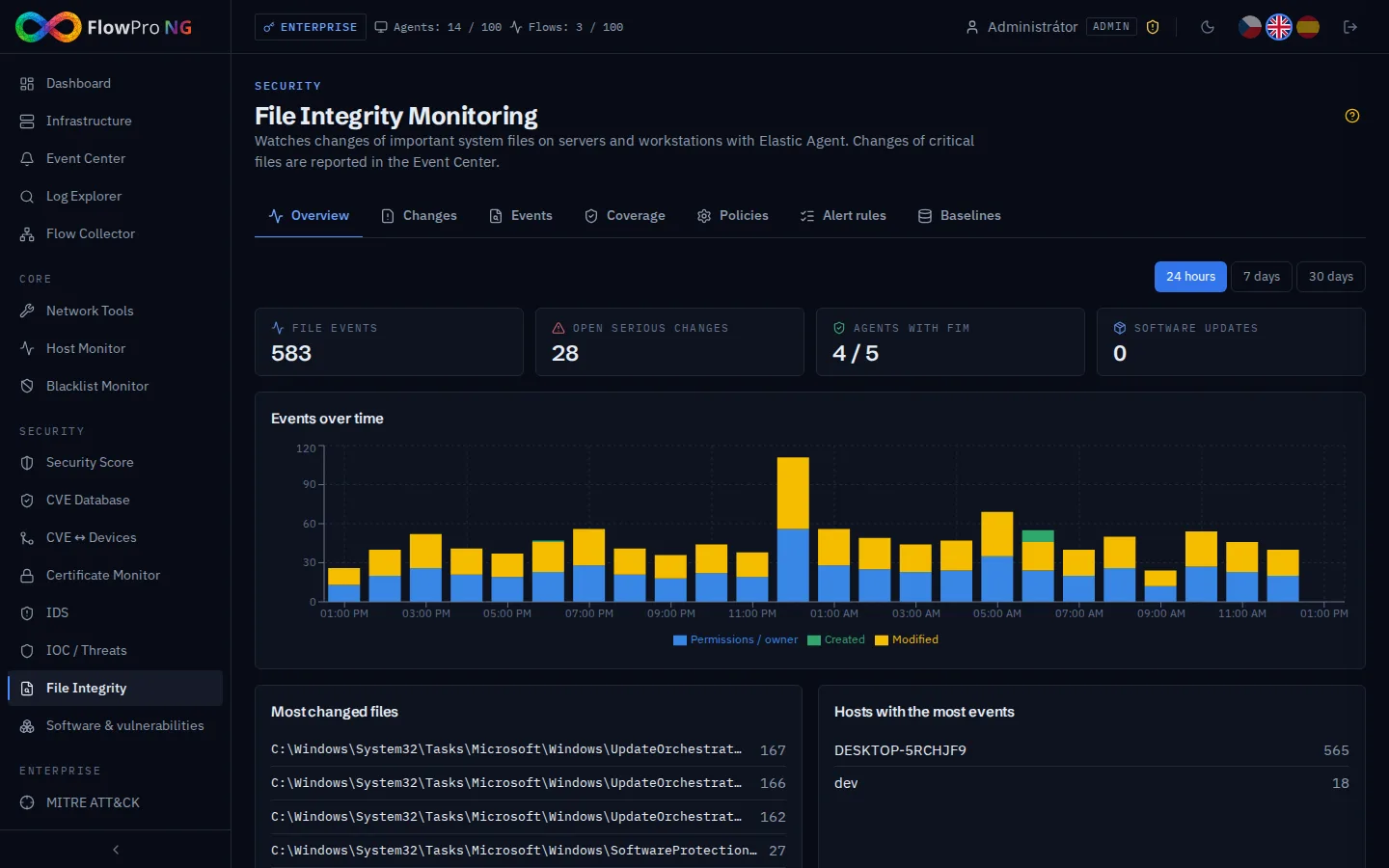
The same thing helps in both cases: knowing which file changed, on which server and when. That is file integrity monitoring (FIM). This guide shows how to turn it on in FlowPro NG and how to work with it without drowning in alerts.
How it works
File integrity monitoring needs nothing new on your servers. It runs in the Elastic Agent that already sends their logs and metrics. Deploying the agent is covered in the guide Elastic Agent: Collecting Logs and Metrics.
- A policy defines which files and directories the agent watches. FlowPro NG writes it into the agent settings itself, and agents pick it up without a restart.
- On every change the agent sends an event: what happened (created, content modified, deleted, moved, permissions or owner changed), the new SHA-256 hash of the file, its owner and permissions.
- Every minute FlowPro NG evaluates the new events against the alert rules. Whatever matches a rule appears as a change to review and as an event in the Event Center.
Turning it on: policies
File integrity monitoring is off after installation. The prepared policies are inactive and nothing is sent to your servers until an administrator activates one. Servers without a policy are not counted as uncovered and do not lower the score.
On the Policies tab, activate the prepared policy for Linux or Windows, or create your own from a template.
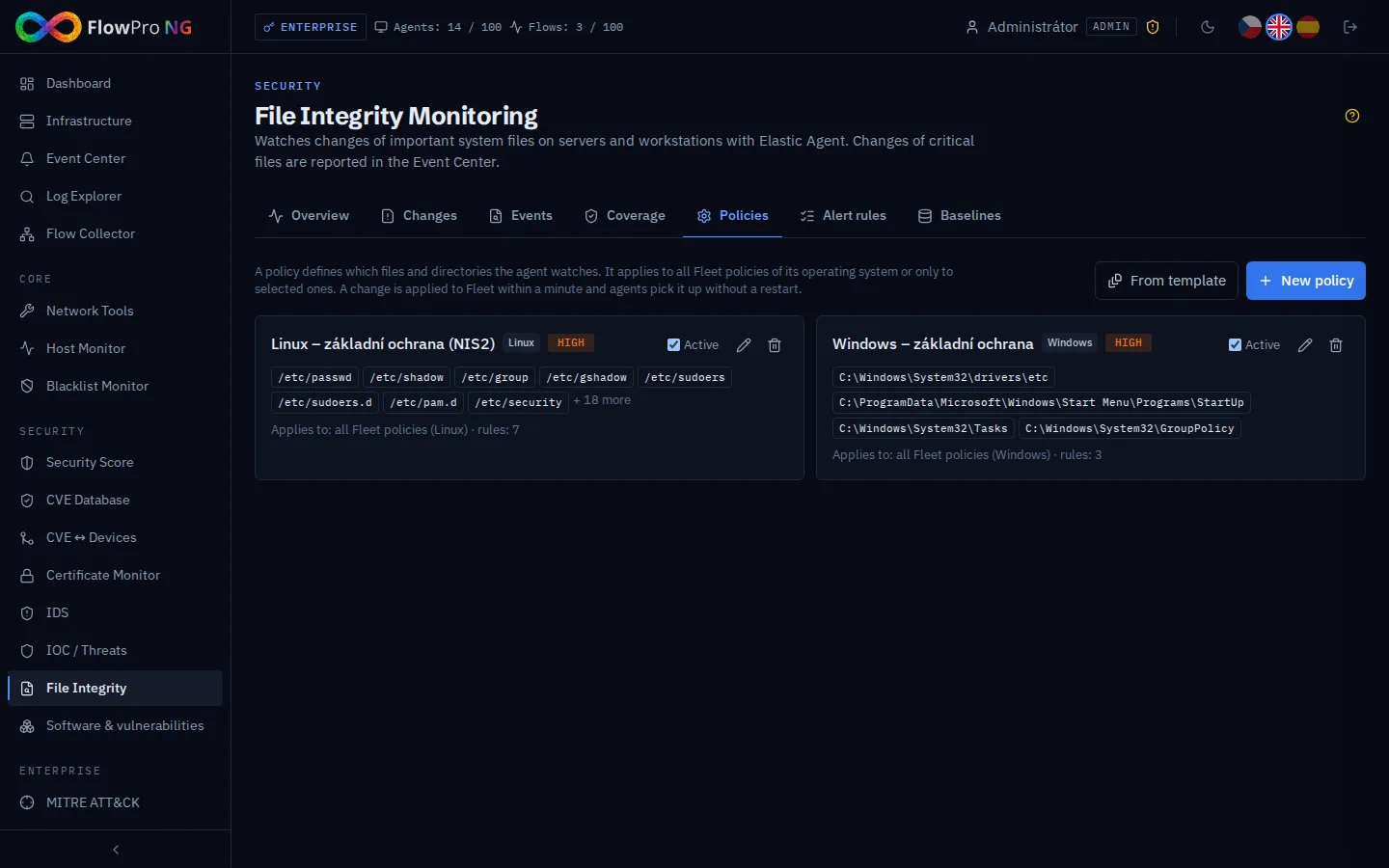
The default Linux policy watches accounts and passwords (/etc/passwd, /etc/shadow, /etc/group), sudo and PAM, SSH configuration and keys including /root/.ssh, cron, systemd services, library loading (ld.so) and system programs. The Windows policy watches the hosts file, startup items, scheduled tasks and Group Policy. Further templates add web server or audit configuration.
A policy applies to all agents of that operating system or only to selected agent groups. For an application server you can create your own policy with the paths of the web or database configuration.
Alert rules: what matters
Not every change is an alarm. A rule says which paths and actions to report, with what severity and how often. Every default policy comes with rules:
| Rule | Severity |
|---|---|
| Authentication files (passwd, shadow, group) | Critical |
| sudo and PAM | Critical |
| Library preload (ld.so) | Critical |
| SSH configuration and keys | High |
| Scheduled tasks (cron) | High |
| systemd services | High |
| System programs outside package updates | High |
| Windows: hosts, startup items, scheduled tasks | High |
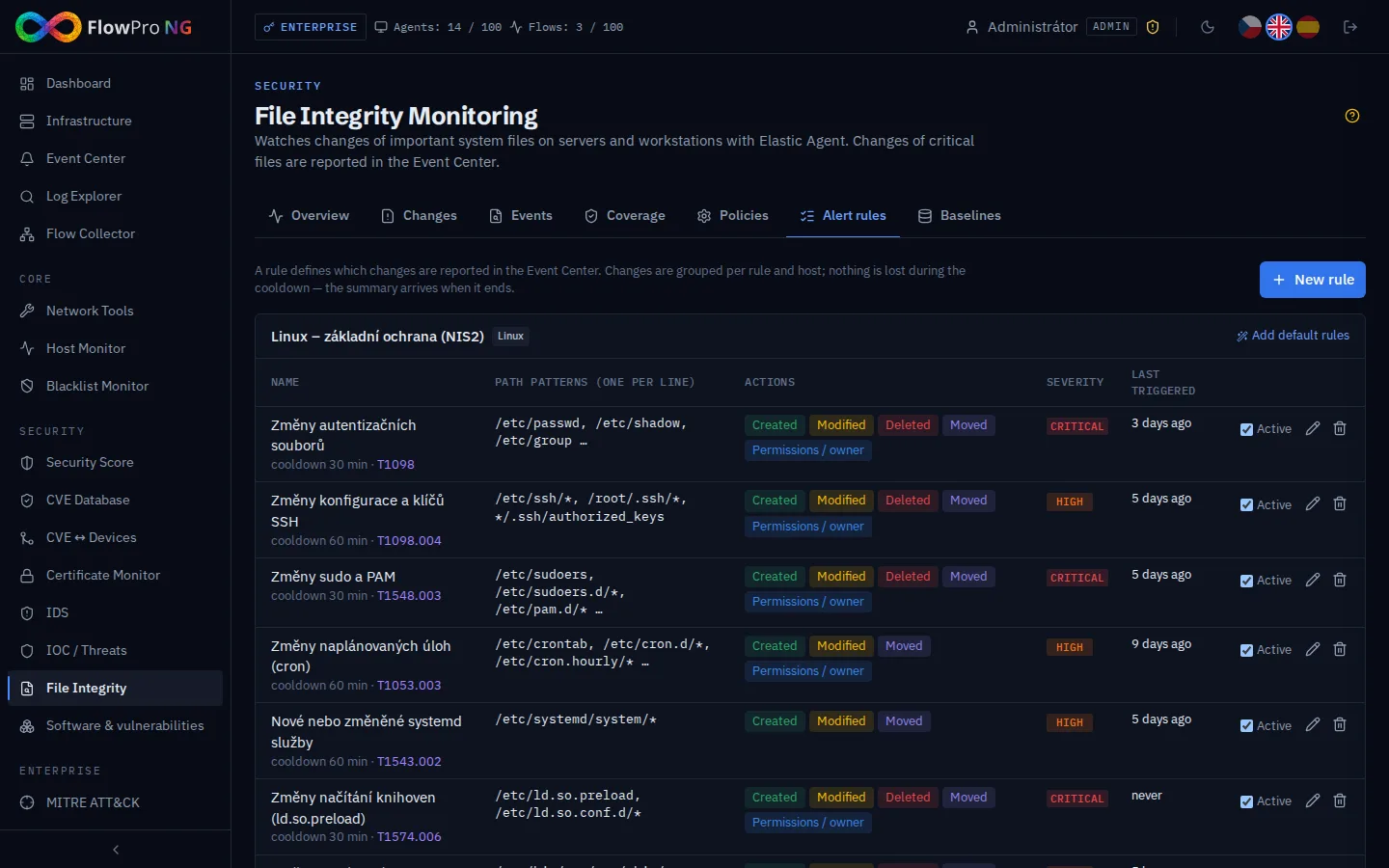
Path patterns use * and ?, for example /etc/ssh/* or */.ssh/authorized_keys. Every rule has a cooldown: during it the same server is not reported again, but the changes are not lost and arrive in the next summary with the full count. A rule also carries a MITRE ATT&CK technique, so a caught change shows up in the technique matrix. The Test button shows how many events of the last 7 days the rule would have caught, which is useful before you enable a new rule.
A software update is not an attack
The usual weak point of file integrity monitoring is updates. A single apt upgrade changes hundreds of system programs, and a tool that reports each one is soon ignored.
FlowPro NG recognises changes made by the package manager: by dpkg and rpm temporary files, by the process that changed the file, or by a sudden burst of changes in system directories. Instead of thousands of alerts it creates one informational "Software update" event per server, at most once every 6 hours. A change of a system program outside an update therefore stays visible.
Changes and their acknowledgement
The Changes tab shows what the rules caught. One row is one rule on one server: the number of changes and sample files with the action, hash, time and (with the eBPF source) the process.
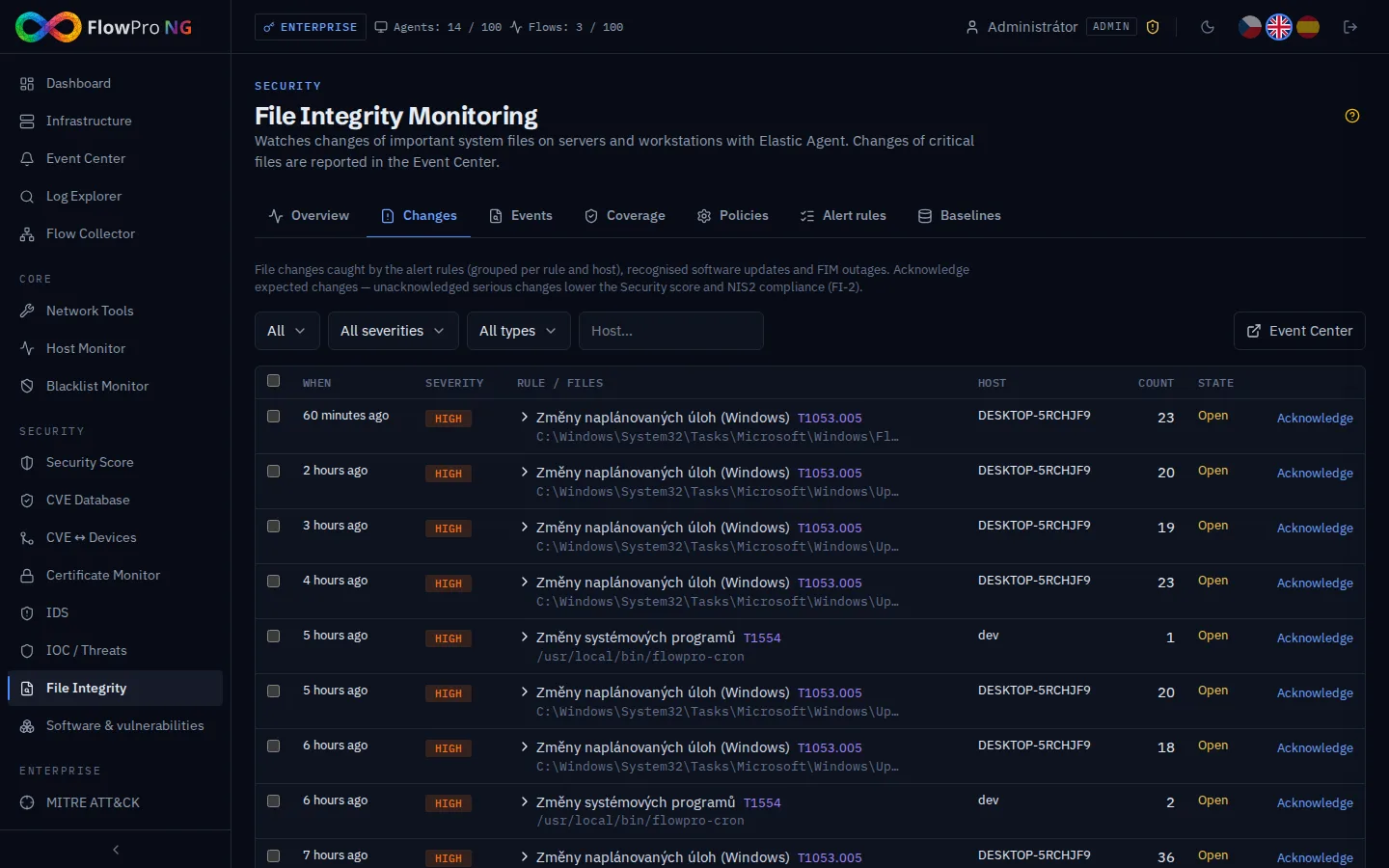
An analyst or administrator acknowledges an expected change, optionally with a note such as "planned SSH change, change request 142". Several changes can be acknowledged at once. This builds the record of approved changes that NIS2 change management asks for.
Unacknowledged critical and high changes lower the Security score. If they wait longer than 7 days, the related NIS2 control stops passing. The Events tab holds all file events from the agents up to 90 days back, filtered by server, path and action. The filter is kept in the URL, so a view can be sent to a colleague.
Baselines
A baseline is an approved snapshot of the files of one server: hash, owner, group and permissions. You save it when you know the server is in order, for example after installation or after an audit. Later you compare it with the current state and see what was added, removed or changed. It is a quick answer to the question "does this server differ from the state we approved?".
Coverage: is it really watching everywhere?
Monitoring that has quietly stopped is worse than none. The Coverage tab therefore shows for each agent whether monitoring really runs. A quiet server with no changes is fine. An agent whose monitoring disappears or fails raises the event "FIM is not running", and another one when it recovers.
The same tab shows three NIS2 controls for system integrity. They are evaluated automatically:
| Control | Passes when |
|---|---|
| FI-1 | every connected agent has working monitoring |
| FI-2 | no critical or high change has waited for review longer than 7 days |
| FI-3 | at least one active rule exists in an active policy |
Links to other modules
- Event Center: changes, software updates and monitoring outages as events, with notifications by e-mail, Teams, Slack or webhook.
- Scenarios: a change can start a scenario, for example notify the server owner or open a ticket.
- Security score: the File integrity area counts agents without monitoring and open changes.
- Device detail: a card with the monitoring status, number of tracked files and open changes.
- Data retention: file events have their own category and retention period.
When something is off
| Symptom | Cause and fix |
|---|---|
| Agent shows "Missing" | No policy targets it (different operating system or explicitly selected groups). Adjust the policy targets and run the synchronisation. |
| Agent shows "Error" | Monitoring failed on the agent; the message is in the row. Typically the kernel does not support eBPF: switch the source back to automatic. |
| Too many events | A watched path contains changing data; exclude it in the policy. A one-off wave of "initial scan" events after a policy change is expected. |
| Events lack the process and user | The default source does not provide them; choose eBPF in the policy. |
| An update is reported as changes | The update changed fewer files per minute than the configured threshold. Lower it in the settings on the Coverage tab, or use eBPF. |
Checklist
- Elastic Agent runs on your servers.
- A policy is active for Linux and Windows, and important applications have their own policy with their configuration.
- The watched paths contain no logs, caches or databases.
- The Coverage tab shows monitoring running on all agents.
- Changes have notifications set up and someone acknowledges them regularly.
- Every important server has a baseline saved after installation or an audit.
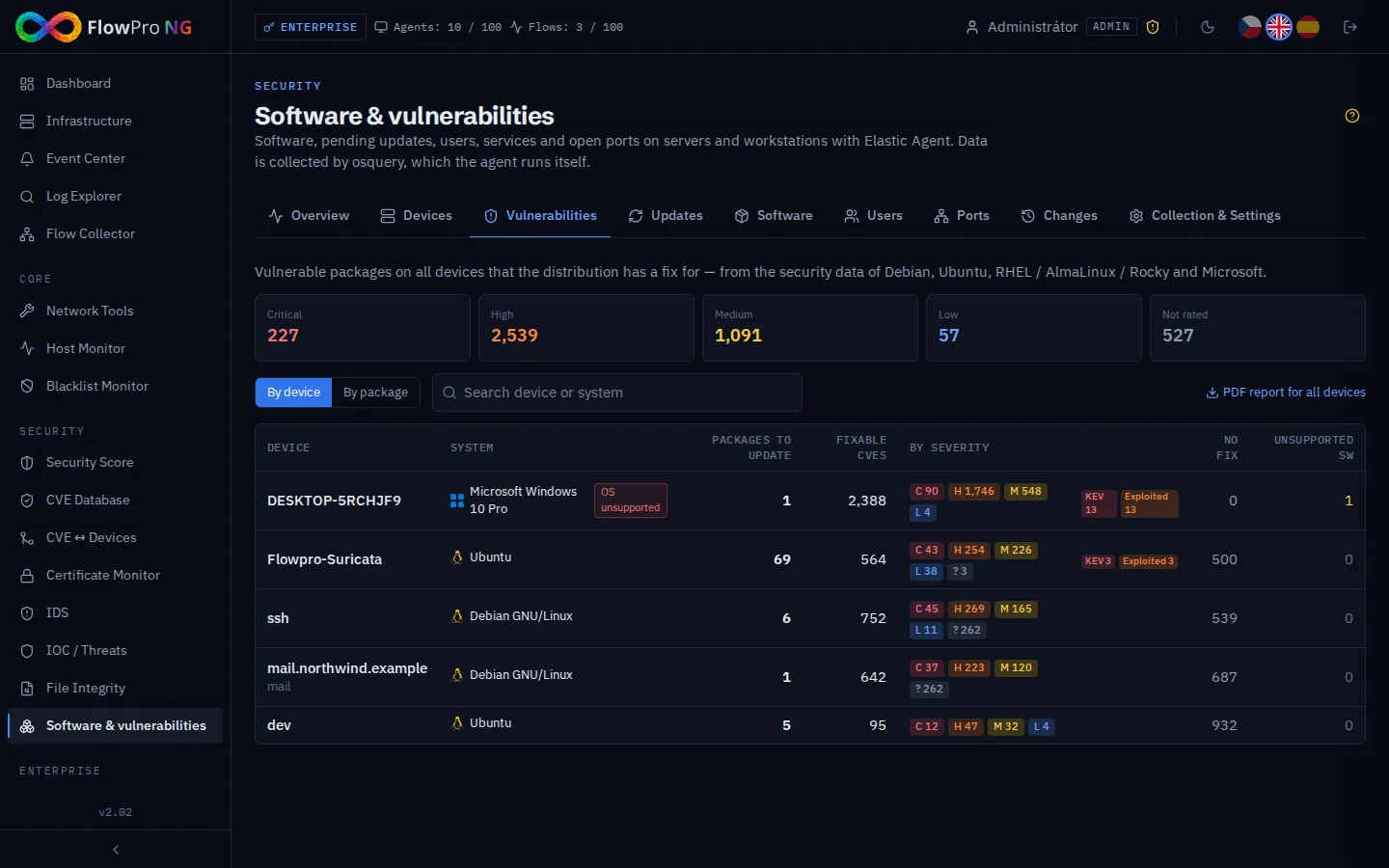
File integrity monitoring is part of the Security licence and higher. You can try FlowPro NG for free. How FlowPro NG data adds up to the whole picture is described on the SIEM and log management page; what runs on your servers and what needs fixing is covered in the article Software and Vulnerabilities.
- Integrita souborů
- FIM
- Elastic Agent
- MITRE ATT&CK
- NIS2