Contents
The NIS2 directive and the new Czech Cybersecurity Act have widened the group of organisations that must manage cybersecurity in a way they can prove. Besides banks and energy companies, the rules now reach manufacturers, IT service providers, municipalities, hospitals and water utilities. Most of them have no security team and no compliance specialist. This article sums up what the rules ask for in practice, which part FlowPro NG verifies for you continuously and what stays with people.
What the rules require
NIS2 is Directive (EU) 2022/2555. Each EU member state transposes it into national law. In the Czech Republic that is Act No. 264/2025 Coll., on Cybersecurity, which sorts regulated organisations into two regimes: higher and lower obligations. The measures for the lower regime, where most newly regulated companies belong, are set out in Decree No. 410/2025 Coll.
The measures themselves hold no surprises. Article 21 of the directive lists ten of them, and they appear in a similar form in national rules:
- risk management and a security policy,
- incident handling,
- business continuity and backups,
- supply chain security,
- security in acquiring, developing and maintaining systems, including vulnerability handling,
- regular assessment of whether the measures work,
- training and basic cyber hygiene,
- encryption,
- access control and asset management,
- multi-factor authentication.
On top of that come the accountability of top management and the duty to report significant incidents within fixed deadlines.
Putting a measure in place once is not the hard part. The hard part is knowing it still holds six months later and being able to show it. An administrator account without a second factor, an expired certificate or a shortened log retention period appear during normal operation, and nobody notices.
Frameworks and controls in FlowPro NG
The Compliance module turns the requirements into individual controls grouped into frameworks. It includes the NIS2 Directive framework (each control shows the article it implements) and the ZKB – lower regime framework based on the Czech Act No. 264/2025 Coll. and Decree No. 410/2025 Coll. CIS Controls, ISO 27001:2022, GDPR, SOC 2 and PCI DSS are available as well.
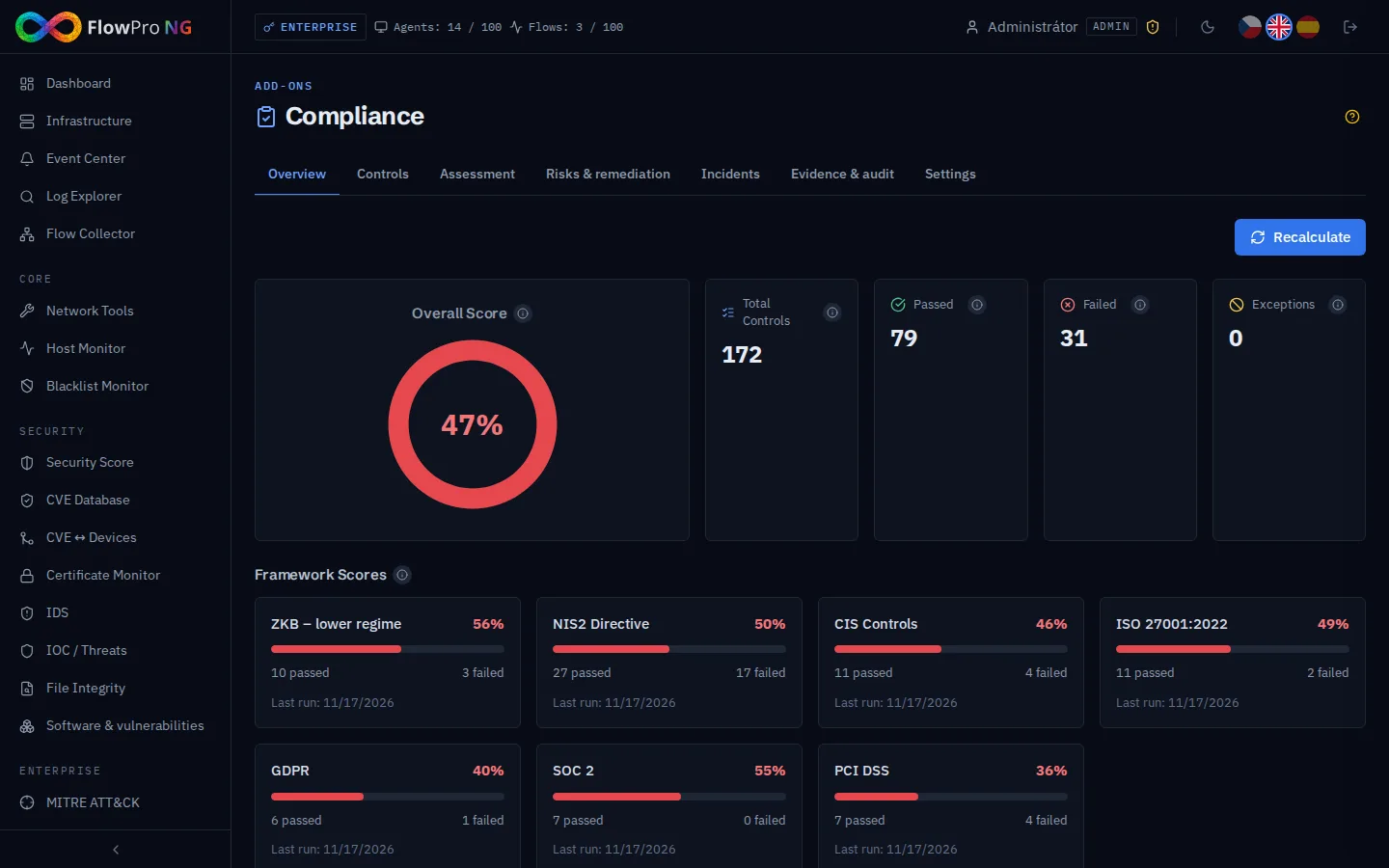
The score of a framework is the weighted share of passed controls. A critical control weighs 4, high 3, medium 2 and low 1. Controls that do not apply to you and controls with a valid exception are left out. A low number after the first run is no reason to panic: unverified manual controls count as not passed, so the score rises simply as you work through them.
What is checked automatically
FlowPro NG evaluates most technical controls on its own, every 6 hours by default, from the real state of the system rather than from questionnaire answers:
| Area | What FlowPro NG checks |
|---|---|
| Access control | accounts without a second factor (TOTP or passkey), administrators separately; recording of administrative changes |
| Detection | whether security events arrive and whether critical and high ones are handled within 72 hours |
| Logs | retention of security logs against the required value |
| Network | active firewall, network traffic monitoring, health of IDS sensors, services exposed to the internet |
| Encryption | HTTPS on the web interface, encrypted connection to the log database, state of monitored certificates |
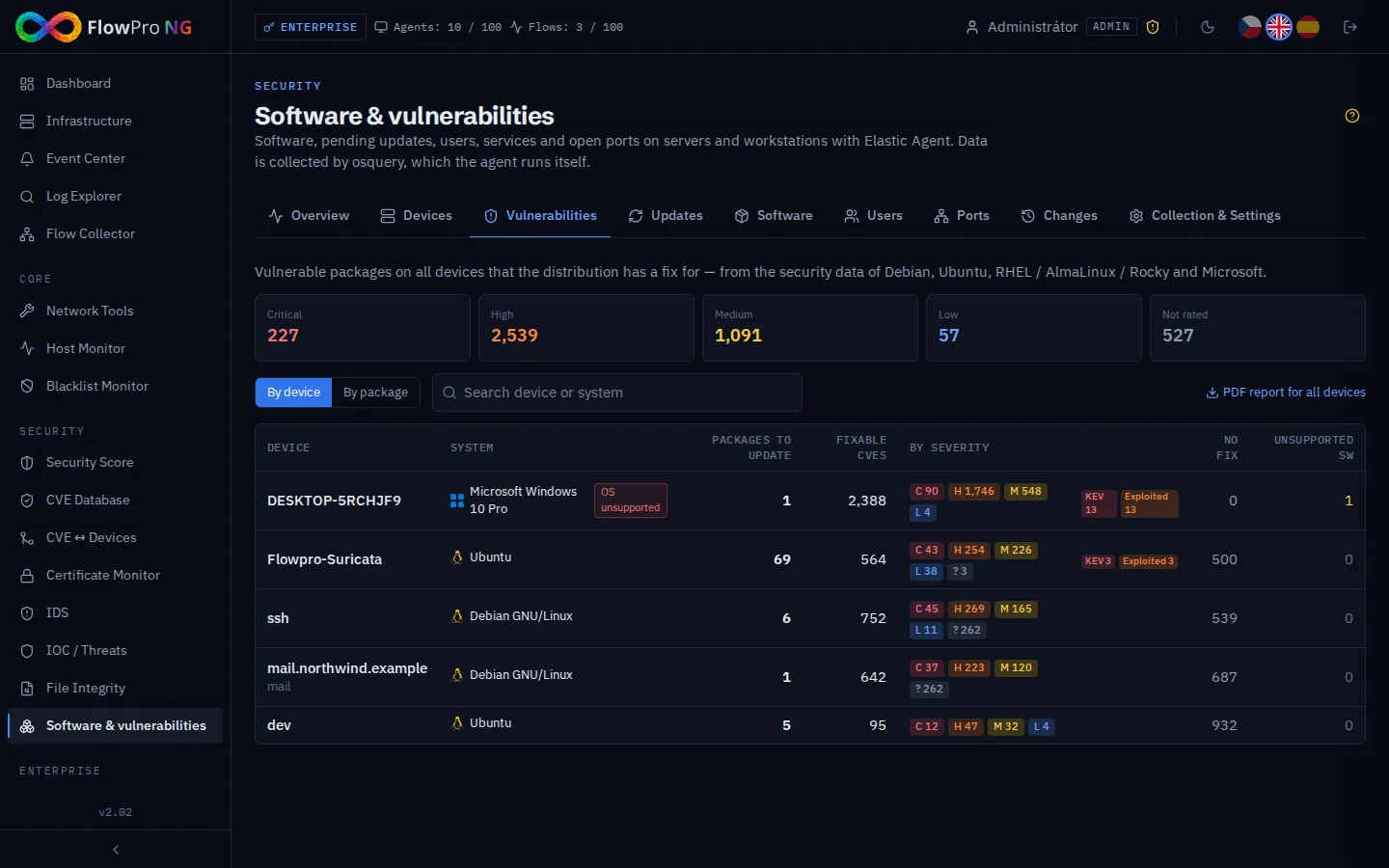
| Vulnerabilities | open critical vulnerabilities on devices and pending updates |
| Risks and incidents | a maintained and updated risk register, incident reporting deadlines met |
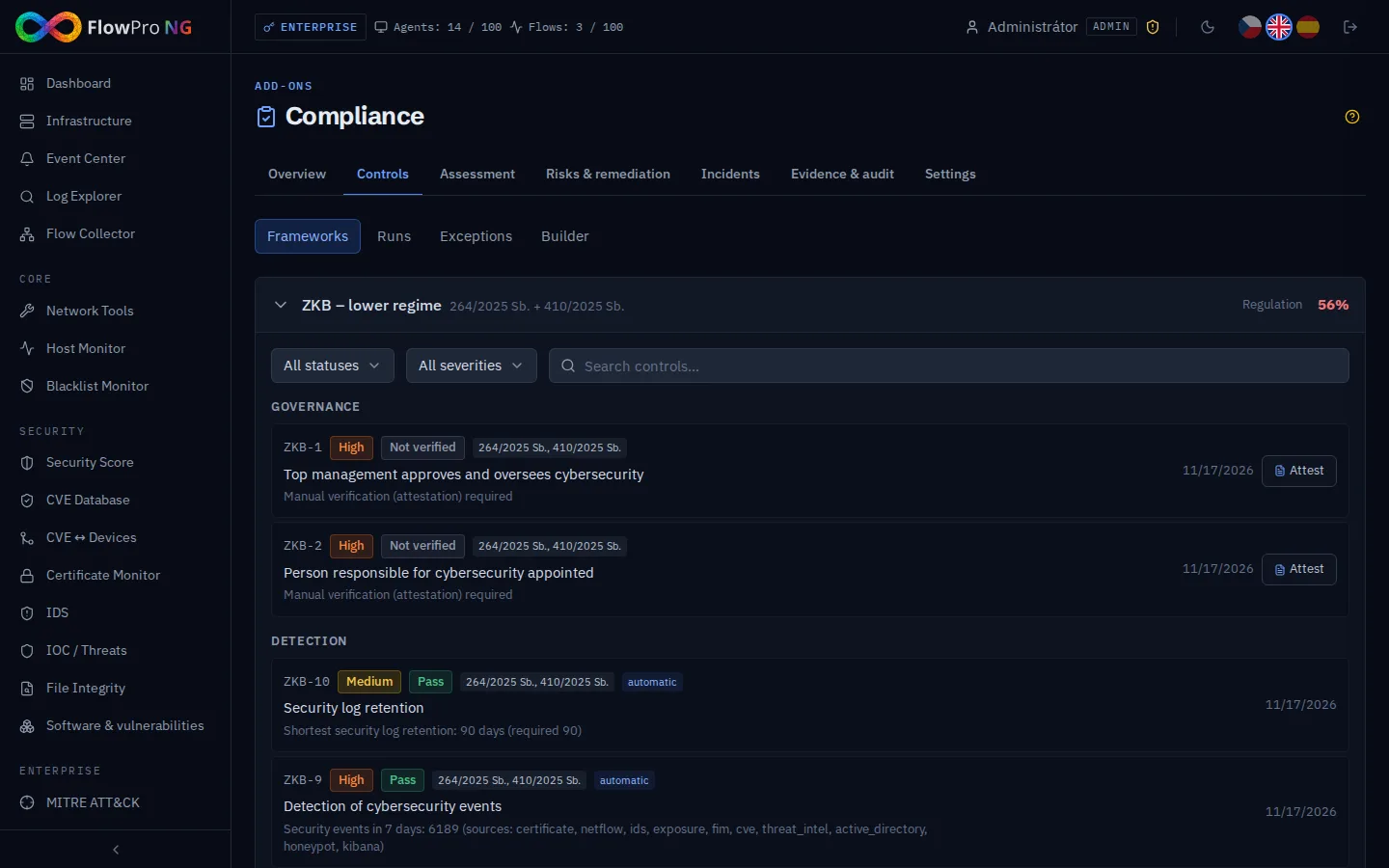
Every control shows its result and the reason, for example "Active administrators without a second factor: 3". It is clear at once what to fix.
When a control newly fails, a "Failed controls" event appears in the Event Center. A drop of the score below the configured threshold (80 % by default) creates another one. Both can go to e-mail, Jira, GitLab, ServiceNow or a webhook, so you learn about a decline before the auditor does.
What a person has to confirm
Some requirements cannot be read from data by any tool: that management approves and oversees security, that a responsible person is appointed, that staff training took place, that restoring from backup is tested, that supplier contracts contain security requirements. These controls are manual. An analyst or administrator attests them (passed / failed / not applicable) with a note and attaches evidence: a file, a link or a record.
An attestation is valid for 365 days by default. After that the control returns to "Not verified" and has to be reviewed again. The regular review the rules ask for becomes part of everyday work.
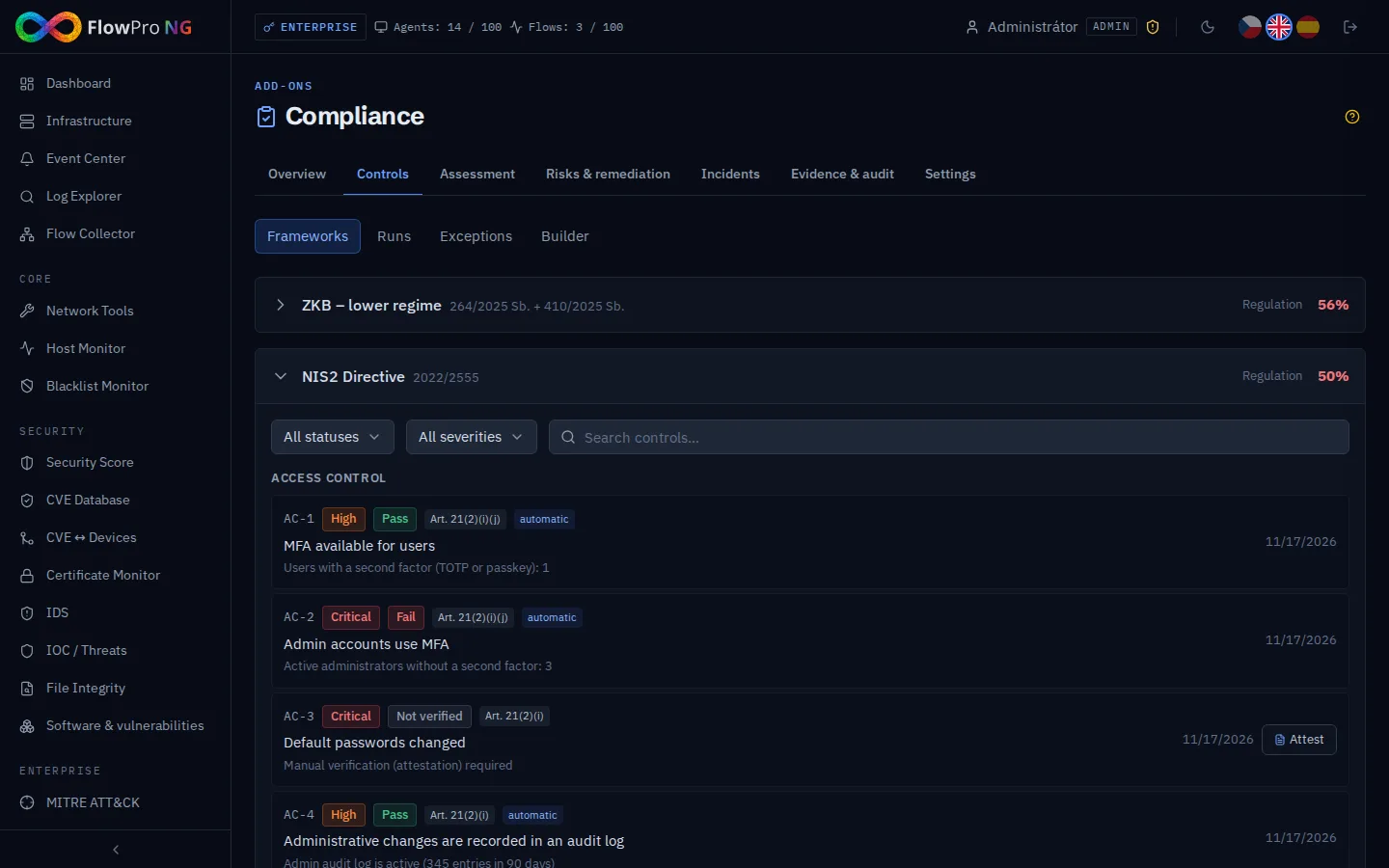
Equivalent controls of different frameworks are linked. One attestation can cover NIS2, the Czech framework and ISO 27001 at once, so you do not document the same thing three times.
Self-assessment: where to start
If you are only starting with the rules, fill in the questionnaire on the Assessment tab first. The lower-regime questions cover top management, the responsible person, assets, risks, training, backups, multi-factor authentication, incident reporting, updates and suppliers. You answer yes / partially / no / not applicable.
The result is a gap analysis with recommendations that can be saved as a PDF. It works well as a brief for management: it shows what is missing and where to begin.
Risks and remediation
The risk register rates each risk by likelihood and impact on a scale of 1–5. For each risk you keep a treatment plan, the residual risk and links to controls and devices. A risk linked to a device is visible in the device detail, and every change stays in the history.
Failed controls get remediation tasks with an owner, a priority and a due date. Overdue tasks are sent to the configured integrations every day. The register is itself one of the controls: it passes only when it is not empty and was updated within the last 12 months.
Incidents and reporting deadlines
Article 23 of the NIS2 directive sets three steps for a significant incident:
- an early warning within 24 hours of becoming aware of it,
- an incident notification within 72 hours,
- a final report within 1 month.
Deadlines are hard to watch while you are dealing with an outage or a breach. In FlowPro NG you create the incident directly from a critical or high event in the Event Center, or by hand on the Incidents tab. You decide whether it is significant, and from that moment the deadlines run. FlowPro NG creates an event 4 hours before each deadline and another when it is missed. While a deadline is missed, the related control in the NIS2 and Czech frameworks does not pass.
Evidence for the audit
During an inspection it is not enough to say a measure is in place. You have to show it, including for the past:
- Evidence: files up to 20 MB, links and notes attached to controls, assessments, risks and remediation tasks.
- Audit log: every creation, change (with the old and new value), deletion and every attestation, with the user and IP address.
- Evaluation history: 30 days in full, then one result per framework per day for about 13 months, so you can show the score over a whole year.
- Exceptions and approvals: an accepted risk or a compensating control has an expiry date, and nobody can approve their own request.
- Scheduled reports: a weekly, monthly or quarterly summary with the score and failed controls for management.
Permissions follow roles: a viewer only reads, an analyst attests controls, fills in questionnaires and adds evidence and incidents, an administrator manages frameworks, settings and integrations.
What FlowPro NG will not do
No tool "arranges" compliance for you. FlowPro NG does not decide whether and in which regime the law applies to you, does not register you with the authority, does not write your security policy and does not train your staff. It does three things that are hard to do without a tool: it measures the technical state continuously, reminds you of deadlines and keeps the records.
Checklist
- Find out whether and in which regime the cybersecurity law applies to you.
- Fill in the self-assessment for your framework and go through the gap analysis with management.
- Fix the failed automatic controls, critical ones first (typically the second factor for administrators).
- Go through the manual controls, attest them and attach evidence to each.
- Start a risk register and create remediation tasks with due dates for failed controls.
- Set up an alert for a score drop and a scheduled report for management.
- Agree on who creates an incident and who submits the report before an incident happens.
The module is part of the NIS2 Compliance Pack add-on; see the NIS2 page and the pricing for details. You can try FlowPro NG for free. Two of the controls that fail most often are covered in the articles Securing Access to FlowPro NG and Software and Vulnerabilities.
- NIS2
- Zákon o kybernetické bezpečnosti
- Soulad s předpisy
- Incidenty
- Rizika