Network protection
Network and DNS protection: decide once what is blocked and where
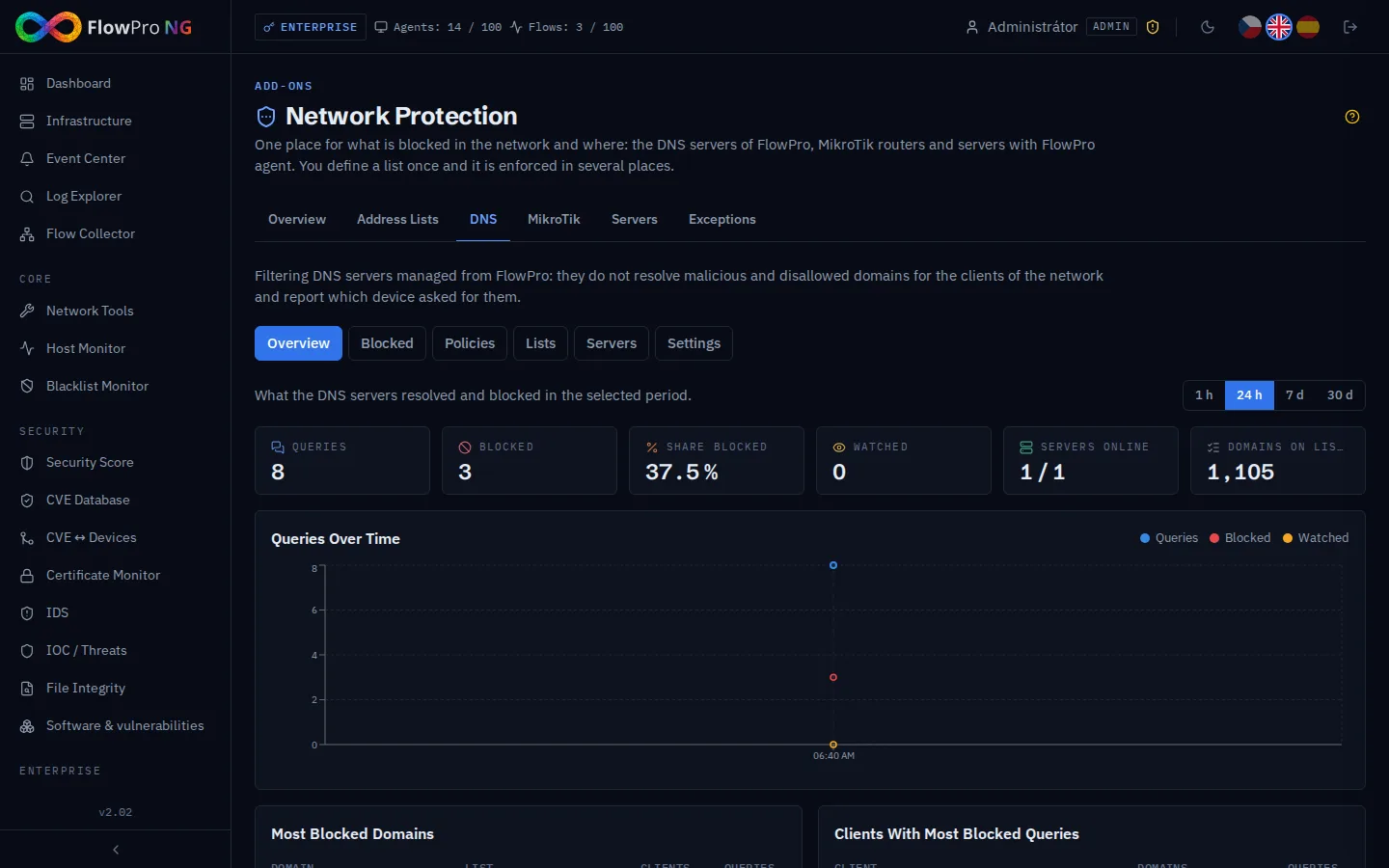
Detection tells you who is attacking. Blocking them is still manual work on every device separately.
IDS, the honeypot and Threat Intel all point to addresses your network should not talk to. Getting them onto the router and the servers, however, means manual entries in several places that soon go stale, and exceptions that get forgotten on one of the devices.
In FlowPro NG there is one list. It is filled by hand and automatically, and exceptions are entered once and apply to all places at the same time. A new list does not have to block right away either: you first find out how much traffic it would hit.
What you get
Network and DNS protection in FlowPro NG
Shared address lists
You define a list of IPv4 addresses and networks once and it carries the same name on a router and on a server. Addresses are added by hand or by bulk import, and each entry can have an expiry.
Automatic list sources
A list can fill itself: from Threat Intel, from IDS alerts, from attackers caught by the honeypot, from Playbooks and from downloaded blacklists. For each source you choose from which score or severity addresses are taken.
Monitor first, block later
In the "Monitor only" mode the list is empty on the devices and FlowPro NG only counts in the flows (NetFlow / sFlow) what it would have blocked. You see incoming and outgoing connections and your devices that connect to the listed addresses. You start blocking once the numbers look right.
DNS Protection with policies
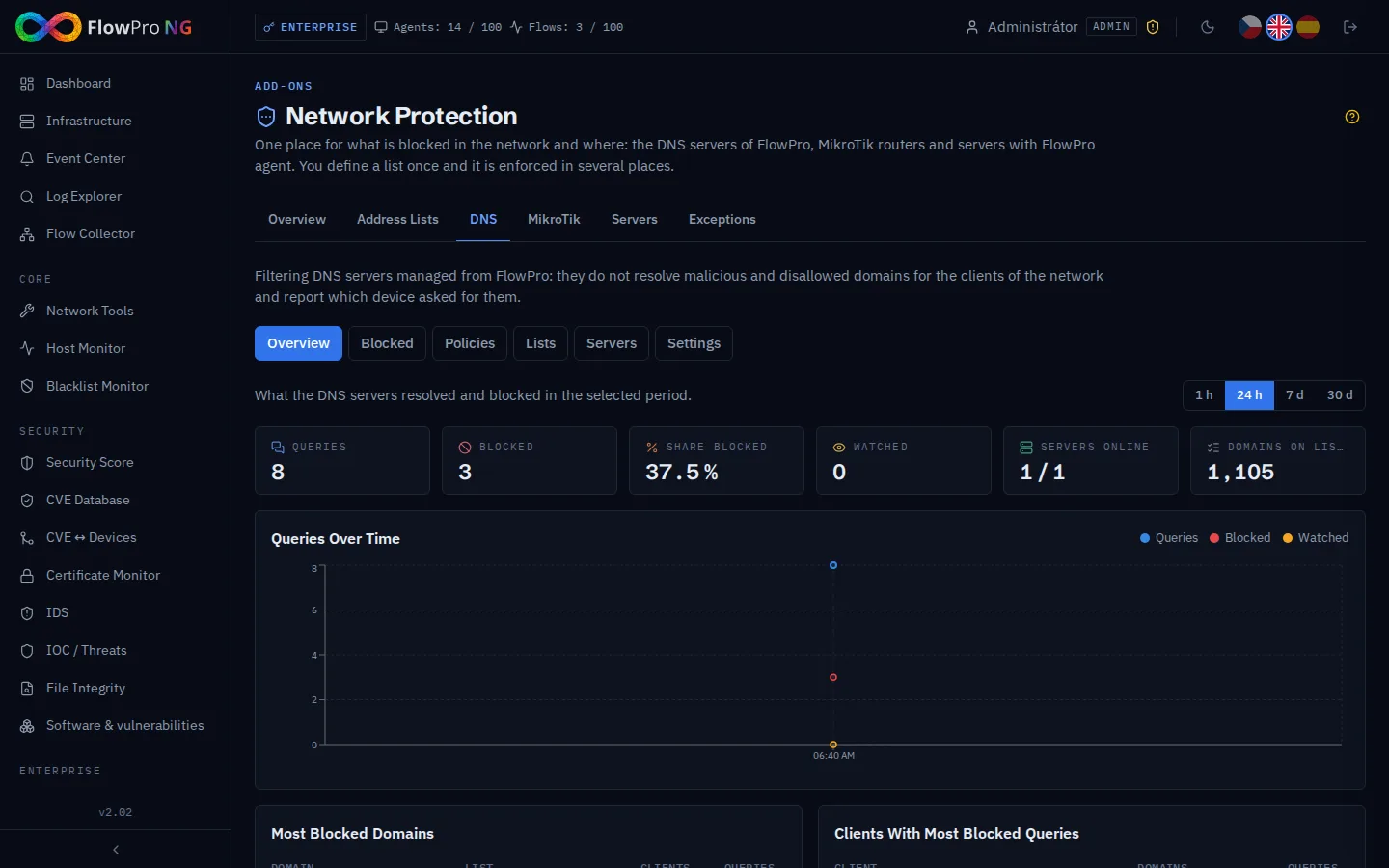
FlowPro NG's own DNS servers do not resolve malicious and disallowed domains according to policies for individual networks. A policy can block, only watch, or be switched off. The list of blocked queries shows which device asked for a domain.
MikroTik and servers
MikroTik routers download the address lists themselves with a small script; FlowPro NG does not write to the router and needs no login to it. It offers the blocking rules ready to paste and the administrator decides about them. On servers with FlowPro agent the lists are enforced by the Firewall module.
Exceptions and safeguards
Exceptions are entered once and apply to all places at the same time. Your own networks and the addresses of FlowPro NG itself never get onto a list. When a source cannot be read, the list keeps its last content and is never emptied because of an outage.
- MikroTik
- RouterOS 7
- DNS
- DHCP
- DoH
- DoT
- iptables
- ipset
- IPv4
- NetFlow
- sFlow
- Threat Intel
- IDS
- Honeypot
- Debian
- Ubuntu
How it works
Up and running in a few steps
- 01
Prepare a list and exceptions
In Network Protection you create a list and add addresses by hand or switch on automatic sources. Put the addresses that must stay reachable whatever happens into the exceptions, for example those you manage the router from.
- 02
Start by monitoring
Leave the list in the "Monitor only" mode and look at what it would have blocked in the stored flows. Watch the outgoing connections of your devices above all: with blocking they stop working.
- 03
Connect routers and servers
On a MikroTik router you run the installation script generated by FlowPro NG and paste the offered blocking rules. To servers with FlowPro agent you assign the list and deploy it with confirmation.
- 04
Add a DNS server
A DNS server is a separate machine or virtual machine with Debian or Ubuntu that you install with one command. Point the clients to it in DHCP or on the router and then watch in the overview what it caught.
FAQ
Frequently asked questions
Does FlowPro NG write to my MikroTik router?
Can I try a list before it starts blocking?
What do I need for DNS Protection?
Can a list block my own network?
Does Network Protection support IPv6?
Which license includes Network Protection?
Related solutions
Try it on your own network
The 14-day Enterprise trial unlocks every module. You install it on your own server, no credit card needed.