Servers and firewall
Server management and firewall: changes with a safeguard
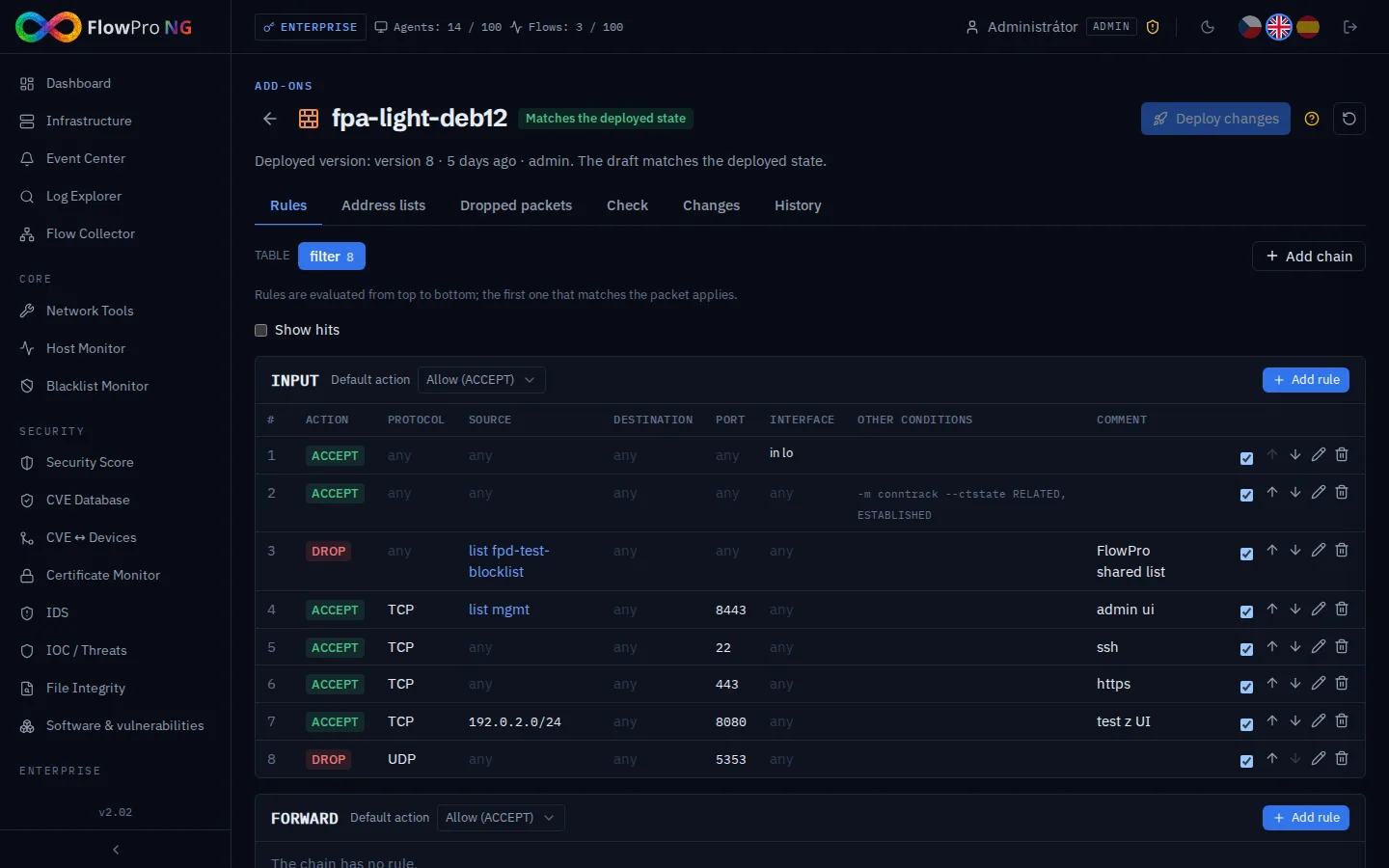
Firewall rules are edited by hand on each server separately. One mistake and the server is unreachable.
iptables rules build up over years, are edited over SSH and nobody knows exactly which ones still serve a purpose. A wrong rule cuts the administrator off from the server and nobody records a change made by hand. Updates are similar: they wait, because it is not clear who installs them and when the server may restart.
FlowPro NG gives servers one place of management. The agent connects outwards by itself, so no port needs to be opened on the server, and what it may do there is decided by the server's administrator in its configuration. Every firewall change has a version, a check before deployment and a way back.
What you get
Server management and firewall in FlowPro NG
Our own lightweight agent
FlowPro agent runs on Debian and Ubuntu servers and connects to FlowPro NG over outbound HTTPS only (port 443). The agent's requests and the jobs sent to it are signed. What the agent may do on the server is decided by the server's administrator in its configuration.
Metrics, software and a security check
On servers without a Fleet agent it supplies metrics (CPU, memory, disks, network) and the list of installed software. Once a day it checks the configuration of the server, for example SSH, accounts without a password or sudo without a password, and it reports logins, use of sudo and account changes.
Managed updates and restarts
For every server you choose what FlowPro NG manages: nothing, security updates, or all packages. The agent watches pending updates and installs them according to the chosen policy, including a restart in an agreed window. Every step is recorded.
Firewall: takeover, draft and check
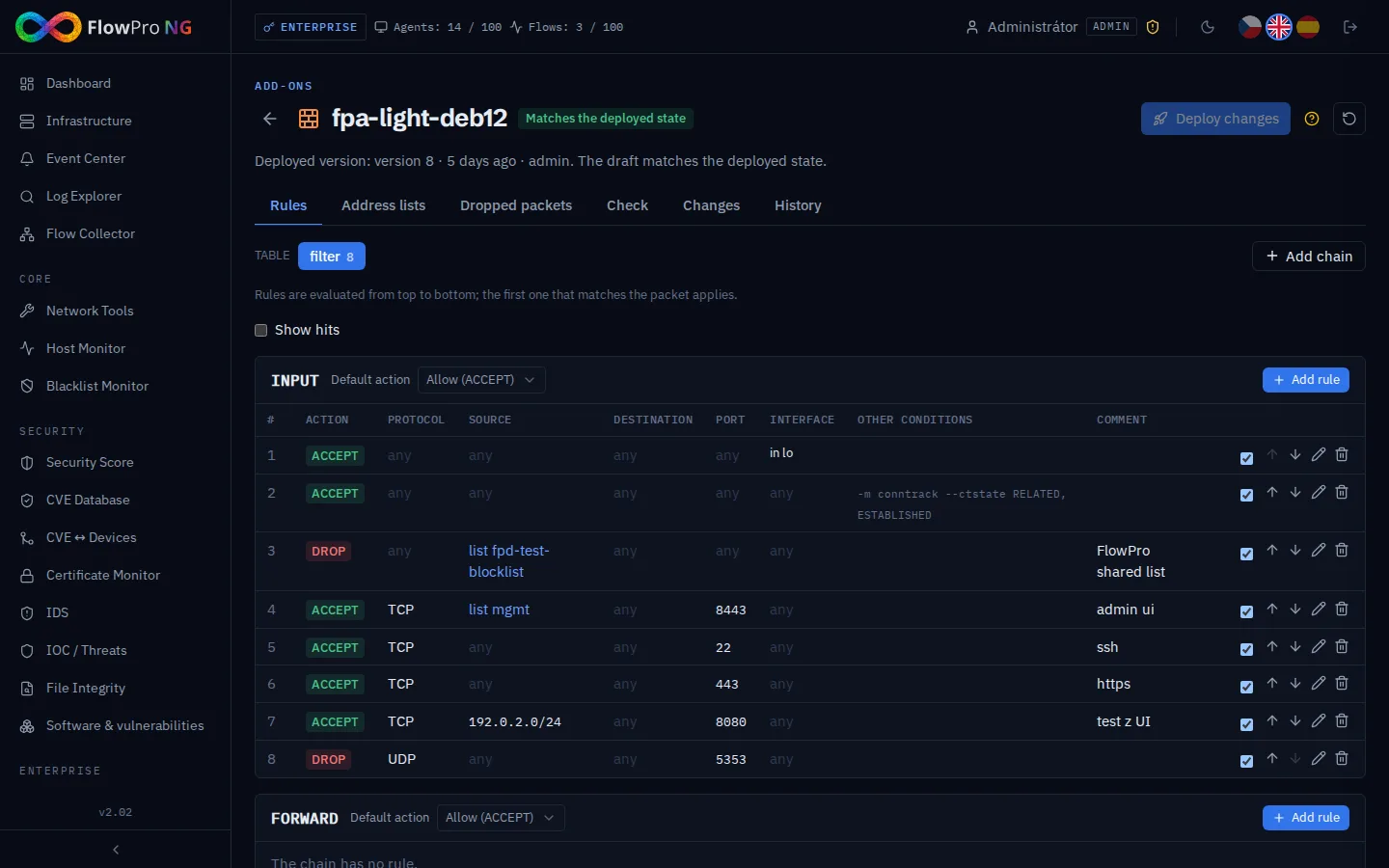
The Firewall module takes over the iptables rules exactly as they run on the server and stores them as version 1. Nothing changes on the server. You prepare changes in a draft, and the check before deployment finds duplicates, rules that are never reached and empty lists.
Deployment with confirmation and rollback
The server tests the new rules first, backs up the running state and waits for a confirmation after applying them. Without a confirmation in time it returns to the previous rules by itself, even when the new rules cut it off from FlowPro NG. FlowPro NG keeps versions and warns about changes made outside it.
Shared address lists
FlowPro NG keeps one list of blocked addresses on several servers at once. Addresses are entered by hand or come from Playbooks, Threat Intel, IDS and the honeypot, and they reach the servers without another deployment. A server never blocks your own networks or the address of FlowPro NG.
- Debian
- Ubuntu
- HTTPS 443
- iptables
- ipset
- iptables-persistent
- IPv4
- SSH
- sudo
- Threat Intel
- IDS
- Honeypot
How it works
Up and running in a few steps
- 01
Install the agent with one command
FlowPro agent → Add FlowPro agent shows a command in FlowPro NG. Run it on the server as root and the dialog reports when the agent connects.
- 02
Choose what FlowPro NG manages
For every server you set the update and restart policy. The server's administrator has the last word: the areas the agent may use are allowed in the agent's configuration on the server itself.
- 03
Take over the firewall
In the Firewall module you take over the server's firewall. FlowPro NG reads the running rules and stores them as version 1; nothing changes on the server. For the rules to survive a reboot the server needs the iptables-persistent package.
- 04
Edit in a draft, deploy with confirmation
Changes collect in a draft and the server keeps running the deployed version until you deploy the draft. After the deployment you check that you can still reach the server and confirm the change. An older version can be restored into the draft at any time.
FAQ
Frequently asked questions
Which systems does FlowPro agent run on?
Do I have to open a port on the server?
What if a new firewall rule cuts me off from the server?
What happens when someone changes the rules directly on the server?
Which firewall does the module manage?
Can I run FlowPro agent and a Fleet agent on the same server?
Related solutions
Try it on your own network
The 14-day Enterprise trial unlocks every module. You install it on your own server, no credit card needed.