Contents
Version 2.1 brought our own agent for servers and the Firewall module, which manages iptables rules through it. This guide shows how to install the agent, how to decide what it may do on a server, and how to take over and edit a firewall without cutting yourself off from the server. An overview of the whole release is in What's new in FlowPro NG 2.1.
What FlowPro agent Is For
FlowPro agent is a small agent for Debian and Ubuntu servers. It carries out the changes you make in FlowPro NG on the server: it manages the firewall, installs package updates and restarts the server when the system asks for it. On a server without a Fleet agent it also works as its lightweight stand-in and sends basic metrics and the list of installed software.
| Fleet agent (Elastic Agent) | FlowPro agent | |
|---|---|---|
| CPU, memory, disks, network | yes, every 10 s | yes, every 60 s |
| Installed software, pending updates, vulnerabilities | yes | yes (packages of the system) |
| Logs, running processes, file integrity, IDS sensor | yes | no |
| Changes on the server (firewall, updates, restart) | no | yes |
| Connection from the server to FlowPro NG | ports 8220 and 9200 | HTTPS (443) only |
Both agents can run on the same server. The Fleet agent then stays the source of information and FlowPro agent only carries out changes; FlowPro NG decides this by itself. Deploying a Fleet agent is covered in Elastic Agent: Collecting Logs and Metrics From Linux and Windows.
What You Need
- A Security or Enterprise licence with the FlowPro agent + Firewall add-on. The add-on is priced on request, write to us. Without the add-on no agent is installed and nothing is collected.
- A server with Debian or Ubuntu and root access.
- Outbound HTTPS (port 443) from the server to your FlowPro NG. No port is opened on the server.
- For firewall management the package
iptables-persistent, so that the rules survive a reboot, and the packageipsetif you want to use address lists.
A server where FlowPro agent stands in for a Fleet agent counts as one agent in the licence. A server with both agents is counted once.
Step 1: Install the Agent
Open Infrastructure → Add agent → FlowPro agent, or choose Add FlowPro agent under Add-ons → FlowPro agent in the menu. In the dialog tick the areas the agent is allowed on the server and run the shown command on the server as root. The dialog reports when the agent connects.
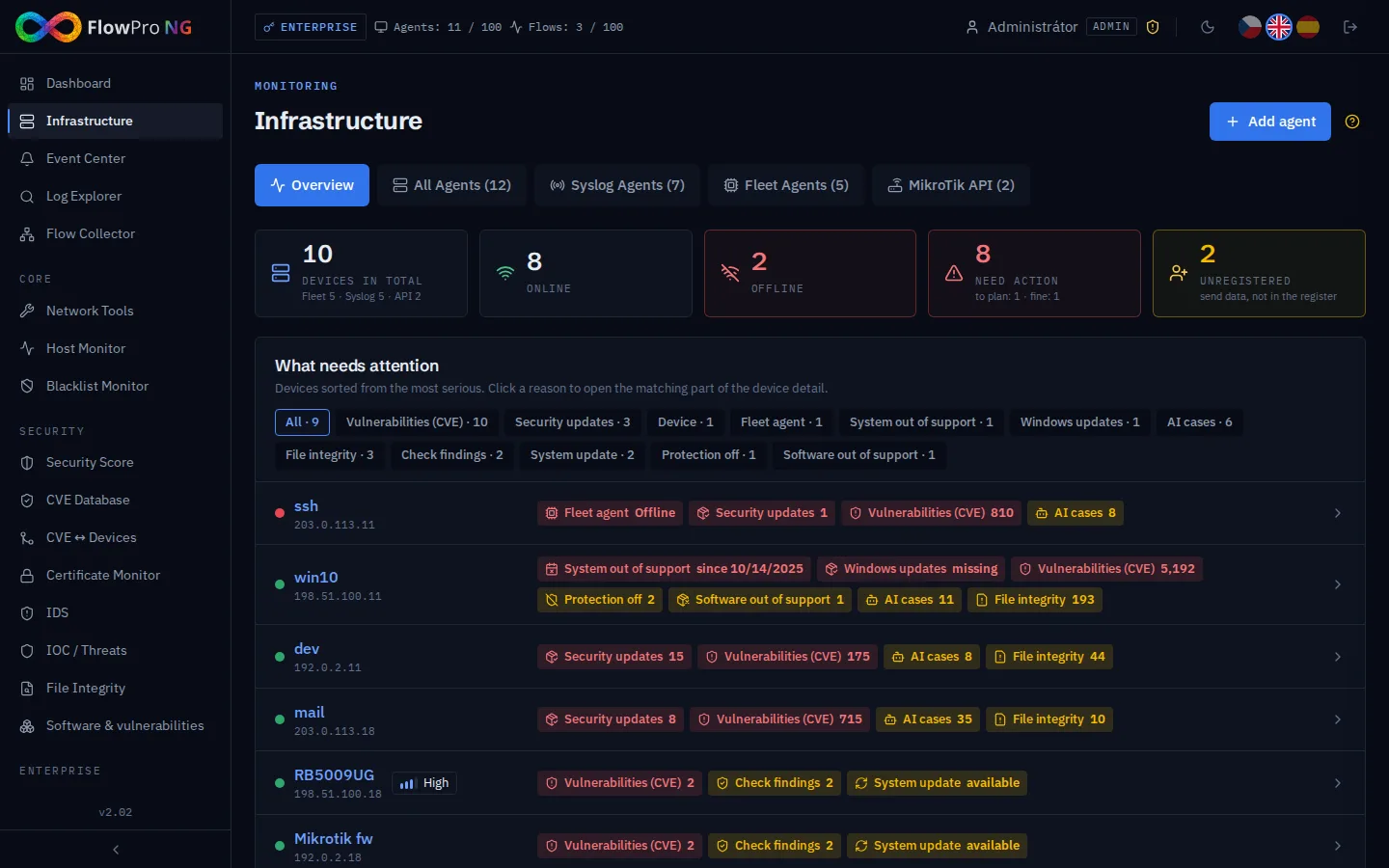
The command is valid for one server and one use. The package is downloaded from your FlowPro NG instance and the installation itself changes nothing on the server; the firewall stays as it is. If you are installing a Fleet agent at the same time, tick "Install FlowPro agent too" in its dialog and one command installs both.
Step 2: Decide What the Agent May Do
Two sides have to agree: the administrator of the server allows the agent an area, and the FlowPro NG administrator sets what is done with it. The allowed areas are in the file /etc/flowpro-agent/agent.conf. What is not on the list the agent refuses, whatever FlowPro NG asks for.
| Area | What it allows |
|---|---|
firewall | changes of the firewall |
metrics, inventory | sending metrics and the list of software |
selfupdate | the agent installs a newer version of itself |
updates | checking for and installing package updates |
reboot | restarting the server, only when the system itself asks for it |
hostinfo, audit, authlog, diagnostics | read only: accounts and services, the security check, SSH logins and sudo, diagnostics on request |
You can change the areas on the server at any time:
flowpro-agent capability list            # what is allowed
flowpro-agent capability add reboot      # allow an area
flowpro-agent capability remove reboot   # take an area away
flowpro-agent status                     # state of the connection and of the collection
flowpro-agent disable                    # refuse every change until "flowpro-agent enable"
Package updates start in the mode "Nothing": FlowPro NG shows what is waiting and installs nothing. For every server you can choose security updates or all packages, by hand or automatically in a maintenance window. Restart is set to "never" by default.
Step 3: Take Over the Firewall
The Firewall module lists the managed servers and, below them, the servers with FlowPro agent that are not managed yet. Choose Take over the firewall. FlowPro NG reads the rules exactly as they run on the server and stores them as version 1. Nothing changes on the server.
From then on FlowPro NG is the only editor of the firewall. Only IPv4 (iptables) is managed; IPv6 rules are left untouched.
Step 4: Edit the Rules in a Draft
Everything you change goes into a draft. The server keeps running the deployed version until you deploy the draft, and you can discard the draft at any time.
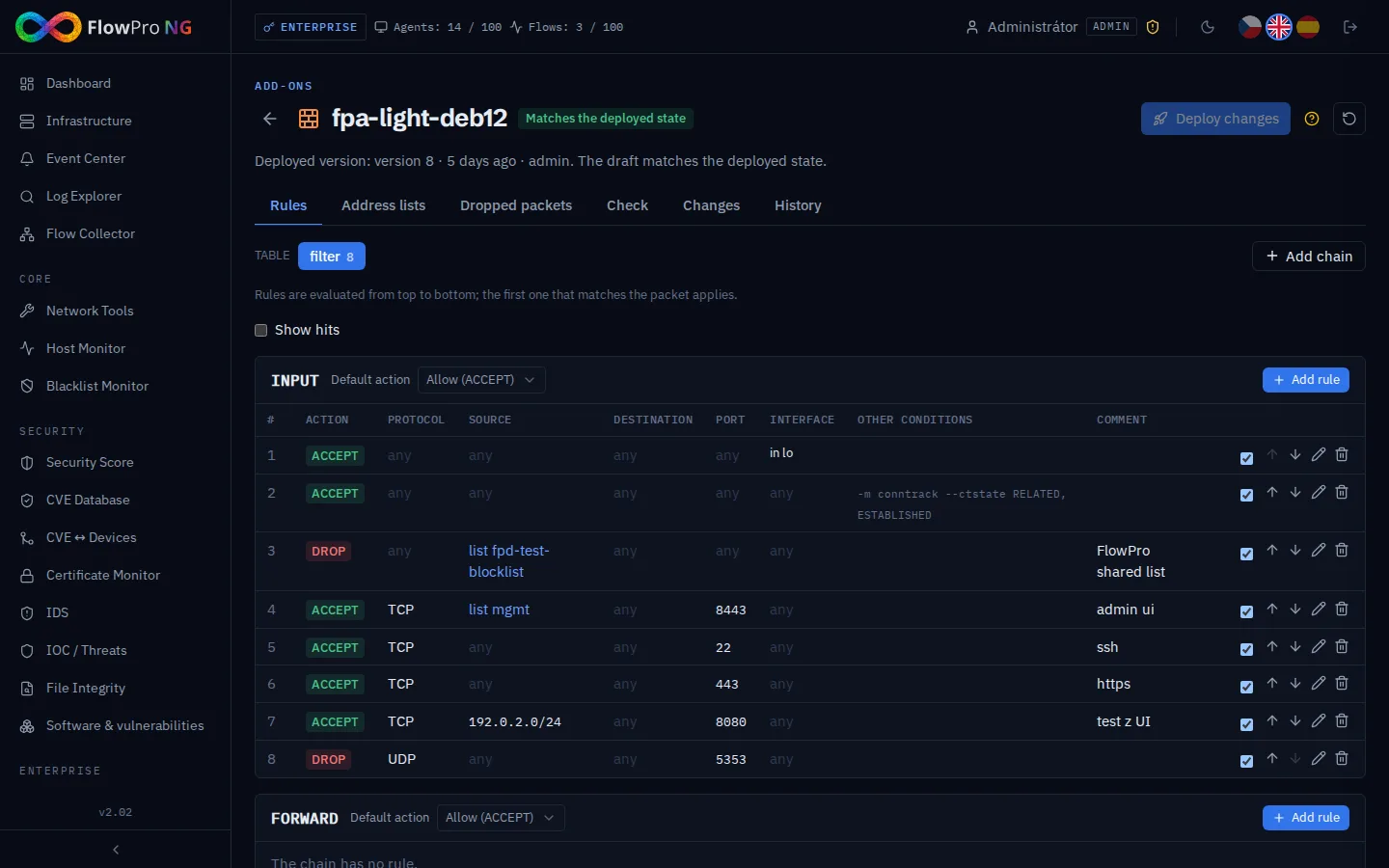
- Rules: add a rule with a form or as iptables text, move it, turn it off or delete it. A rule turned off stays in FlowPro NG but is not sent to the server.
- Check: errors that prevent a deployment and rules that do not do what they seem to – duplicates, rules that are never reached, jumps to missing chains.
- Changes: the difference between the draft and the deployed version.
- History: every version the server really had. An older version can be restored into the draft.
Step 5: Deploy with Confirmation
- The server first loads the rules into a separate, empty network environment. If they cannot be loaded, the deployment ends and the firewall is left unchanged.
- The server backs up the running state, applies the new rules and starts a timer (60 s to 10 min).
- FlowPro NG waits until the agent reports again through the new rules. Check that you can still reach the server, for example over SSH, and confirm the change.
- After the confirmation the server saves the rules and FlowPro NG stores a new version.
What to Check Regularly
- Changes outside FlowPro: the agent reports the state of the firewall once a minute. When it differs from the deployed version, an event is raised in the Event Center and the server shows "Changed outside FlowPro". You then adopt the change or restore the deployed state.
- Rule hits: the option "Show hits" tells how many packets each rule has matched. A rule with zero hits over a long time is a candidate for removal.
- The agent: when the agent is silent for 10 minutes, an event with the source FlowPro agent is raised.
Common Pitfalls
- ufw and firewalld rewrite the rules themselves and would fight with FlowPro NG. Turn them off before the takeover.
- Docker, fail2ban and libvirt add their own rules while running. FlowPro NG reports that as a change outside FlowPro, and a deployment replaces their rules with the state of the draft.
- iptables-persistent is missing: the rules disappear after a reboot. On Ubuntu installing this package removes ufw.
- The Dropped packets tab is empty: a firewall logs only what a rule with the LOG action tells it to. Add one before the rule that drops.
Shared lists of blocked addresses for several servers and routers at once are covered in Network Protection and DNS Protection. You can try FlowPro NG for free.
- FlowPro agent
- Firewall
- iptables
- Debian
- Ubuntu