29
Honeypot
Honeypot — overview
The Honeypot module integrates T-Pot — a multi-honeypot platform that simulates vulnerable services and captures attacks in real time. It provides a unique view into attacker activities, used credentials, and attack methods.
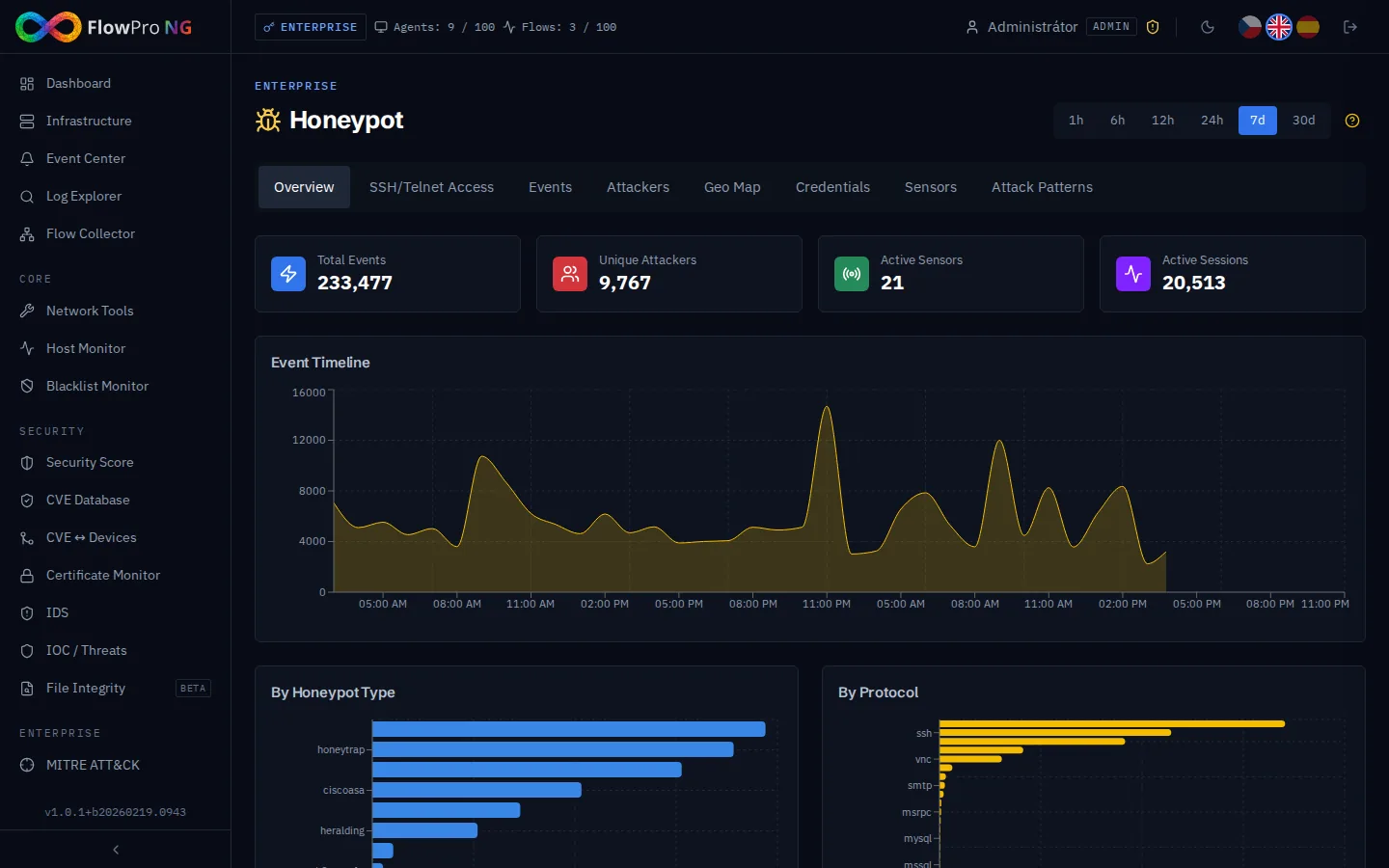
Active Honeypots
T-Pot contains ~20 different honeypots, each simulating a different service. A total of ~39 Docker containers run on a dedicated virtual server.
| Honeypot | Protocol | What it captures |
|---|---|---|
| Cowrie | SSH / Telnet | Login attempts, attacker commands, downloaded files |
| Dionaea | SMB, HTTP, FTP, ... | Exploit attempts, malware, shellcode |
| Heralding | Multi-protocol | Credentials (usernames and passwords) |
| Mailoney | SMTP | Spam and phishing attempts |
| Suricata | All | IDS alerts on honeypot traffic |
| ADBHoney | ADB (Android) | Attacks on Android Debug Bridge |
| CitrixHoneypot | HTTP | Exploit attempts on Citrix ADC |
| Conpot | Modbus, S7comm | Attacks on industrial systems (ICS/SCADA) |
Events
Honeypot events are collected from the T-Pot API agent every 60 seconds (500 events per cycle, incremental polling via cursor).
- •Deduplication — events are deduplicated via SHA-256 hash (event_hash)
- •GeoIP enrichment — attacker IP addresses are enriched with geolocation data
- •Protocol — honeypot/service type (Cowrie, Dionaea, Heralding, etc.)
- •Source IP — attacker IP address
- •Destination port — which port the attacker targeted
- •Timestamp — event time
Sessions
Events are automatically grouped into sessions based on:
- •Same source IP and destination port
- •Time gap — if less than 5 minutes between events, they belong to the same session
- •Session duration — total activity time of the attacker
- •Event count — how many actions the attacker performed within the session
Captured Data
The Honeypot module displays data in several categories:
- •Attackers — IP addresses, geolocation, attack counts, ASN information
- •Credentials — most frequently tried usernames and passwords
- •Commands — commands attackers execute after "successful" login
- •Malware — captured malicious software samples
- •Timeline — timeline of attacks
- •Map — geographic visualization of attack sources
Configuration
Honeypot agent configuration is done in Settings → Honeypot:
- •Add agent — T-Pot API URL address, API key
- •Enable/disable — toggle individual agents on/off
- •Health check — verify agent availability
- •Statistics — number of collected events, last poll
Practical Use
- •Threat Intelligence — identification of active attackers and their methods
- •Early Warning — detection of new exploits and attack campaigns
- •Credential Stuffing — understanding what passwords attackers try
- •Malware Collection — sample collection for analysis
- •Training — security team education on real data
Architecture
T-Pot runs on a dedicated virtual server isolated from the production infrastructure:
- •Dedicated VM — isolation from the production environment
- •~39 Docker containers — each honeypot in a container
- •Firewall — strict rules (deny outbound to private networks)
- •API agent (flowpro-honeypot) — communicates with FlowPro NG for data transfer
- •Local Elasticsearch — T-Pot stores data in its own ES instance