01
Introduction to FlowPro NG
What is FlowPro NG?
FlowPro NG is a comprehensive platform for monitoring, analysis, and management of IT infrastructure security. It combines SIEM (Security Information and Event Management), network flow analysis (NetFlow/IPFIX), threat detection, vulnerability monitoring, and compliance management into one integrated solution.
The system is designed for small and medium organizations, service providers (MSP/MSSP), and security teams that need enterprise-grade security visibility at an affordable cost. FlowPro NG is unique in combining native NetFlow analysis, 20 honeypot types, CVE/EPSS/KEV monitoring, and 6 compliance frameworks in a single platform.
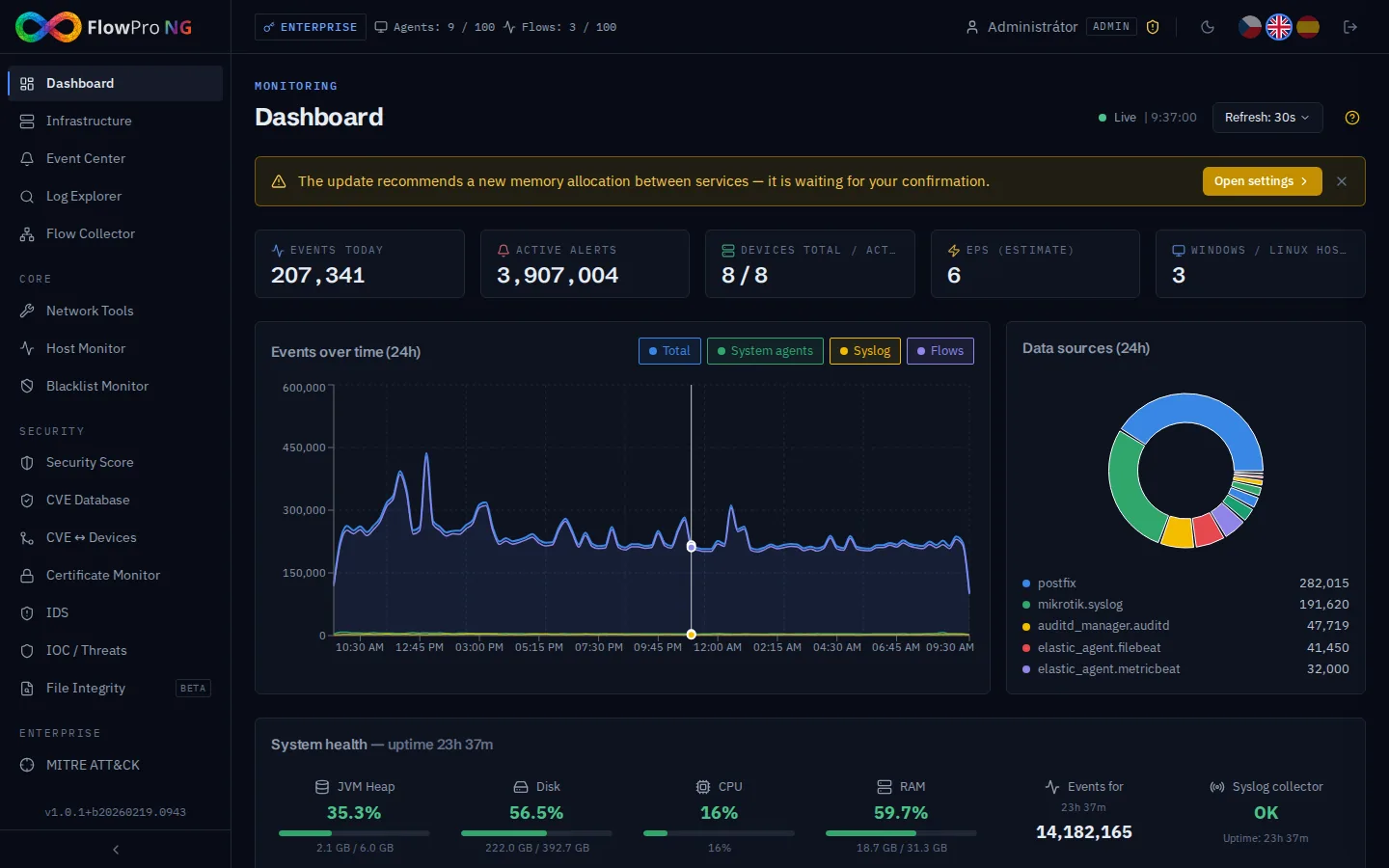
System architecture
FlowPro NG consists of several key components:
- •Elasticsearch — log and security event storage with full-text search
- •PostgreSQL — relational database for configuration, users, licenses, and compliance data
- •Kafka — message broker for reliable high-throughput NetFlow data ingestion
- •Logstash — syslog collection (UDP 514), normalization and enrichment pipeline
- •nfacctd (pmacct) — NetFlow/IPFIX collector (UDP 12051)
- •Elastic Agent / Fleet — log collection from client machines (Linux, Windows, macOS)
- •Suricata IDS — network intrusion detection with DNS/HTTP/TLS deep inspection
- •FastAPI backend — REST API with WebSocket support for real-time data streaming
- •React frontend — modern web interface with dark theme and responsive design
Module overview
FlowPro NG offers an extensive set of modules organized into license tiers:
Always available (Free) — 5 agents, 1 flow source, 30-day retention
| Module | Description |
|---|---|
| Dashboard | Real-time infrastructure status — charts, statistics, agent overview |
| Assets | Inventory and monitoring of active agents — Fleet, Syslog, NetFlow sources |
| Event Center | Security alert management with severity levels, workflow, and comments |
| Log Explorer | Advanced log searching with filters, regex, and live tail |
| Flow Collector | NetFlow/IPFIX collection and analysis — top-talkers, bandwidth, anomaly detection, geo map |
| Settings | System configuration, users, notifications, firewall rules, data retention |
Core tier — 50 agents, 3 flow sources, 6-month retention
| Module | Description |
|---|---|
| Network Tools | 36+ diagnostic utilities — DNS lookup, ping, traceroute, SSL audit, port scan, whois, GeoIP and more |
| VPN Pilot | VPN tunnel and client management — WireGuard / OpenVPN configuration, QR codes for mobile |
| Host Monitor | Service availability monitoring — HTTP/HTTPS, TCP, ICMP, DNS (5 probe types), alerting |
| Blacklist Monitor | Domain and IP blacklist checking against public DNSBL feeds, quick-check tool |
Security tier — 200 agents, 10 flow sources, 365-day retention
| Module | Description |
|---|---|
| Security Score | Overall security posture score (0–100) aggregated from all active modules |
| CVE Monitor | Vulnerability monitoring from NVD with CVSS/EPSS/KEV scoring |
| CVE ↔ Assets | Cross-view of assets vs. their CVEs — status tracking per device |
| Certificate Management | TLS/SSL certificate monitoring — expiry alerts, grade A–F, Certificate Transparency logs |
| IDS (Suricata) | Network intrusion detection — alerts, DNS/HTTP/TLS drilldown, rule management |
| IOC / Threat Intelligence | Correlation with threat feeds (AbuseIPDB, GreyNoise) — IP/domain/hash lookups |
Enterprise tier — unlimited agents, unlimited flow sources, unlimited retention
| Module | Description |
|---|---|
| AI Analysis | LLM-powered automatic analysis of security events (Ollama / cloud proxy) |
| MITRE ATT&CK | Attack technique heatmap from IDS/Honeypot/Threat Intel data, coverage analysis, timeline |
| Passive DNS | DNS query history from Suricata — who resolved what domain and when |
| Honeypot | T-Pot honeypot integration — 20 honeypot types, real-time attacker tracking, credential capture |
| Shodan | Attack surface monitoring — open ports, vulnerabilities and CVEs from Shodan |
| NIS2 Compliance | 6 regulatory frameworks (ISO27001, NIS2, NIST, GDPR, SOC2, CIS), 130 controls, automated assessment |
| NIS2 AI Advisor | RAG chatbot specialized in NIS2 directive — answers backed by specific articles and your compliance status |
License tiers
The system offers 4 license levels with an increasing set of features:
| Tier | Included modules | Agents | Flow sources | Retention |
|---|---|---|---|---|
| Free | Dashboard, Assets, Event Center, Log Explorer, Flow Collector, Settings, Documentation | 5 | 1 | 30 days |
| Core | + Network Tools, VPN Pilot, Host Monitor, Blacklist Monitor | 50 | 3 | 6 months |
| Security | + Security Score, CVE Monitor, CVE ↔ Assets, Certificate Management, IDS, IOC / Threat Intel | 200 | 10 | 365 days |
| Enterprise | + AI Analysis, MITRE ATT&CK, Passive DNS, Honeypot, Shodan, NIS2 Compliance, NIS2 AI Advisor | ∞ | ∞ | Unlimited |
System requirements
| Parameter | Minimum | Recommended |
|---|---|---|
| CPU | 4 cores | 8+ cores |
| RAM | 16 GB | 32+ GB |
| Disk | 100 GB SSD | 500+ GB NVMe SSD |
| OS | Ubuntu 24.04 / 26.04 LTS | Ubuntu 26.04 LTS |
| Virtualization | Full VM (KVM) or bare metal — LXC/containers not supported | Dedicated VM / bare metal |
| Network | 1 Gbps | 1 Gbps+, public IP recommended for Fleet / syslog agents |
| Internet | Required (CVE feeds, license, CT logs) | Always-on recommended |