DocumentationModules
21
CVE Monitor
CVE Monitor — overview
CVE Monitor tracks the database of known vulnerabilities (NVD — National Vulnerability Database) and allows searching, filtering, and monitoring CVE records relevant to your infrastructure.
Required tier: Security
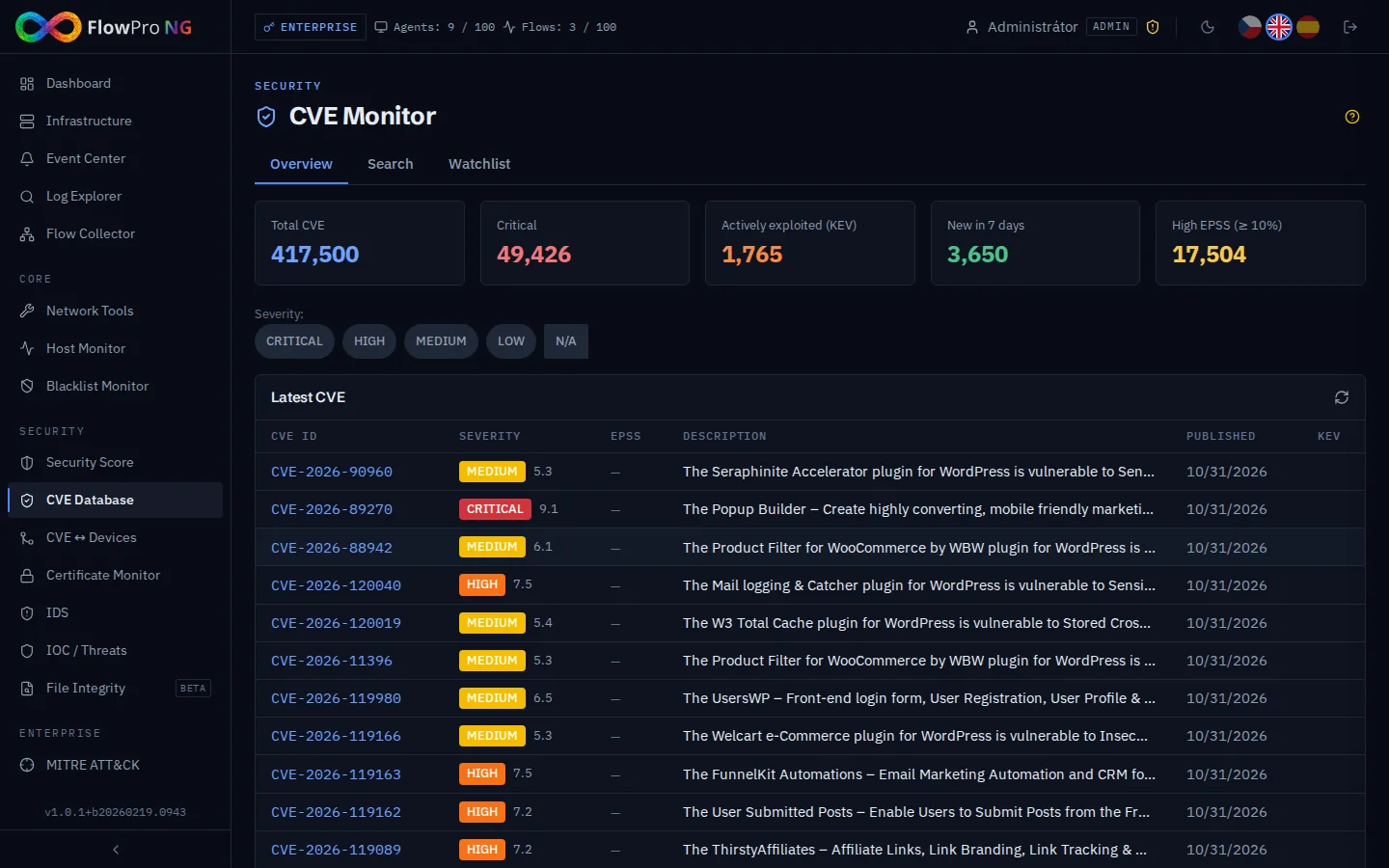
Vulnerability database
The local database contains over 330,000 CVE records synchronized from NVD. Each record contains:
- •CVSS score — severity rating (0-10) according to CVSS v3.1
- •Description — detailed vulnerability description
- •Affected products — affected software and versions (CPE)
- •References — links to patches, advisories, and PoC exploits
- •Publication date — when the vulnerability was disclosed
NVD synchronization
Automatic NVD synchronization runs in the background:
- •Interval — every hour the system checks for new and updated CVEs
- •Incremental — only changes since the last synchronization are downloaded
- •Synchronization status — shown in statistics (last sync, new count)
- •Manual sync — option to force immediate synchronization from the UI
During initial installation, the first import of all CVE records takes a longer time (hundreds of thousands of records). Subsequent incremental updates are fast.
Searching and filtering
CVE records can be searched by:
- •CVE ID — exact ID (e.g. CVE-2024-12345)
- •Keywords — full-text search in the description
- •CVSS range — filter by severity (critical >= 9.0, high >= 7.0, medium >= 4.0, low < 4.0)
- •Product / vendor — search by affected software
- •Date — publication period
For quick search, enter the CVE ID directly into the search field. For broader exploration, use keywords (e.g. "apache remote code execution").
NVD Online search
In addition to the local database, you can search the NVD API directly for the latest records that have not yet been synchronized. Results are displayed in real-time with full detail.
Watchlist
Watchlist allows tracking specific CVE records and products/vendors relevant to your infrastructure:
- •Track CVE — click the star icon on a record to add it to the watchlist
- •Track products — add a vendor/product for automatic notifications about new CVEs
- •Notifications — receive alerts when a new CVE is found for a tracked product
- •Overview — view all tracked items in one place
- •Notes — ability to add custom notes to tracked items
Statistics
The CVE module dashboard displays:
- •CVE count by severity — pie chart (critical/high/medium/low)
- •New CVE trend — how many new vulnerabilities are added daily/weekly
- •Top affected vendors — which vendors have the most CVEs
- •Watchlist overview — status of tracked vulnerabilities and products
- •Total in DB — over 333,000 CVE records