DocumentationModules
20
Security Score
Security Score
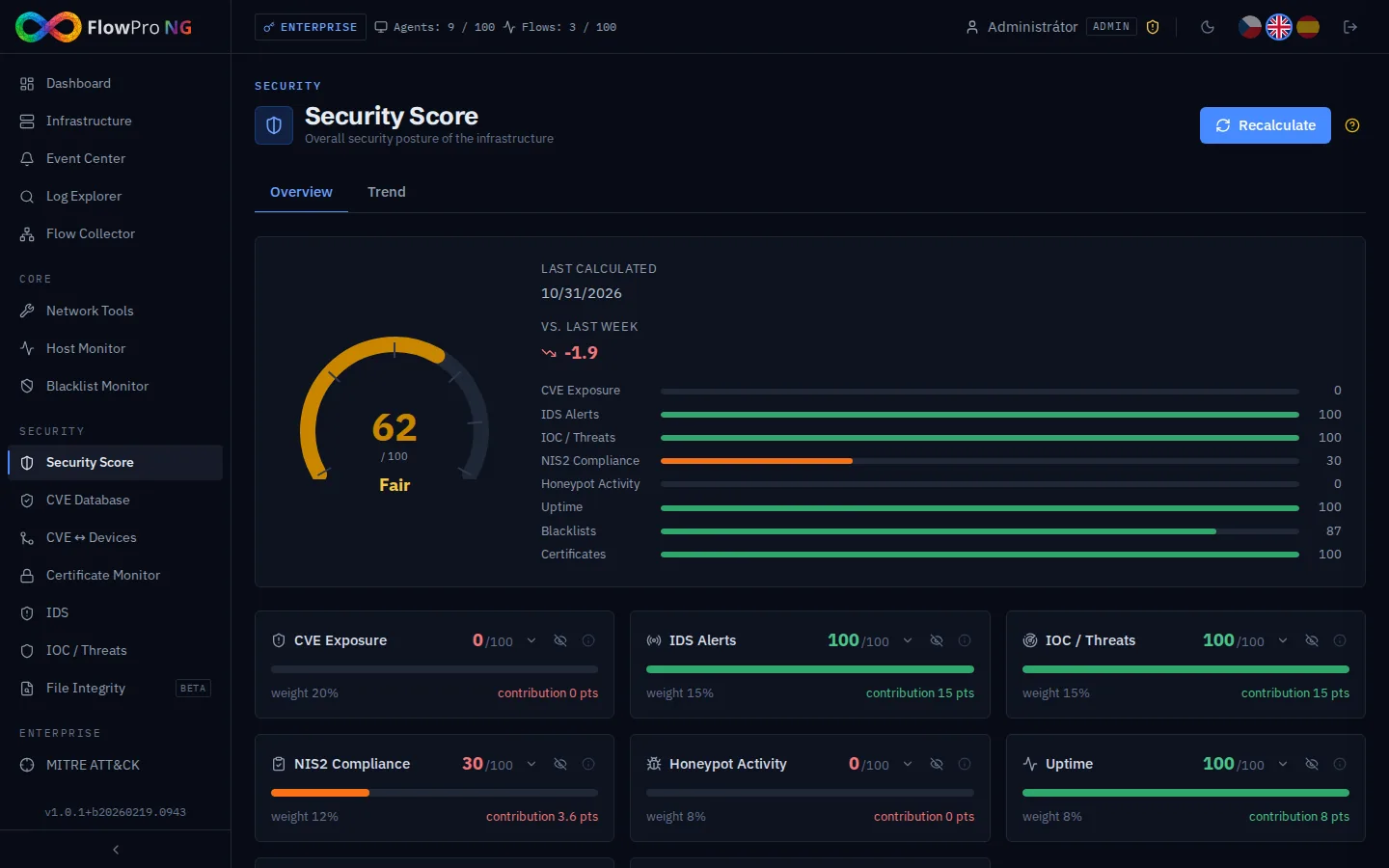
Security Score provides a comprehensive overview of your organisation's security posture. It aggregates data from all active modules and computes an overall security score (0–100) along with component scores for each active security area.
Required tier:Security
Score components
Each component represents a specific security area. The component score is calculated from the data in the corresponding module:
| Component | Module | What affects the score |
|---|---|---|
| IDS | Suricata IDS | Alert volume and severity in last 24h |
| CVE | CVE Monitor | Number of critical/high CVEs on monitored assets |
| Uptime | Uptime Monitor | Percentage of services currently UP |
| Blacklist | Blacklist Monitor | Number of IPs/domains listed on public blacklists |
| Certificates | Certificate Monitor | Expired or soon-expiring certificates |
| IOC / Threats | Threat Intelligence | Matches against active threat feeds |
| Honeypot | Honeypot | Attack attempts and attacker activity |
Only components with active data contribute to the total score. If a module has no data (e.g. no uptime monitors configured), it is excluded from the calculation.
Score detail panel
Click any component card to open the detail panel. It shows the specific metrics used to calculate the component score and provides improvement recommendations.
Score colour coding
- •Green (80–100) — Good security posture
- •Yellow (60–79) — Some issues require attention
- •Orange (40–59) — Significant security gaps
- •Red (0–39) — Critical security issues