DocumentationModules
25
IOC / Threats
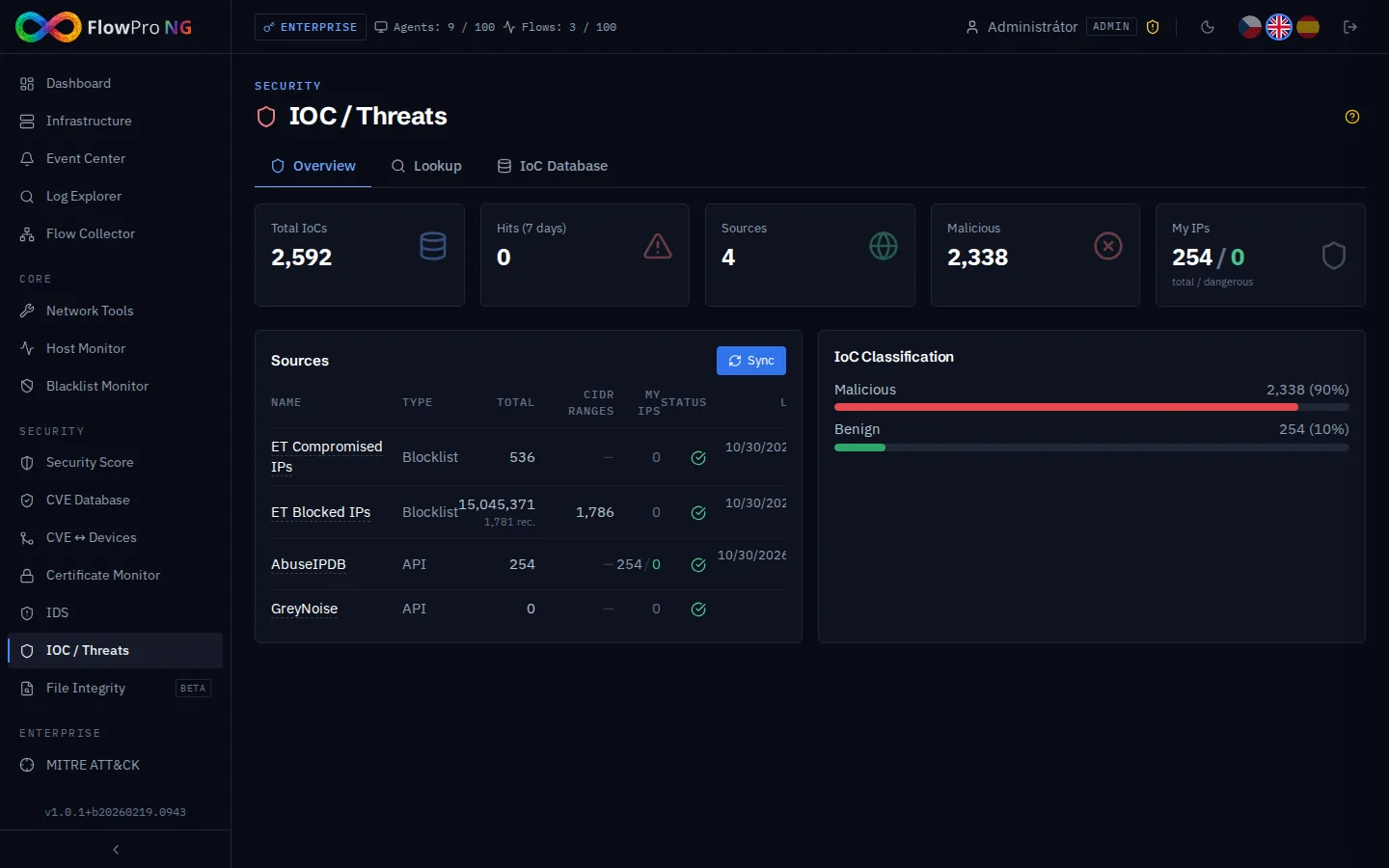
Threat Intelligence — overview
The Threat Intelligence module correlates network traffic with databases of known threats (IoC — Indicators of Compromise). It automatically compares IP addresses, domains, and other indicators with threat intelligence feeds.
Required tier: Security
IoC (Indicators of Compromise)
The system works with several types of compromise indicators:
| IoC Type | Example | Description |
|---|---|---|
| IPv4 | 185.220.101.45 | Known malicious IP address |
| IPv4 CIDR | 185.220.101.0/24 | Range of malicious IP addresses (CIDR notation) |
| Domain | malware-c2.evil.com | Known C2 (command & control) domain |
| URL | http://evil.com/payload.exe | URL with malware or phishing |
| Hash (MD5/SHA256) | a1b2c3d4... | Hash of known malware |
IPv4 CIDR indicators allow blocking entire subnets. During correlation, PostgreSQL CIDR matching is used for accurate comparison of IP addresses with ranges.
Data Sources (Feeds)
FlowPro NG supports multiple threat intelligence source formats:
| Format | Description | Example |
|---|---|---|
| STIX/TAXII | Standardized format for IoC exchange | MITRE ATT&CK, CIRCL |
| CSV | Simple IoC list (one per line) | Custom blacklists |
| API | REST API feed with JSON response | AlienVault OTX, abuse.ch |
Recommended public feeds
- •abuse.ch URLhaus — malicious URLs
- •abuse.ch ThreatFox — IoC from malware analyses
- •AlienVault OTX — community threat intelligence
- •CIRCL — Computer Incident Response Center Luxembourg
Feed management
- •Add source — URL, format, sync interval
- •Enable/disable — toggle individual feeds on/off
- •Automatic synchronization — every 5 minutes
- •Source statistics — IoC count, last sync, error rate
Correlation and hits
The system automatically correlates IoC indicators with network traffic:
- •Real-time matching — new events are immediately compared with the IoC database
- •Historical scan — ability to search historical data with new IoCs
- •Hit = match — when an IP address from a log matches a known IoC
- •Alert generation — a system event is created upon hit detection
- •Hit detail — shows IoC source, threat category, confidence, and time
IP Address Check
The "Check IP" function allows you to manually verify any IP address against all active IoC sources. The result shows:
- •Match / No match — whether the IP is in any IoC feed
- •Source — which feed identified the IP as malicious
- •Category — threat type (malware, C2, phishing, scanner, ...)
- •Confidence — certainty level (0-100%)
- •Date — when the IoC was last updated
Statistics
- •Total IoC count — how many indicators are in the database
- •Hit count — how many matches were found in network traffic
- •Top IoC types — distribution of indicators by type (IPv4, domain, hash, ...)
- •Top hit sources — from which feeds most matches originate
- •Timeline — trend of hits over time