DocumentationModules
19
Blacklist Monitor
Blacklist Monitor — overview
Blacklist Monitor continuously monitors your domains and IP addresses on DNSBL (DNS-based Blackhole List) servers. It helps ensure email deliverability and good reputation of your infrastructure.
Required tier: Core
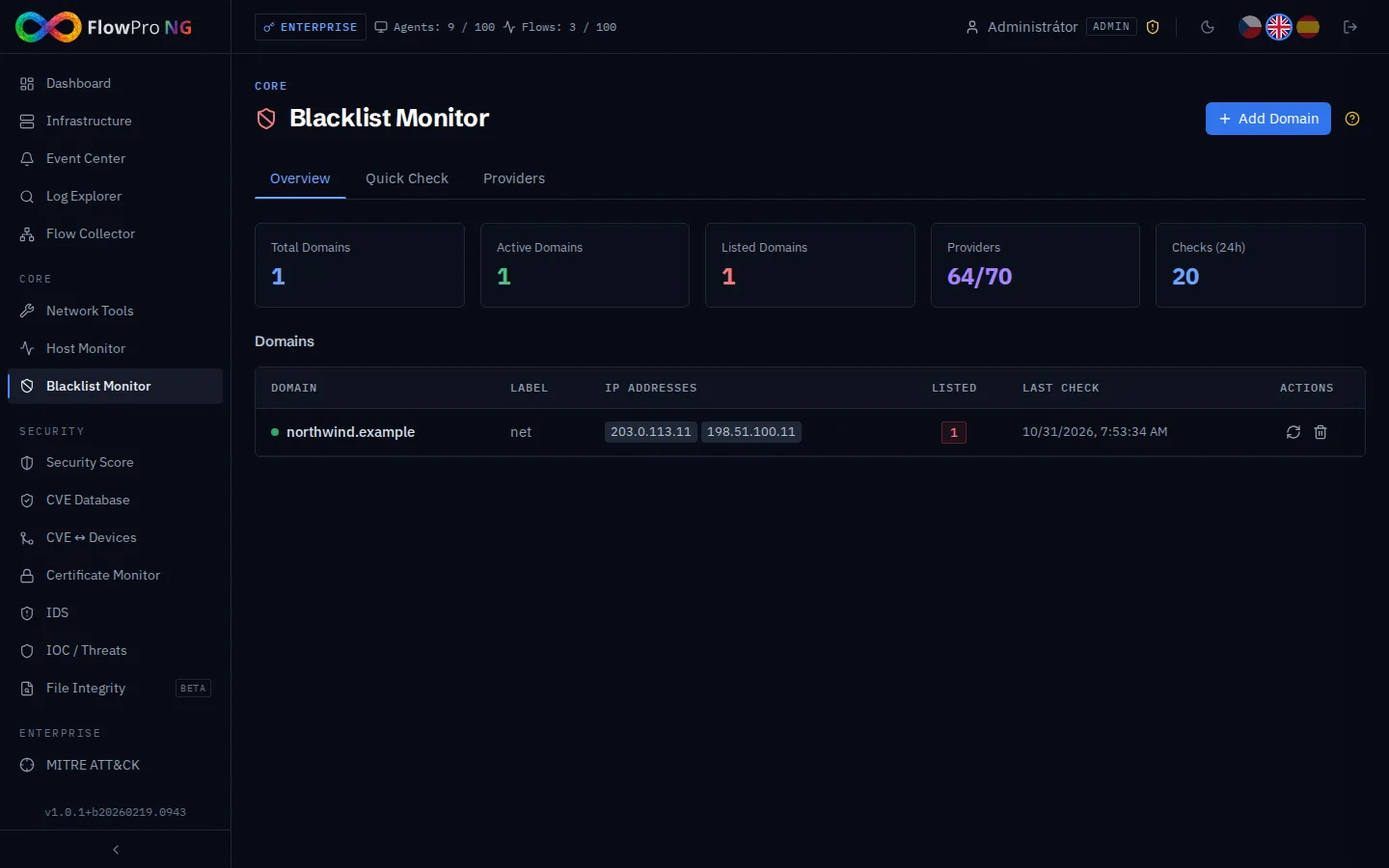
Monitored Domains
Add domains and IP addresses that you want to check regularly. The system automatically verifies their presence on blacklists every 6 hours.
- •Add domain — enter a domain (e.g. example.com) or IP address
- •Status — green (clean) / red (blacklisted) / gray (not checked)
- •History — chronological overview of checks and status changes
- •Notifications — alert when blacklisted
- •Delete — remove domain from monitoring
DNSBL Providers
The system checks over 50 DNSBL providers. Each provider can be enabled or disabled:
| Category | Examples | Description |
|---|---|---|
| Spam | Spamhaus ZEN, Barracuda | Lists of known spammers |
| Malware | SURBL, Spamhaus DBL | Domains associated with malware |
| Phishing | URIBL, PhishTank | Phishing domains |
| Open relay | SORBS, PSBL | Open SMTP relay servers |
| Abuse | AbuseIPDB, Sender Score | IP addresses with abuse |
False positive providers
Some providers generate more false positives. By default, these providers are disabled:
- •Sender Score — reputation score (often incorrect for small domains)
- •URIBL Black — URI blacklist (high false positive rate)
- •ivmSIP / ivmSIP24 — Invaluement spam blacklists
- •ivmURI — Invaluement URI blacklist
- •s5h.net — spam trap blacklist
You can enable these providers for stricter checking, but expect a higher rate of false positives.
Statistics
- •Total domains — number of monitored domains/IPs
- •Clean — how many are not on any blacklist
- •Blacklisted — how many are currently on a blacklist
- •Active providers — how many DNSBL servers are active
- •Last check — time of the last automatic scan
Ad-hoc Check
In addition to regular monitoring, you can run an immediate check on any domain or IP address at any time. The result shows the status on all active DNSBL servers in real time.
Ad-hoc check is useful for quickly verifying a new domain before adding it to regular monitoring, or for checking a customer's domain.
Historical Trends
For each monitored domain, the system keeps a check history:
- •Timeline — graphical display of domain status over time
- •Status changes — when the domain was added/removed from a blacklist
- •Affected providers — on which blacklists the domain was found
- •Duration — how long the domain was on the blacklist