23
Certificate Management
Certificate Management — Overview
Certificate Management provides persistent monitoring of TLS/SSL certificates. It tracks expiry dates, sends alerts 30/14/7 days before expiry, and polls Certificate Transparency logs (crt.sh) to detect new certificates issued for your domains.
- •Scheduled TLS checks — configurable interval (1–72h)
- •Expiry notifications via all configured channels (email, Telegram, Slack, ...)
- •Grade A–F per certificate (chain validity, hostname match, key strength, days remaining)
- •Certificate Transparency monitoring — daily poll of crt.sh for new certs
- •Full check history with days-remaining timeline chart
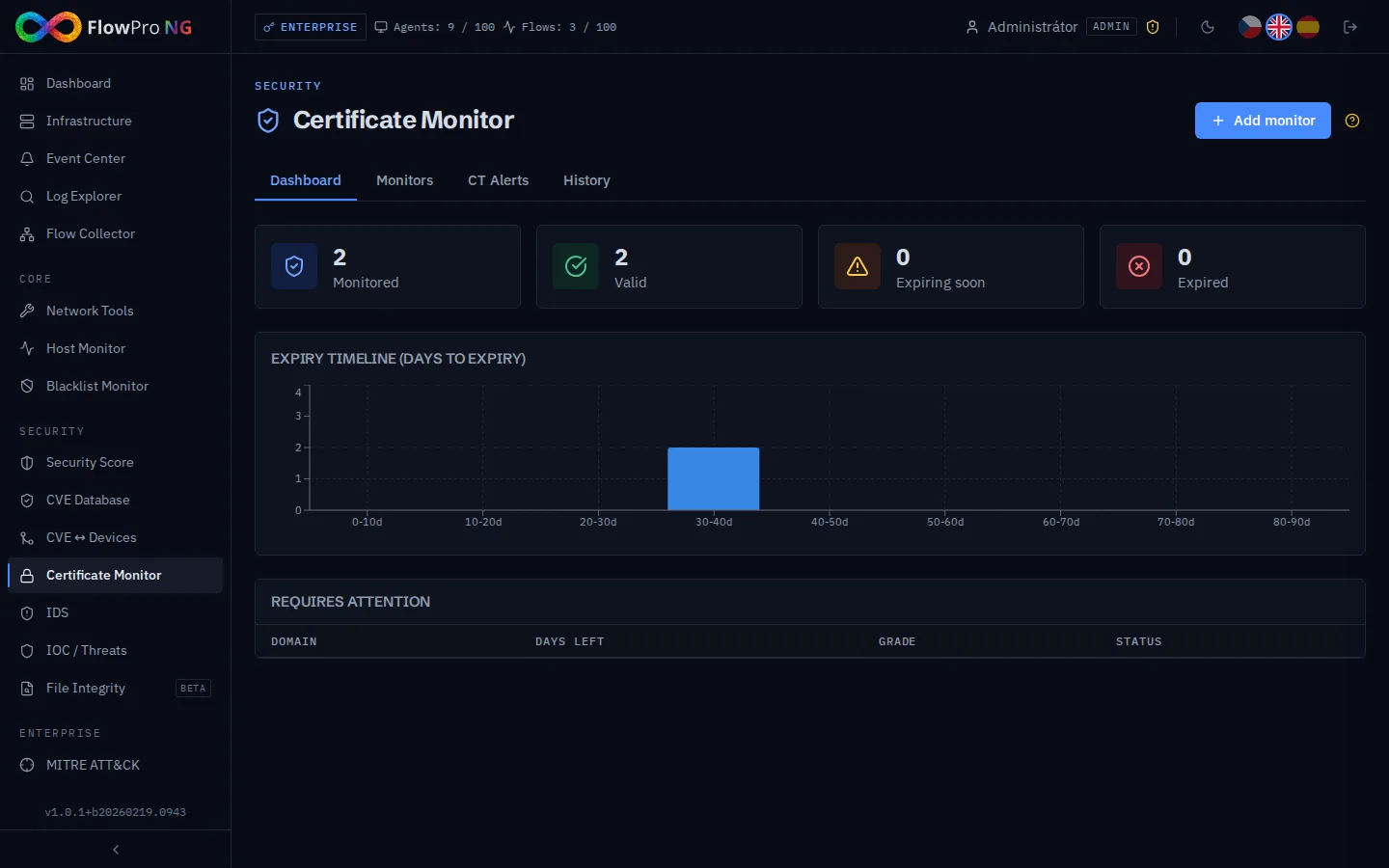
Interface Tabs
| Tab | Description |
|---|---|
| Dashboard | Stat cards (Monitored / Valid / Expiring / Expired), expiry timeline bar chart, table of monitors requiring attention |
| Monitors | List of all cert monitors with status, grade, days left. Expandable row shows full cert detail. Manual check button, add/edit/delete. |
| CT Alerts | New certificates discovered in Certificate Transparency logs for monitored domains. Badge shows count of unacknowledged alerts. |
| History | Select a monitor → line chart of days-remaining over time + table of individual checks. |
Grade Calculation
Each check produces a grade (A/B/C/F) based on four criteria evaluated in order:
| Grade | Condition |
|---|---|
| F | Certificate expired (days < 0) or connection error |
| C | Hostname mismatch (CN / SAN does not match FQDN) |
| B | Chain validation failed, or weak key (RSA < 2048 bit), or 0–13 days remaining |
| B | 14–29 days remaining (cert otherwise valid) |
| A | ≥ 30 days remaining, valid chain, hostname match, adequate key |
Monitor Configuration
| Field | Description | Default |
|---|---|---|
| Name | Display name of the monitor | — |
| FQDN | Domain name to check (without https://) | — |
| Port | TLS port to connect to | 443 |
| Interval | How often to run the check (hours) | 24h |
| Notify before (days) | Days before expiry to send a notification. Multiple thresholds can be selected. | 30, 14, 7 |
Certificate Transparency Monitoring
Every time a domain is checked, the system also queries the crt.sh public CT log API for any certificates issued for that domain (wildcard search: %.domain.tld). New findings are stored as CT Alerts.
- •Detects certificates issued by third parties (potential phishing, misconfigured subdomains)
- •Each CT entry is stored with: serial number, issuer, CN, SANs, validity period, crt.sh ID
- •Alerts can be acknowledged to mark them as reviewed
- •Badge on the CT Alerts tab shows count of unacknowledged alerts
REST API
All certificate management operations are available via REST API (Security tier, Bearer token required):
| Method | Endpoint | Description |
|---|---|---|
| GET | /api/v1/certificates/summary | Statistics and expiry timeline |
| GET | /api/v1/certificates/monitors | List all monitors |
| POST | /api/v1/certificates/monitors | Create monitor |
| PUT | /api/v1/certificates/monitors/{id} | Update monitor |
| DELETE | /api/v1/certificates/monitors/{id} | Delete monitor (CASCADE) |
| POST | /api/v1/certificates/monitors/{id}/check | Trigger immediate check → returns CertCheck |
| GET | /api/v1/certificates/monitors/{id}/history | Check history (?limit=30) |
| GET | /api/v1/certificates/ct-alerts | CT alerts (?limit=50, ?monitor_id=N) |
| PUT | /api/v1/certificates/ct-alerts/{id}/acknowledge | Acknowledge CT alert |
Architecture Notes
Background Service
CertificateMonitorService runs as an asyncio loop (30s tick). It uses FOR UPDATE SKIP LOCKED to safely distribute work across multiple workers. The check itself uses asyncio.open_connection with ssl.create_default_context() + cryptography.x509 parsing — no cipher enumeration, typically completes in under 2 seconds.
Database tables
| Table | Description |
|---|---|
| cert_monitors | What to monitor — FQDN, port, interval, notify thresholds |
| cert_checks | Check history — full cert detail per run (CN, SANs, grade, key, fingerprint...) |
| cert_ct_alerts | CT transparency findings — unique per (monitor_id, serial_number) |