35
Licensing
Licensing system — overview
FlowPro NG uses a licensing system based on JWT tokens with RSA-SHA256 signing. The license determines available modules, agent count, data retention and support level.
License tiers
| Tier | Modules | Agents | Flow sources | Retention | Support |
|---|---|---|---|---|---|
| Free | Dashboard, Logs, Alerts, Assets, Documentation | 5 | 1 | 30 days | Community |
| Core | + Network Tools, VPN Pilot | 50 | 3 | 6 months | Basic |
| Security | + Flow Collector, IDS, CVE, Uptime, Blacklist | 200 | 10 | 365 days | Standard |
| Enterprise | + Shodan, AI, Threat Intel, Compliance, Honeypot | Unlimited | Unlimited | Unlimited | Premium 24/7 |
Always available modules (all tiers)
- •Dashboard — main system overview
- •Log Explorer — log search
- •Event Center — alerts and system events
- •Assets — monitored device inventory
- •Settings — system configuration
- •Documentation — this page
Trial version
On the first installation of FlowPro NG, a setup wizard (Setup Modal) appears with the option to register a trial license or enter an existing key.
Trial license registration
Fill in the form
Enter contact details: company, name, email and phone. The communication language can be selected via flags (CZ/GB/ES) in the modal header.
Email verification
A 6-digit verification code will be sent to the provided email (valid for 15 minutes). Enter the code in the verification field. The code can be resent after 60 seconds (max 5 resends).
Activation
After successful verification, the Enterprise trial is automatically activated for 14 days. You have access to all modules and features.
License activation
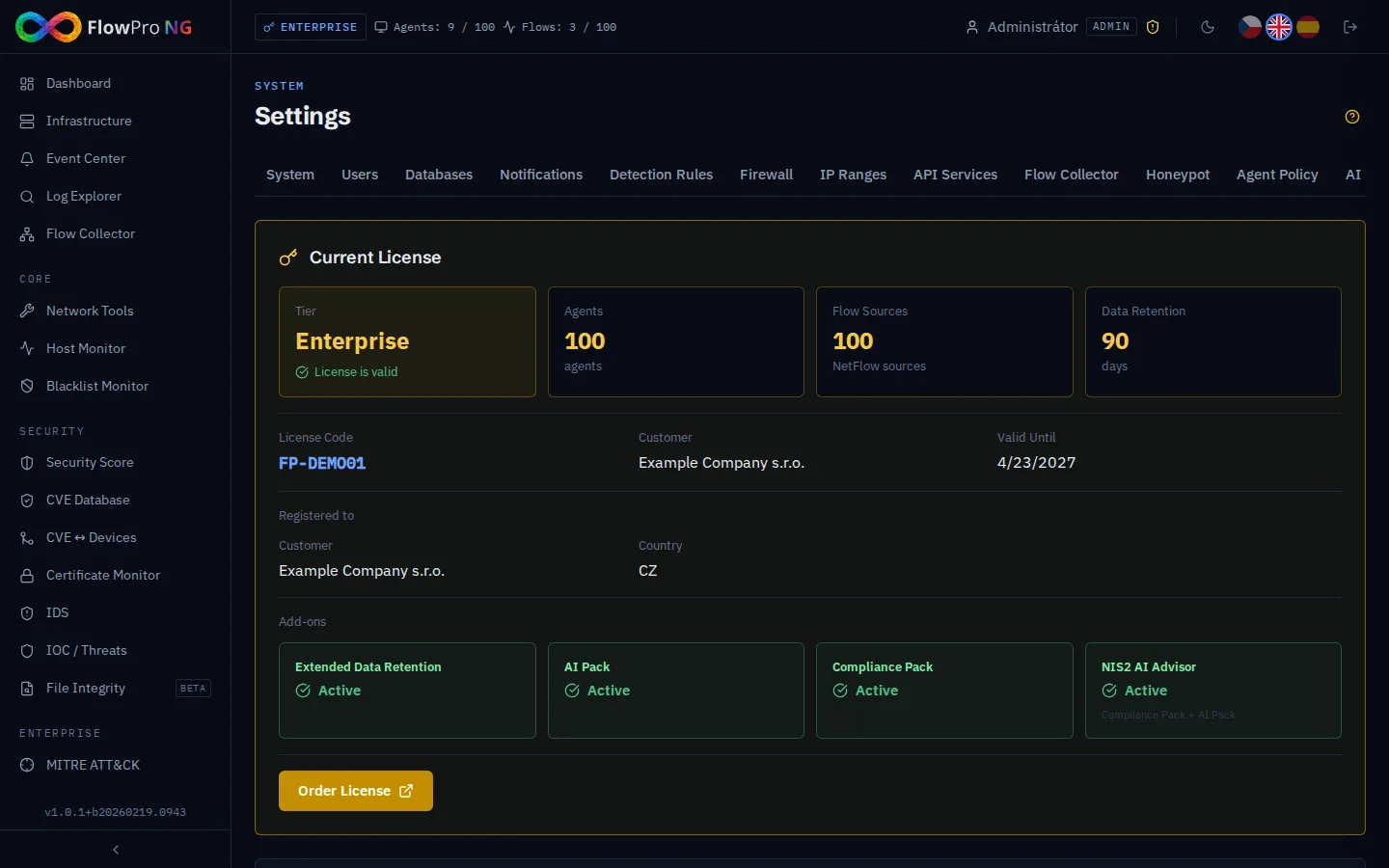
The license is activated by entering a license key (JWT token):
Obtaining the key
You will receive the license key by email after purchasing a license at www.flowpro.eu.
Entering the key
Go to Settings → License and paste the key. Or enter it in the Setup Modal during first installation.
Online verification
The system verifies the key via the API Service (api.net-service.io) and activates the license. Internet connection is required.
Heartbeat and online verification
FlowPro NG regularly (every 5 minutes) communicates with the license server:
- •License validity check — expiration and status verification
- •System metrics — CPU, RAM, disk (for license server monitoring)
- •Agent count — current number of active sources and license limit
- •License update — automatic distribution of renewed license
- •Version — check for new version availability
Offline mode and grace period
The system works without internet connection with the following limitations:
| Tier | Offline mode |
|---|---|
| Free | Works offline indefinitely — no limitations |
| Core / Security / Enterprise | 7-day grace period without connection to the license server |
After 7 days without a successful heartbeat, paid tiers will display a blocking modal (ConnectivityLostModal) with information:
- •License server address (api.net-service.io:443)
- •Recommendation to verify network connection and firewall
- •Option to enter a new license key
Agent limits and enforcement
The license defines the maximum number of active agents (log sources). Agents are counted independently from three sources:
- •Fleet (Elastic Agent) — locally installed agents
- •Syslog (MikroTik) — devices sending syslog
- •NetFlow — network flow sources
Exceeding the limit
When the license limit is exceeded, the system automatically blocks excess sources. Blocking priority:
- •1. NetFlow sources — blocked first
- •2. Fleet agents — blocked second
- •3. Syslog sources — blocked last
After login, an informational modal appears with a list of blocked sources and the option to go to settings or visit www.flowpro.eu.
License security
- •RSA-SHA256 — license is signed with a 4096-bit RSA key
- •TLS — all communication is encrypted (HTTPS with Let's Encrypt)
- •Fernet encryption — license is stored encrypted in the database (AES-128-CBC + HMAC)
- •Instance binding — license is bound to a specific installation
Contact and support
For purchasing a license or licensing questions:
- •Web: www.flowpro.eu
- •Email: info@flowpro.eu
- •Support: info@flowpro.eu