31
NIS2 Compliance
NIS2 Compliance — overview
The NIS2 Compliance module automatically evaluates the compliance level of your infrastructure with regulatory requirements. It supports 6 security frameworks and performs 130 automated checks. The page contains 14 tabs.
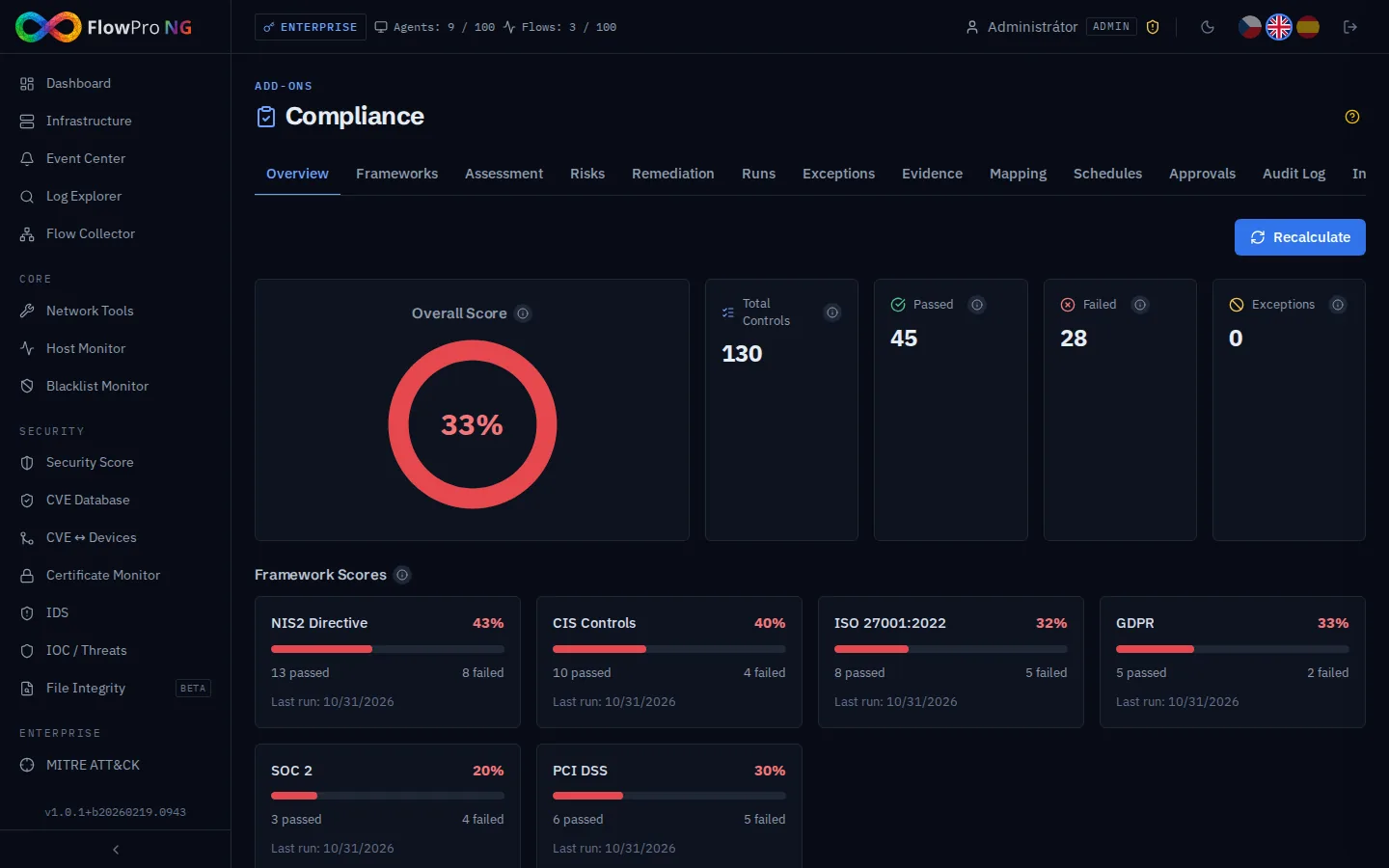
Tabs overview
| Tab | Description |
|---|---|
| Overview | Summary score, trend, heatmap, stat cards |
| Frameworks | Overview of 6 frameworks and their controls |
| Assessment | Detailed results of the latest evaluation |
| Risks | Risk register with 5x5 heatmap |
| Remediation | Recommendations for fixing failed controls |
| Runs | Compliance run history with comparison |
| Exceptions | Exception management for irrelevant controls |
| Evidence | Evidence and documents for manual controls |
| Mapping | Cross-framework control mapping |
| Schedules | Scheduled evaluation configuration |
| Approvals | Approval workflow for attestations |
| Audit Log | History of all compliance actions |
| Integrations | Integration with external systems |
| Builder | Custom framework and control creation |
Supported Frameworks
| Framework | Focus | Controls |
|---|---|---|
| NIS2 | EU cybersecurity directive | ~25 |
| CIS Controls v8.1 | Security best practices (CIS Benchmarks) | ~30 |
| ISO 27001 | International ISMS standard | ~25 |
| GDPR | Personal data protection (EU regulation) | ~15 |
| SOC 2 | Service security (audit framework) | ~20 |
| PCI DSS | Payment card security | ~15 |
Control Types
Each control can be one of five types:
| Type | Description | Example |
|---|---|---|
| ES Query | Elasticsearch query | Existence of security logs in the last 24h |
| PG Query | PostgreSQL query | Number of active users with 2FA |
| API Check | External API check | Elasticsearch cluster status |
| Config Check | Configuration check | Retention policy settings |
| Manual | Manual confirmation | Existence of a security policy |
Scoring and Assessment
The overall score is calculated as:
Score = (Passed + Not Applicable) / Total × 100%
- •Passed (green) — control passed
- •Failed (red) — control failed
- •Not Applicable (gray) — control does not apply (exception)
- •Error (orange) — control failed technically (query issue)
Risk Register
The Risks tab contains a risk register with an interactive 5x5 heatmap:
- •Heatmap — probability × impact matrix (5 levels)
- •Risk items — individual risks with description, owner, and status
- •Mitigation — risk reduction plans with timeline
- •Prioritization — automatic sorting by risk score
- •Color coding — red (critical), orange (high), yellow (medium), green (low)
Automated Evaluation
The system automatically runs an evaluation (compliance run) every 6 hours (interval configurable in Settings). During execution:
- •Runs all automated checks (ES, PG, API, Config)
- •Compares results with the previous run
- •Generates a SystemEvent and sends a notification on score decrease
- •Saves results for historical trend
Attestation and Approvals
Manual controls require attestation — confirmation from a responsible person:
- •Who attested — name and role
- •When — attestation date
- •Evidence — text description, document link, process description
- •Validity — attestation is periodically renewed
Approval workflow
For organizations requiring an approval process:
- •Submit attestation — user fills out the form with evidence
- •Review — approver reviews the documents
- •Approval/rejection — with comment
- •Audit trail — history of all approvals in Audit Log
Evidence management
The Evidence tab allows central management of documents and evidence:
- •Upload evidence — attach files and documents
- •Evidence types — documents, screenshots, exports, manual records
- •Tags — categorize evidence for easy searching
- •Link to controls — connect evidence with specific controls
Exceptions
For controls that are not relevant to your environment, you can create an exception:
- •Justification — mandatory description of why the control is irrelevant
- •Validity — optional exception expiration date
- •Approval — exception may require approval
- •Positive impact — exceptions count as Not Applicable (increase score)
Framework Builder
The Builder tab allows creating custom compliance frameworks:
- •New framework — name, description, categories
- •Custom controls — define check type, query, and expected result
- •Import/export — share frameworks between instances
- •Clone — duplicate an existing framework as a base
Compliance Chat Integration
From the Compliance module, you can access Compliance Chat — a RAG chatbot for NIS2 directive queries. The chatbot responds based on the complete NIS2 directive text divided into 221 semantic blocks.
Export and Reporting
Compliance assessment results can be exported:
- •PDF — formatted report for management and auditors (landscape A4, Czech characters, per-category tables)
- •CSV — tabular data for further processing